
The Markdown Resume — Maintain One Source, Export Every Format
Keep your resume as one Markdown source and export print-ready PDF, Word, and web on demand — structure, git history, and what ATS parsing actually reads.
1. The Real Pain Isn't Writing the Resume — It's Re-Layouting It
The exhausting part of a job search is rarely the writing; you already know what you did. It starts when you reopen resume.docx after a quiet year: the two-line summary that used to fit has become three, a bullet indent has drifted, the borders of the table you aligned by hand now sit at slightly different widths, and the font on the machine you are using is not quite the font the file was built with. Nothing is broken, exactly, but half an hour disappears into nudging whitespace before you have changed a single word of substance. Multiply that by every application season, and resume maintenance stops being an edit and becomes a re-build.
Then the versions start. A technical version leads with systems and metrics; a management version leads with scope, hiring, and budgets; a specific posting rewards a summary rewritten around the company's own vocabulary. Each variant begins as a fresh copy of the Word file, and each copy drifts — fix a wrong date in one and the others silently stay wrong. A few weeks into an active search, the folder holds a dozen files whose names are the only version control they have.
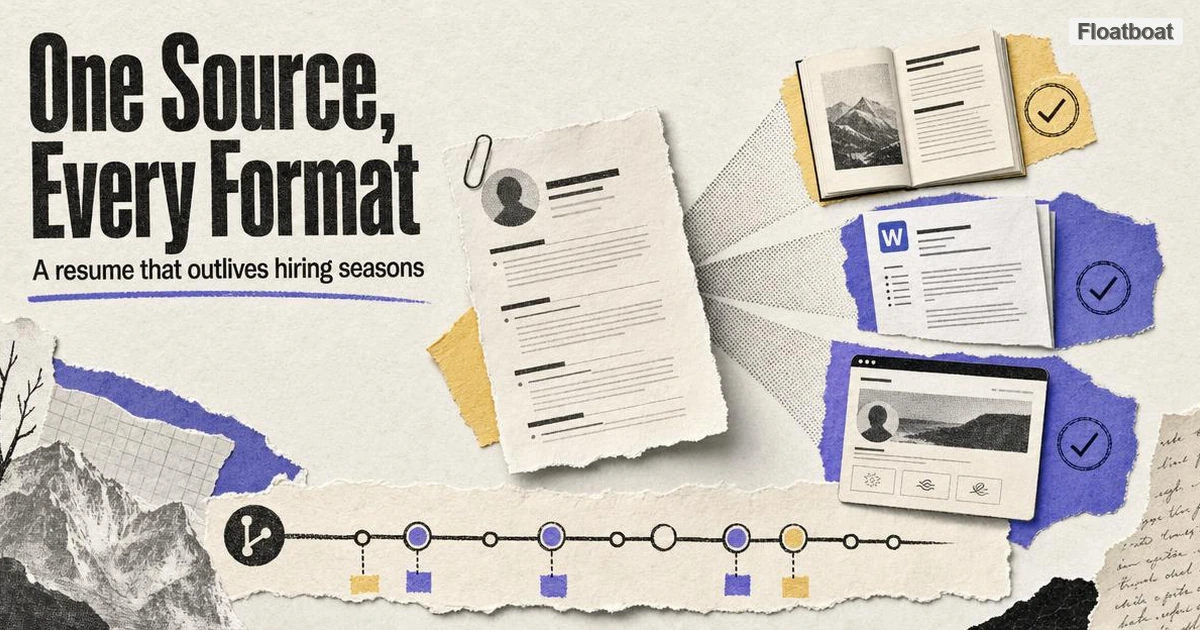
The third squeeze is delivery. The portal on the careers page accepts only .docx. The friend making an internal referral asks for a PDF "so nothing shifts on their screen." Your personal site wants the same content as HTML. None of these requests is exotic; together they mean one body of content must exist in three formats, and in the Word-era workflow that means three separately maintained artifacts. The substance of a resume changes a handful of times a year, but the formats demanded of it change per application. That mismatch — one evolving source, many rigid delivery formats — is the actual problem, and it is a format problem before it is a writing problem.
2. One Source: How to Structure a Resume in Markdown
The fix is to stop treating the resume as a document and start treating it as source text. Markdown — the plain-text formatting syntax behind README files, note apps, and most AI output, as covered in our Markdown explainer — fits this job precisely because it separates content from presentation: the file records what each line is (a heading, a bullet, a link), and every renderer decides how that looks. A resume written this way is one .md file that opens in any editor, stays readable as plain text, and renders wherever Markdown renders. The syntax you need fits on one screen, and a good Markdown cheat sheet covers all of it with copyable examples.
Three conventions do most of the maintenance work, and none of them requires anything beyond that basic syntax:
- Contact details live in a YAML header. Name, email, phone, and links sit in a small metadata block at the top of the file rather than in a formatted line of text. Because it is data rather than layout, it survives every export unchanged, and template systems can read it programmatically.
- Every role gets the same shape. A
##heading, one line carrying title, employer, and dates, then two to four accomplishment bullets underneath. Identical structure across entries is what makes the file diffable line by line and makes exports land predictably. - Tailoring means commenting out, not deleting. The complete record of your work stays in the file; for a given application you wrap the bullets a particular version does not need in
<!-- ... -->comments. The longer version is always one uncomment away, which is what makes per-company variants cheap instead of risky.
None of this is clever, and that is the point. The conventions exist so that six months from now the file still reads the same way, so that a diff between two tailored versions shows content changes only and never structural drift, and so that any tool you point at the file later finds predictable structure instead of formatting artifacts.
A minimal entry looks like this:
---
name: Alex Chen
email: [email protected]
links: [github.com/alexchen, alexchen.dev]
---

## Senior Engineer — Acme Corp · 2021–2026

- Cut deploy time 40% by moving builds to a cached pipeline
- Led migration of the billing service to an event-driven design
If your current resume lives as a web page — an old personal site, an About page, a profile you can save as HTML — run it through HTML-to-Markdown conversion first. Headings, dates, and bullets survive the trip structurally, the cleanup pass is minutes rather than hours, and you finish with the source file this whole workflow depends on.
3. A Complete Markdown Resume Template, Walked Through
The conventions above are easier to trust once they are assembled into one whole file, so this section walks through a complete template. It is deliberately small — a YAML contact block, two experience entries in identical shape, a one-line skills section, and an education entry — and nothing in it is trying to win a design award, because design decisions belong to the export layer, not the source. Paste it into an editor, replace the contents with your own history, and you have a working source file in one sitting.
---
name: Alex Chen
email: [email protected]
phone: +1 555 0100
links: [github.com/alexchen, alexchen.dev]
---

## Senior Engineer — Acme Corp · 2021–2026

Owned the payments platform with a team of four through two migrations.

- Cut deploy time 40% by moving builds to a cached pipeline
- Led migration of the billing service to an event-driven design
- Designed the retry policy that cut payment failures to 0.1%

## Engineer — Beta Labs · 2018–2021

- Shipped the first mobile client, now at 200k monthly users
- Moved CI from a hand-run shell script to a managed pipeline

## Skills

Go · Python · PostgreSQL · Kubernetes · Terraform

## Education

BS Computer Science — State University · 2014–2018

Thesis: scheduling algorithms for batch pipelines
Read top to bottom, the YAML header carries every field that is identity rather than argument — name, email, phone, links — because those survive every export unchanged and template systems can read them programmatically. Each experience block opens with a ## heading that packs title, employer, and dates into a single line; the recent role adds a one-sentence scope line above its bullets, while the older role goes straight to bullets, which is the normal shape once a career grows. Skills stay a single line of words rather than a matrix of bars, since parsers and skimming humans both read word lists faster than graphics. Education closes the file in the same heading-plus-line shape, with a thesis line only when it speaks to the jobs being sought — and commented-out blocks are how tailored variants get made from this file without deleting anything.
4. How to Write Each Section: Summary, Bullets, and Education
Structure is the skeleton, but the sentences inside it decide whether anyone keeps reading, and three blocks carry almost all of that weight. Each has a characteristic failure mode: the summary that could belong to anyone, the bullet that records a responsibility without an outcome, and the education section that dominates a junior resume while vanishing from a senior one. The fixes are mechanical rather than artistic, which is why they are worth stating as explicit contrasts — a weak version, then the stronger one that replaces it.
The summary must name a specialty, a scale, and a result in at most two lines, and accomplishment bullets must produce evidence a hiring manager can compare; the table shows the weak and stronger versions side by side.
| Weak version | Why it stays weak | Stronger version |
|---|---|---|
Results-driven professional seeking a challenging role at a dynamic company. | No specialty, no scale, no evidence — any file could contain it | Payments platform engineer; led a four-person team through two migrations that cut deploy time 40%. |
Responsible for improving and optimizing the invoicing process. | Describes attendance, not outcome; cannot be compared or defended in an interview | Cut invoice-processing time 35% by moving approval from email threads to an event-driven queue. |
BS, 2018. GPA 3.9. | A credential with no evidence of what you can actually do | Thesis: scheduling algorithms for batch pipelines — built the scheduler, benchmarked against three baselines. |
The stronger bullets all share one formula — verb, output, number — where the number is a scale, a percentage, or a timeframe rather than decoration. Not every bullet can carry a hard number, because some work genuinely has no metric, but every bullet needs an output: a thing that now exists or now behaves differently because you were there. "Responsible for" is the tell of the weak version, since it would survive any job description unchanged and therefore describes none of them.
Education and research follow the same entry shape as jobs, with the weight shifting by career stage. Early-career resumes can promote thesis work, capstone projects, and research assistantships into full entries — heading with role and dates, a scope line, formula bullets — because that is often the strongest evidence available. Senior resumes compress education to one line at the bottom and let the work history argue, while research output of any kind, from a paper to a shipped open-source project, belongs in the same verb-output-number formula: what was built, for whom, at what scale.
5. Three Export Paths From the Same File
Once the content lives in Markdown, producing any hiring-season format is mechanical, and the honest ranking of the three paths is by setup cost rather than capability. The browser route asks for nothing; the command line asks for one install and repays it with repeatability; the community template asks for a build toolchain and repays it with typeset output. The table below is the short version.
| Path | Setup | Best for | Formats out |
|---|---|---|---|
| Browser tool | None — just a URL | One resume, edited often, needed as PDF | Print-ready PDF |
| pandoc | One install | Repeatable exports; portals that demand Word | PDF, DOCX, HTML, dozens more |
| pandoc_resume template | Clone + build tools (or Docker) | A typeset design without designing one | PDF, HTML |
For the most common case — one resume, edited frequently, delivered as PDF — the browser path has no setup at all. Open Floatboat's free Markdown tool, paste or open the file, edit against the live preview, and export when it looks right; what comes out is a print-ready PDF paginated for paper rather than a screenshot of a browser window. Rendering uses the fonts already on your machine, so the preview is the artifact, and the loop from a typo fix to an export-ready file is measured in seconds. During interview season, when the summary line changes twice a week, that edit-then-export loop is the entire product.
When exports need to be repeatable — or a portal demands Word — the command line earns its keep. Per pandoc's manual, a single source file converts to PDF, DOCX, HTML, and dozens of other formats; install from pandoc's installation page and two commands cover hiring season:
pandoc resume.md -o resume.pdf --pdf-engine=typst
pandoc resume.md -o resume.docx --reference-doc=corp-template.docx
The full machinery — PDF engines, fonts, template styling — is its own subject, which we rank by friction in our Markdown-to-PDF walkthrough. For resumes, note one thing only: DOCX output takes its styles from the --reference-doc template, which means the Word file a picky portal receives can carry your own fonts and margins, because the template is a Word document you edited yourself.
If you would rather inherit a design than make one, the community template route exists for exactly that. The pandoc_resume project on GitHub — literally titled "The Markdown Resume" — pairs Markdown source with a pandoc and ConTeXt build chain to produce polished PDF and HTML; it is MIT-licensed, sits around 1.8k stars as of September 2026, and ships a Docker option for building without installing the toolchain locally. The trade is real and worth stating plainly: you accept someone else's design decisions and a build dependency in exchange for typeset output on day one.
Online resume builders occupy the remaining corner, and the honest one-line verdict is that they work well when you want a guided design — and accept that your resume then lives in someone else's database rather than as a file you own, version, and export anywhere.
6. Export QA: Four Checks Before You Send
An export is not finished when the file appears in a folder; it is finished when four checks pass, and all four together take under five minutes. They exist because every common failure of a resume file — unreadable text, substituted fonts, an orphan line on a second page, an anonymous filename — is invisible on the machine that produced it and only surfaces on someone else's screen. Run them in the order below, which catches the most damaging problems first.
| Check | How to run it | Pass looks like |
|---|---|---|
| Text layer | Open the exported PDF, select all, paste into a plain-text editor | The paste reads back as your resume in order — name, roles, dates, bullets; fragments out of order mean the layout needs work first |
| Font embedding | Open the file on a machine or browser profile without your installed fonts | Layout identical; the browser pipeline and pandoc embed fonts by default, so failures usually mean the file was flattened or re-saved |
| One page | Check the page count after every export | One page, or a deliberately chosen two, with no orphan line stranded on the last page |
| File naming | Look at the name the way a stranger will | Alex-Chen-Resume.pdf — never resume.pdf or final_v3.pdf, because the file travels into inboxes where your context does not follow |
All four checks run on the exported artifact rather than on the source, and that is the habit worth keeping: a perfect source can still produce a broken export, so the file itself is what gets inspected. When a check fails, fix the Markdown and re-export instead of editing the PDF by hand, because the fix then lives in the source that every future export inherits. Together the four checks are the difference between "I exported something" and "I know what they will see."
7. Tailoring to a Job Description in 15 Minutes
The workflow earns its keep most visibly when a specific posting is due, because tailoring stops being a rewrite and becomes a fifteen-minute pass with a fixed shape: map the posting's requirements to your evidence, reorder what the map surfaces, then export and verify. None of the three stages asks you to invent new content, and each has a defined stopping point. If a tailored version takes an evening, the structure has drifted somewhere and is worth repairing first.
Stage one is keyword mapping. Read the posting once, write down the six to ten words that name real requirements rather than filler, and check each against the file: already present, present but buried, or genuinely missing. This is also the one stage where delegating to software helps — paste the posting and the resume into one of the newer AI workspace agents and ask for the mapping table — but verify every row yourself, because the agent reads both texts faster than you can while owning none of the judgment about what you can honestly claim. A keyword you cannot back with a bullet is noise, and padding a resume with noise reads as padding.
Stage two reorders rather than invents: within each role, move the bullets that answer the posting's top requirements to the top, comment out what this version does not need, and rewrite the summary line to lead with the mapped specialty. Stage three is mechanical and non-negotiable — export once, run the four checks from the previous section, then commit with the company name in the message so the history described next records exactly what went out the door. Fifteen minutes after starting, the application is gone and the master file sits untouched underneath it.
8. Git: Version Control as the Resume's Memory
The least advertised benefit of a plain-text resume is that it becomes diffable history. Once the file lives in a repository, every meaningful change can be a commit — "tailored for Acme: lead with platform work," "cut to one page for the referral PDF," "added the Q3 launch" — and during a season when you adjust emphasis per posting, the scariest question in job hunting ("which exact version did I send them on the twelfth?") stops being an archaeology project and becomes a git log entry with a timestamp. The habits involved are small: commit before each submission, write the company name in the message, and the history builds itself.
The payoff compounds past the lookup. You can diff two submissions to see precisely how your emphasis shifted between a technical and a management application, which is honest feedback about your own positioning. You can roll back a tailoring experiment that read badly a week later. And when you fix a factual error — a wrong date, a corrected metric — one edit plus one commit carries the correction into every future export instead of into whichever file you happened to open. The basics are a handful of commands documented in Git's official documentation, and they are the same five commands people already use for everything else they version.
One honest boundary: Git has a learning curve, and if you have never used it, a folder of dated export copies gets you most of the traceability benefit without the tooling. But if you write code or already track anything in Git, keeping the resume in a repository costs nothing extra — it is the same habit applied to one more text file that matters.
9. What an ATS Actually Reads — and What Markdown Can and Can't Guarantee
Applicant tracking systems parse text, and a Markdown-to-PDF export produces real, selectable text — which is exactly the property parsers need. It is worth being precise about both halves of that sentence, because resume folklore overclaims in both directions. An ATS is software that extracts the text of your resume into structured fields a recruiter can filter; its classic failures involve image-heavy or flattened designs, where text arrives as fragments or not at all, and content encoded inside icons or graphics, which never arrives as text in the first place.
The Markdown advantage is structural. Both the browser print pipeline and pandoc produce a PDF with an embedded text layer — you can select the text with a cursor and copy it out, which is a rough but reliable proxy for what a parser sees — and a single-column layout gives that text a linear reading order. A resume that started as Markdown tends to have exactly the conservative shape parsers handle best: standard section headings, dates as plain text, accomplishments as lists, no critical content trapped in a sidebar or a table cell.
What no format can promise is that a specific parser handles your specific file gracefully. Even text-layer PDFs get scrambled by multi-column layouts, by tables carrying load-bearing information, and by headers and footers the extractor mishandles — so "ATS-proof" is not a claim anyone should make, and this article does not. The defensible version is narrower: Markdown keeps your content in the most parser-friendly shape by default, it never traps content in images, and when a portal explicitly asks for Word, the same source exports the DOCX it wants. Verify the result by opening the exported PDF, selecting all the text, and pasting it into a plain editor — if what you pasted reads like your resume, a parser has a fair chance too.
10. One Source, Many Documents: Cover Letters and LinkedIn
A search rarely runs on the resume alone, and the two companion documents that recur — the cover letter and the LinkedIn profile — are usually maintained as free-floating files that drift out of sync with it. Dates get corrected in one and not the others, a repositioning happens here and is forgotten there, and the drift stays invisible until a recruiter compares the PDF against the profile. Housing both beside the resume costs almost nothing and removes the drift at the root.
For cover letters, keep a cover-letter.md next to resume.md in the same repository, reusing the same YAML contact block so identity fields exist in exactly one place. Only the middle paragraphs — the argument for this company and this role — get rewritten per application, and each letter gets its own commit with the company name, which makes the letter a recruiter actually received as recoverable as the resume. Exported through the same pipeline, the letter inherits the same typography, and the pair quietly reads as a set.
For LinkedIn, the profile's experience section can be pasted from the same bullets instead of rewritten, so a corrected metric or retitled role happens once and flows outward to every surface a recruiter might check. Keep the web variant uncommented and full-length — LinkedIn imposes no one-page constraint, so the complete record is the right source there — while the PDF remains the trimmed, tailored artifact for applications. One file, two renderings, and the discipline that keeps the resume honest keeps the profile consistent with it.
11. Conclusion
The reframe this workflow asks for is small: a resume is not a document you maintain, it is a source you compile. One Markdown file holds the complete record; YAML carries the contact block; consistent entries keep the file diffable; commented-out blocks make tailored versions cheap; exports produce PDF, DOCX, or HTML on demand; and Git remembers who received which emphasis, when. Nothing in the stack is exotic — the pieces are a text editor, a URL or one command, and optionally a repository.
If you are mid-search, the first step costs one evening: move your current resume into a .md file using the structure above, export it once as a PDF, and read the exported text back. If the round trip preserves everything you meant to say, you will never re-layout that Word file again — and the next "can you send it as a PDF by tonight?" becomes a two-minute errand instead of a cancelled evening.
https://floatboat.ai/blog/markdown-resume