
What Is an Obsidian Vault? Files, Settings, and Boundaries
An Obsidian vault is a local folder containing Markdown notes, attachments, and vault-specific settings. Learn what lives inside it, what local storage does and does not guarantee, and when to use one or several vaults.
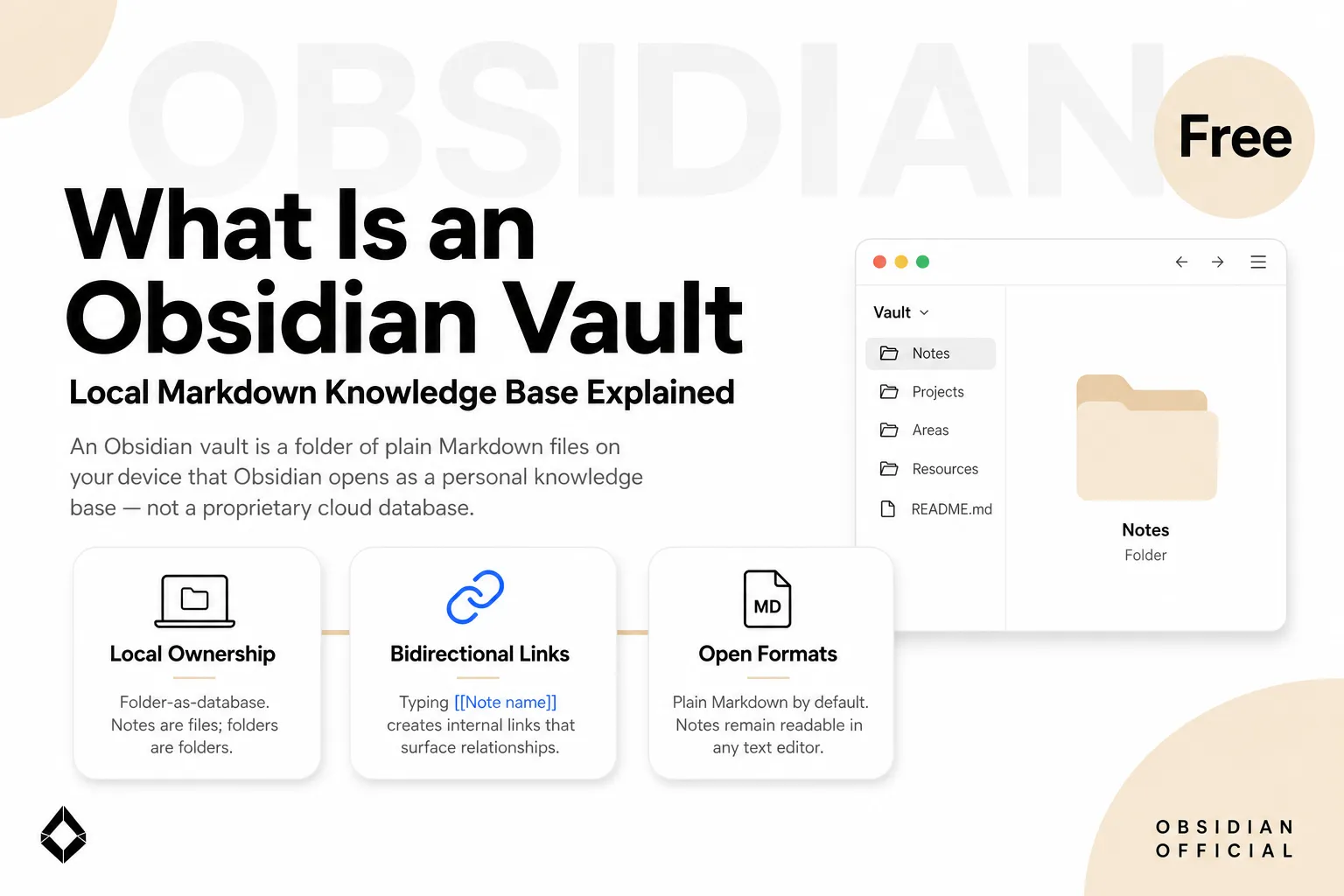
An Obsidian vault is a folder on your local file system that Obsidian treats as a knowledge base. The notes are Markdown text files. Images, PDFs, and other attachments can sit beside them, while a hidden .obsidian folder stores settings that apply to that vault.
That plain definition is more useful than calling a vault a “second brain.” It tells you what you can back up, what another program can read, where plugins are configured, and which privacy claims the folder alone cannot support.
Information checked October 13, 2026. Obsidian details below reflect its current public help and changelog.
The vault contract: your folder remains the source of truth
Obsidian’s official data-storage guide says notes are Markdown-formatted plain-text files in a local folder, including its subfolders. You can edit those files with another text editor or move them with a file manager; Obsidian watches for external changes and refreshes its view.
This gives a vault three practical properties:
- Readable without Obsidian. A
.mdnote remains text if the app is unavailable. - Addressable by path. Backups, Git, scripts, and authorized desktop tools can work with the same files.
- Scoped as a unit. Internal links, settings, themes, hotkeys, and community-plugin configuration belong to that vault.
The folder model is why a vault pairs naturally with a Markdown note-taking workflow. Obsidian adds linking, backlinks, search, graph views, and plugins; it does not replace the underlying files with a proprietary note database.
What actually lives inside a vault
| Item | Typical format | What it does |
|---|---|---|
| Notes | .md | Stores the text, headings, links, and YAML properties you write |
| Attachments | Images, PDFs, audio, and other files | Supplies media embedded or linked from notes |
| Vault configuration | .obsidian/ | Stores vault-specific preferences, hotkeys, themes, and plugin settings |
| Canvases | .canvas | Stores spatial boards as structured files |
| Bases | .base plus note properties | Saves database-like views over files without moving note data into a separate database |
The distinction in the last row matters. Obsidian Bases can display, sort, filter, and edit notes through tables, cards, lists, kanban boards, and maps. The note data still lives in local Markdown files and their properties; the .base file describes the view. A Base is therefore a lens over the vault, not a replacement for it.
Attachments are also ordinary files. Where they land depends on your Files and Links settings, so a tidy-looking note can still depend on an attachment stored elsewhere in the vault. A backup that copies only .md files is not a complete vault backup.
“Local” is a storage fact, not a complete privacy guarantee
A local vault starts on your device, and Obsidian’s core app does not require you to upload it. That does not mean every workflow involving the vault stays local.
- Obsidian Sync creates a remote vault when you choose to use it.
- Dropbox, iCloud, OneDrive, Git remotes, or another sync service copy files under that service’s rules.
- Community plugins may call external services.
- An AI tool can send selected note content to a remote model even when the source file is local.
Obsidian states that Sync uses end-to-end encryption by default for remote vaults, while also making clear that it does not encrypt the local vault itself; local disk protection remains your responsibility. The details and limitations are documented in its Sync security guide.
So the accurate statement is: you control the files and choose which services receive copies or content. “Local-first” is not the same as “never leaves this computer.”
One vault or several?
Obsidian lets you open multiple folders as separate vaults. The best reason to split is a boundary that changes how the material should be handled:
- work notes and personal journals have different access rules;
- one client’s files must not be visible to another client’s plugins or automations;
- a shared vault needs a different plugin set from a private research vault;
- a large archive should stay closed during everyday work.
Do not create nested vaults. Obsidian warns that internal links are local to a vault and may not update correctly when one vault sits inside another. If the only problem is topic clutter, folders, properties, tags, and Bases are usually cheaper than another vault. Split for trust or tooling boundaries, not merely because two subjects differ.
What a vault is not
It is not Obsidian Sync. A vault exists without an account or paid service. Sync is an optional way to replicate it across devices.
It is not automatically encrypted. The folder inherits the security of your device, disk, backups, and any services you connect.
It is not a hosted multiplayer workspace. Files can be shared and synced, but the default model is not the same as a browser-first team database with page permissions and live comments.
It is not an AI system. Plain files make agent access possible, but the model, permissions, and write-back policy come from whatever tool you add. The practical setup belongs in the separate guide to using Obsidian with an AI agent.
When the vault model is a good fit
Choose a vault when durable ownership, offline access, file-level backups, and tool interoperability matter more than effortless guest collaboration. It is especially strong for writers, researchers, consultants, and solo operators who want notes to outlast one app or subscription.
Choose a hosted workspace first when the main job is real-time editing with people who will not install Obsidian, or when a team needs centralized permissions and administration more than local file control. Many people use both: a vault for private or long-lived thinking, and a hosted workspace for shared operations.
The shortest useful definition is still the best one: an Obsidian vault is a local folder of notes and supporting files, with Obsidian-specific capabilities layered on top. Once you understand the folder, the rest of the product becomes easier to reason about.
Related posts

The Markdown Resume — Maintain One Source, Export Every Format
Keep your resume as one Markdown source and export print-ready PDF, Word, and web on demand — structure, git history, and what ATS parsing…
Markdown for Note-Taking — A Workflow That Outlives Any App
A markdown note-taking workflow built on plain files: naming, structure, links, and AI review. Why plain text outlives any app, and how to…

AI Automation Agency: Do You Need One?
AI automation agency support can help, but solo operators should compare scope, ownership, maintenance, and tool alternatives first.
https://floatboat.ai/blog/what-is-obsidian-vault