
Markdown Cheat Sheet — Syntax You'll Actually Use, With Examples
A copy-paste Markdown cheat sheet: core syntax, GFM tables and task lists, and the escaping mistakes that break rendering in GitHub, Obsidian, and Notion.
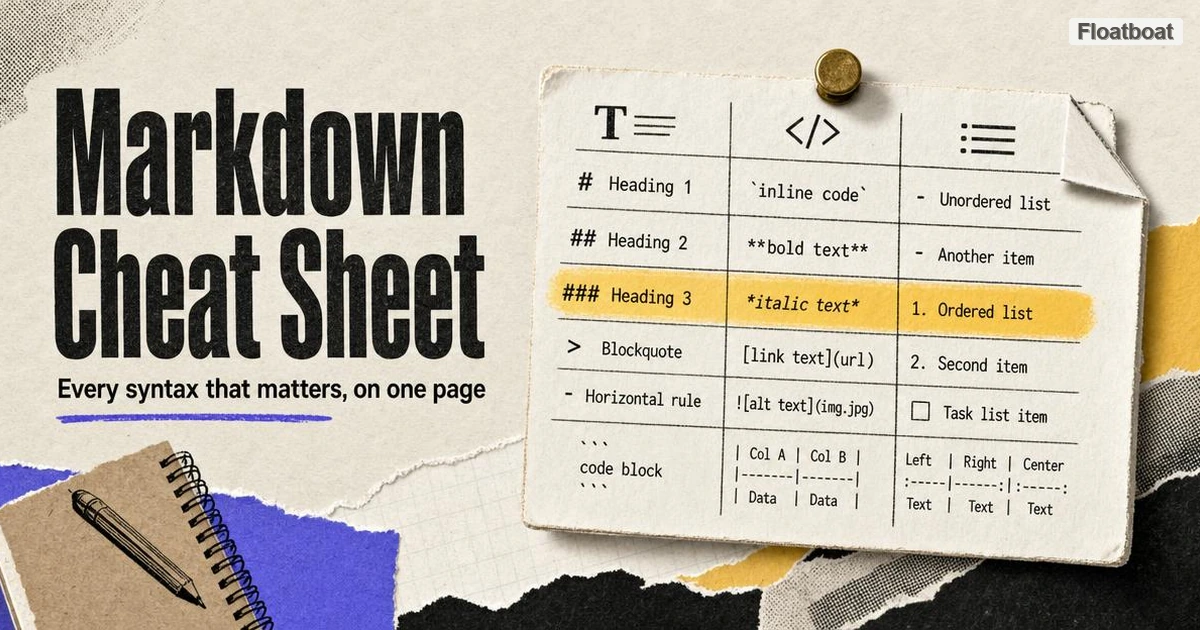
1. Markdown Basics: The Syntax Every Renderer Supports
Markdown was created in 2004 by John Gruber, with Aaron Swartz as co-author of the syntax, and its stated design goal explains why every construct in this section looks the way it does: the raw text should remain readable exactly as written, per Daring Fireball's original syntax guide. The markers come from plain-text email conventions — asterisks for emphasis, > for quoting — so human-readable text converts cleanly into HTML without a formatting toolbar. That goal also explains the discipline of the core language: syntax is punctuation-shaped, structure is inferred from blank lines and indentation, and anything too ambiguous to parse reliably was left out. If you are new to the format, our Markdown definition and history explainer covers where it came from. Everything here renders identically in GitHub, Obsidian, Notion, and every mainstream engine — which is why it belongs in muscle memory, not a bookmark.
1.1 Headings
A heading is a line that starts with one to six # characters, followed by one space and the title text.
# Document title (H1)
## Section heading (H2)
### Subsection heading (H3)
#### Level four (rarely a good idea)
Use one # per document, ## for sections, and ### for subsections; deeper levels exist, but they usually signal content that wants to be split. Skipping levels — an H1 followed directly by an H3 — still renders, yet it produces a broken outline for screen readers and table-of-contents generators, because headings are the document's real structure, not its decoration. One quiet failure mode: #Heading without the space after the hash renders as literal text, not a heading.
1.2 Emphasis and inline code
**bold** renders bold
*italic* renders italic
***bold italic*** renders both
`inline code` renders in monospace
Prefer asterisks over underscores for emphasis: snake_case_name does not italicize, because engines treat intra-word underscores as literal, while snake*case*name does emphasize. Bold is for the few terms a scanning reader must not miss — if everything is bold, nothing is. Inline code, set off with single backticks, marks anything typed literally — commands, file names, flags — and its subtle background tint makes it the strongest visual anchor in a paragraph, so spend it on genuine code rather than emphasis in disguise.
1.3 Links and images
[anchor text](https://example.com/docs)

[reference-style link][docs] with the definition elsewhere in the file:
[docs]: https://example.com/docs
Links and images share one syntax, distinguished by the leading !. Alt text is what screen readers speak and what shows when the image fails to load, so describe what the image shows, not its file name. Reference-style links collect URLs at the bottom of the file, keeping the paragraph readable in its raw form — the same goal as everything else in Markdown.
1.4 Blockquotes and horizontal rules
> Quoted line one.
> Line two continues the same quote.

> A separate quote starts after a blank line.

---
A blockquote accepts any Markdown inside it, so > **Note:** ... and a quote-within-a-quote (> > ...) both render. The horizontal rule has one trap: it needs a blank line above it, because text followed immediately by --- turns that text into an H2 heading under the setext rule — one of the quietest ways to grow a mystery section title.
1.5 Lists and the indentation rule
- Bullet item
- Another item
  - Nested item (two spaces under a dash parent)
1. Numbered item
2. Second item
   - A bullet nested under "2." (three spaces)
Unordered lists accept -, *, or + interchangeably, and ordered lists renumber themselves — the rendered sequence follows the list, not the digits you type. Nesting is where rendering starts to break, because parsers assign a line to a parent item only when it is indented to align with the parent's text: two spaces suffice under a - parent, but at least three are needed under a 2. parent. A uniform four-space indent works under every marker, which is why style guides shorten the topic to "indent four spaces" — Section 3.1 shows what happens when that alignment slips.
2. GFM Extensions: The Dialect GitHub Standardized
The 2004 spec was famously loose about edge cases, so implementations drifted until the CommonMark project pinned down an unambiguous core; GitHub Flavored Markdown is documented as a strict superset of that core, per GitHub's GFM spec. The five additions below spread far beyond GitHub, which hosted the world's READMEs: GitLab, Obsidian, Pandoc, VS Code, and most documentation tools follow the same dialect, and it is what most AI agents emit when asked for structured output — see our comparison of HTML vs Markdown for AI output for when that matters. Notion is the notable partial adopter: it understands much of GFM on import, then normalizes the document into its own block model — so learn these five as a second layer on top of the core.
2.1 Tables and column alignment
| Feature    | Core Markdown | GFM |
|------------|:--------------|----:|
| Tables     | No            | Yes |
| Task lists | No            | Yes |
A GFM table is a header row, a mandatory separator row of dashes, and data rows — miss the separator and the entire block collapses into a paragraph of literal pipes, the most common broken-table report there is. The colons are optional and control alignment for the whole column: :--- left, :---: center, ---: right. Cells hold one line of content each; there is no syntax for a paragraph inside a cell, so tables suit compact, comparable facts, while anything needing sentences per cell belongs in a nested list or its own subsection. Literal pipes inside cells must be escaped — Section 3.2 covers that failure mode in detail.
2.2 Task lists
- [ ] Draft the outline
- [x] Write the copy-paste examples
- [ ] Verify every code block renders
A task list is a bullet whose text begins with [ ] or [x], and it renders as a checkbox — in GitHub issues and pull requests it is genuinely clickable, writing your click back into the source text, per GitHub's writing documentation. That read/write honesty made it the standard idiom for README contribution steps, migration checklists, and release plans: even where checkboxes do not render, the raw text stays accurate. Other engines degrade gracefully rather than breaking — Obsidian renders real checkboxes, and Notion converts the syntax into its native to-do blocks on import.
2.3 Fenced code blocks and language tags
```python
def greet(name):
    return f"Hello, {name}!"
```
Three backticks open and close a fenced code block, and the word after the opening fence — python, bash, json, and many others — names the language for syntax highlighting. The tag is optional but rarely should be: without it you lose highlighting, and some pipelines read the tag to decide whether to lint, test, or execute the block. Fences exist because the older code-block style, indenting every line by four spaces, is tedious for long blocks and interacts badly with list indentation; inside a fence, whitespace is preserved exactly as typed. To display a literal triple-backtick fence — as this article does throughout — wrap it in a four-backtick fence.
2.4 Strikethrough and autolinks
~~This estimate was wrong~~ but the method stands.
Bare URLs become links: https://example.com
Explicit autolink: <https://example.com>
Strikethrough — two tildes around the text — marks a correction while keeping the original visible, which is how changelogs and errata preserve context instead of silently rewriting history. Autolinks are GFM's answer to "can I not just paste the URL": a bare https:// or www. address becomes a link with no bracket syntax at all, and the angle-bracket form <https://…> pins the entire URL as the link target. Both are dialect features rather than core Markdown: a strict original-spec renderer prints the tildes literally.
3. The Mistakes That Break Rendering
Renderers almost never fail loudly. A broken list becomes a run-on paragraph, a broken table becomes a wall of pipes, and the document still "works" — it just stops saying what you meant. The four patterns below account for most of that damage, and all four trace back to the same root: how a parser reads whitespace and delimiter characters, not anything exotic.
3.1 Nested lists that escape or become code
1. Build the project
2. Run the tests
  - Unit tests
3. Deploy
Under the item 2., text starts in the fourth column, so a nested bullet must be indented at least three spaces; the two-space bullet above is therefore not part of item two at all — it splits the ordered list into pieces. Over-indentation fails differently: once a line sits four or more spaces past the parent's text column, the parser treats it as an indented code block — a list item followed by a grey box. The cure is boring and effective: pick a uniform indent, never mix tabs with spaces, and when nesting under an ordered item, count to the column where its text starts.
3.2 Pipes, blank lines, and the table that renders as prose
| Tool | Literal pipe in a cell |
|------|------------------------|
| GFM  | Needs escaping: a \| b |
Two habits prevent nearly every broken table, and both follow from how markdown tables actually parse. First, escape any literal | inside a cell as \|; an unescaped pipe silently splits the cell, and once the row's column count stops matching the header, engines degrade the whole table into plain text. Second, leave a blank line above the table — a table typed immediately after a paragraph is absorbed into that paragraph, pipes and all. The blank-line rule is general: blank lines are how Markdown separates blocks, so every table, list, or code block that "mysteriously merges" with the text above it is missing one.
3.3 Backticks inside inline code
`` `code` `` renders as: `code`
Inline code spans are delimited by a run of backticks, and the run inside must be a different length than the delimiter — the standard idiom is to double the outer backticks and pad with one space on each side, as shown. The same length rule scales: to write about a triple-backtick fence inline, use a delimiter of four or more backticks. A niche need — until you document code or write about Markdown itself, at which point it stops being niche.
3.4 One dialect, many renderers
GitHub, Obsidian, and Notion all "speak Markdown," and all three will eventually surprise you. GitHub renders strictly per its own spec and sanitizes raw HTML down to an allowlist; Obsidian adds non-standard extensions such as wiki-links ([[Note]]) and native math on top of a GFM-like base; Notion interprets Markdown as you type and converts imported documents into its own block model, so dialect features do not always survive the trip, as of September 2026. The Markdown Guide's overview of flavors tracks which engines support which extensions — worth a glance before publishing anything beyond core-plus-GFM. The general defense is behavioral: test in the engine where the document will actually live, the same discipline behind converting HTML to Markdown: verify output against the destination tool, not the source.
4. From Cheat Sheet to Muscle Memory
A cheat sheet is not for the first lookup; it is for the third, when you are tired of looking things up. The way to graduate is practice with instant feedback, and every example on this page is plain text, so the loop is cheap. Floatboat's Markdown playground is built around exactly that loop — drop in any snippet from this article, watch the table or nested list render, then deliberately break it (remove the separator row, mis-indent the child list) and watch what changes. One minute of intentional breakage teaches more than an hour of re-reading.
The second habit is to route your real work through the format until the syntax stops being the interesting part. Notes, READMEs, meeting summaries, and agent prompts compound into documents; when one needs to leave the editor — a client-ready PDF, a clean diff in a review — that is a conversion job, not a rewriting job, and our guide on how to convert Markdown to PDF covers it without a LaTeX toolchain. Keep the core small: a dozen constructs cover almost every document most people write — learn those cold and let this page hold the long tail.
5. Conclusion
The syntax itself is small — this page is most of it. The complexity that remains is dialectal: knowing that tables and task lists come from GFM, that indentation rules exist because parsers assign lines to list items by column, and that the destination engine always gets the final word. So use this cheat sheet the way its examples are meant to be used — pasted, deliberately broken, and pasted again until the fixes become reflexes. The fluent Markdown writer is not the person who memorized more syntax; it is the person who stopped thinking about syntax at all, because a thousand paste-and-verify cycles taught their hands exactly what the renderer would do.
https://floatboat.ai/blog/markdown-cheat-sheet