
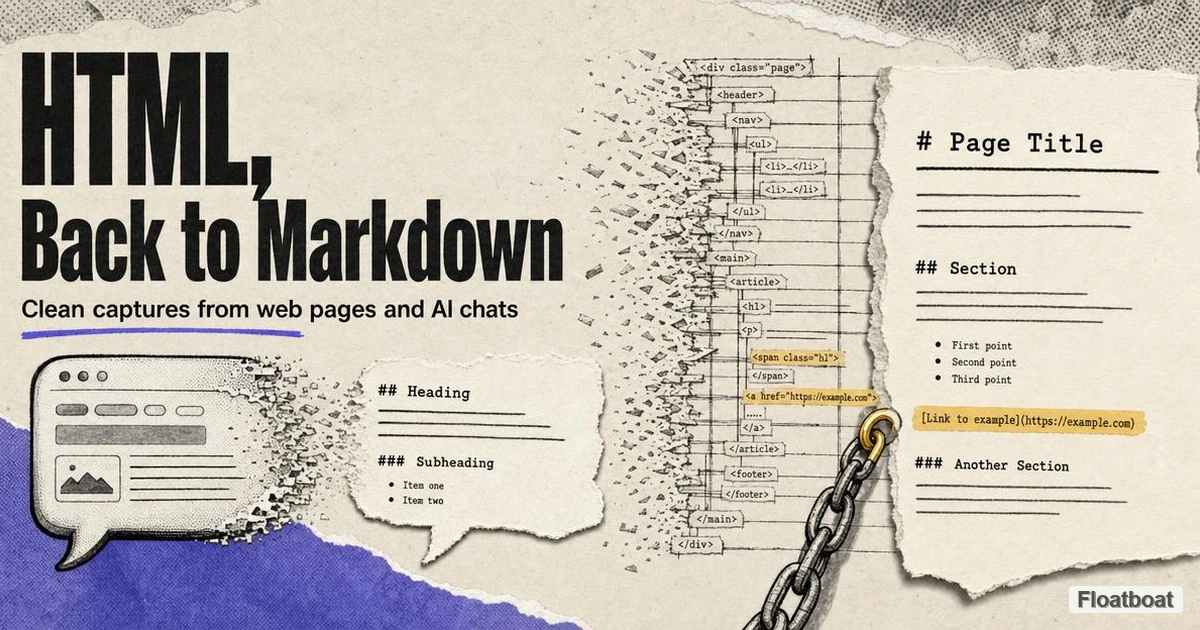
1. Why the HTML-to-Markdown Direction Blew Up in 2026
For most of Markdown's life, the pipeline pointed one way. You wrote plain text with hash marks and asterisks, a generator turned it into HTML, and the browser rendered the result; publishing was the destination, and HTML was the delivery layer. In 2026 a large share of daily work runs the other direction. The heaviest producers of formatted text are now models answering in chat interfaces, agents pasting rich output into documents, and retrieval pipelines that need clean plain text — and almost none of that content is born in a form you can keep.
The format itself did not change to cause this. Markdown remains what it has been since 2004 — the plain-text syntax that stores, diffs, and travels better than anything built around it, which is the case our what Markdown is primer makes in full. What changed is where text lives first. When the answer to a hard question appears in a chat window, the interface has already rendered it as HTML whether or not anyone chose that; when you copy it, HTML is what leaves.
The loudest format argument of the past year made this direction more important, not less. The claim that HTML is the new Markdown for human-facing AI output was always about the emission side — what agents should produce when a person has to read the result. Capture is a different question with an uncontroversial answer: however the debate resolves, the content people decide to keep still lands best in Markdown, because notes apps, repositories, and knowledge bases ingest Markdown, not rendered pages. Emission is contested; storage is settled; and every contested emission eventually needs the corridor from HTML back to plain text.
The volume comes from ordinary solo work, not from exotic pipelines. A founder pastes a model's market analysis into a research file, a developer saves a framework's documentation page next to the code that depends on it, a consultant clips a competitor's pricing page into the client folder where the comparison lives. None of these people think of themselves as doing format conversion. They are moving content into the places it survives, and HTML-to-Markdown is the toll booth on that road.
2. Scenario One: AI Chat Replies Into Documents You Can Keep
The problem with a great AI answer is the container it arrives in. Chat threads scroll into oblivion, history search depends on each vendor's interface, exports arrive as JSON archives built for developers rather than notes apps, and the reply you spent twenty minutes prompting for is functionally unfindable three weeks later. The content is durable; the chat is not an archive.
The detail that makes conversion necessary rather than optional is how the clipboard works. When a model's reply contains headings, bold terms, and a comparison table, the interface has already rendered those as HTML elements — the ## you see displayed is an <h2> by the time your browser paints it, and pressing copy puts the HTML on the clipboard alongside the flat text. Pasting into a plain-text editor takes the flat flavor and loses the table; pasting into a word processor keeps the formatting in the wrong container. The structure you want exists at that moment — it is just in the wrong format, and a converter is the tool that maps it onto the right one.
The lightest workflow runs in a browser tab. Open Floatboat's free Markdown tool, switch to the Convert tab, and paste the copied reply — rich text, an HTML fragment, or a page section all work — and it lands in the editor as clean Markdown, with the font and span residue that rides along with copied rich text stripped out; the conversion runs client-side, so the content never leaves your browser. From there it is a normal split-pane editor: fix the table alignment, give the file a real name, and export to Word, PDF, or standalone HTML when the document has to travel.
One habit separates people who build a usable archive from people who collect orphaned snippets: capture the question with the answer. A reply rarely stands alone — the prompt that produced it carries the constraints and context that make the answer interpretable months later, so paste both and cut the chat filler. Name files by topic rather than date, add a line of frontmatter recording the source and the model if your notes tool supports it, and a chat record starts behaving like documentation. If your chat vendor offers a native Markdown export, use it — conversion is for the majority of threads that live behind a copy button and nothing else.
3. Scenario Two: Web Pages Into Editable Markdown
The second scenario starts from a URL instead of a chat. The docs page you want available offline, the changelog you keep quoting in standups, the pricing page whose changes you want to track across a quarter — saving any of these as HTML gives you a file plus a folder of scripts, styles, and trackers, while printing to PDF freezes the layout in a form that resists quoting, editing, and searching. Converting to Markdown keeps what the page says and discards how the page is built.
What survives is exactly what Markdown can express. Headings map to hash marks, lists map to dashes and numbers, tables map to pipe syntax, links stay clickable, and code samples land in fenced blocks. What disappears is the machinery: navigation bars, cookie banners, JavaScript widgets, and the layout scaffolding that positions content on screen. That split is the entire value proposition rather than a limitation — a converted page is a page you can quote in an email, edit in any text editor, diff against last month's version, and feed to any tool that reads plain text.
Real pages usually need two stages, not one. The first is boilerplate removal — extracting the actual article from the surrounding chrome — and it has a long lineage: Firefox's Reader View popularized the approach, and the standalone Mozilla readability library is the implementation most modern pipelines borrow. The second stage is the conversion itself, mapping the cleaned DOM onto Markdown syntax. Converters that skip the first stage on a modern landing page produce Markdown where nav labels become headings and footer links become paragraphs, which is why paste-a-URL tools vary so widely in quality — the difference is rarely the Markdown conversion, it is the extraction.
Two caveats are worth knowing before pointing a converter at the web at large. JavaScript-heavy pages hold their content in scripts rather than in the initial HTML, so a plain fetch returns an empty shell and the pipeline needs a rendering engine to see anything worth converting. And the obvious one: clipping a page into your own notes is one thing, republishing someone else's content is another — copyright does not evaporate because the converter ran cleanly, and paywalled material deserves to stay that way even where a copy button technically works.
4. What Converts Cleanly and What Gets Lost
Fidelity expectations save cleanup time. Markdown expresses a small, specific set of structures, so conversion quality is mostly a question of how well the source maps onto that set — and the honest answer is that clean semantic HTML converts almost perfectly, while layout-driven HTML converts the way it deserves to. The table below is the realistic version of what to expect, element by element.
| HTML you start with | Markdown you get | What to watch for |
|---|---|---|
Headings <h1>–<h6> | # through ###### | Pages that use heading tags for text sizing, or carry multiple <h1>s |
| Bold, italic, paragraphs | **bold**, *italic*, plain text | Emphasis applied through CSS instead of <strong>/<em> disappears |
| Ordered and unordered lists | 1. and - items | Deeply nested or mixed lists sometimes flatten one level |
Simple <table> grids | GFM pipe tables | colspan, rowspan, and nested tables fall back to raw HTML |
| Links | Inline or reference links | JavaScript-driven links (href="#") become dead text |
| Images |  | Relative URLs break once the file leaves the original site |
<div> layouts, inline styles | Nothing, by design | Layout is not content; meaning carried only by styling is lost |
| Tabs, accordions, iframes | Raw HTML block, or dropped | Interactive elements have no Markdown equivalent |
Two patterns run through the whole table. Everything semantic — headings, real lists, simple tables, honest links — converts cleanly, because Markdown was designed as a shorthand for exactly those constructs. Everything presentational or interactive degrades, because Markdown has no vocabulary for it; and since Markdown legally embeds raw HTML, most converters quietly keep the unsupported fragment as an HTML island inside your .md file rather than dropping it, which preserves the content but renders unevenly across engines.
Renderer variance is the second half of fidelity, and it bites after the conversion rather than during it. The same .md file is not the same document in GitHub, Obsidian, and Notion — dialects differ on tables, task lists, footnotes, and embedded HTML, an engine-by-engine gap we traced in our comparison of HTML and Markdown for AI output. The practical consequence: convert against the dialect of wherever the file will live, and check the two or three constructs your source leans on hardest — usually tables and nested lists — in that specific engine before calling the job done.
One defect deserves its own paragraph because it is invisible: copied rich text carries non-breaking spaces and zero-width characters that survive conversion silently and later break search, diffing, and scripting. A find-and-replace pass for those two characters takes two minutes, and it is the difference between a clean file and a file that looks clean.
5. The Developer Path: turndown, pandoc, and MarkItDown
One paste at a time stops being the right shape once conversion becomes a pipeline stage — content ingestion for a retrieval system, a docs mirror that syncs nightly, a batch of saved pages that needs to become one knowledge base. As of September 2026, three tools cover most of that ground, and they divide by runtime rather than by quality.
In JavaScript, the reference choice is Turndown, an HTML-to-Markdown converter that walks a parsed DOM and applies an extensible set of rules, running in the browser and in Node, per Turndown's GitHub repository. Its plugin interface is where teams encode house style — how code blocks get fenced, whether links go inline or reference-style. On the command line, pandoc handles the same job for whole documents and folders with one invocation:
pandoc page.html -o note.md
That single line preserves document-level semantics such as footnotes and metadata, loops cleanly over a folder inside a shell script, and has kept pandoc at the center of format conversion for over a decade, per Pandoc's manual. In Python pipelines aimed at LLM ingestion, the consolidating choice is MarkItDown, Microsoft's tool for converting files and office documents — HTML among them — into Markdown, per Microsoft's MarkItDown repository.
Choosing among them is a routing decision, not a ranking. Turndown belongs where the conversion runs inside an app or a browser extension, close to the user's paste. Pandoc belongs in scripts and anywhere a folder of files needs consistent treatment without new dependencies. MarkItDown belongs at the front of an ingestion pipeline whose inputs are whole documents in mixed formats rather than clean HTML fragments. And when the source is a messy live page rather than a tidy file, chain Mozilla's readability in front of whichever converter you picked — extraction first, conversion second, the same two stages the browser tools run internally.
6. After the Conversion: Where the Markdown Goes
Conversion is the middle of a workflow, not the end of one. The point of producing a clean .md file is everything that becomes possible afterward, and two of those exits are worth naming.
When a captured document has to reach someone who reads rather than edits — a client, a stakeholder, a printer — converting Markdown to PDF is its own solved problem with ranked paths, from no-install browser export to scriptable command lines. When the converter's output needs surgery instead — a table with misaligned pipes, a heading level that jumped from two to four — a Markdown syntax cheat sheet turns the repair from memory archaeology into a ten-second lookup. Both moments arrive within minutes of any real conversion job, which is why they belong in the same habit.
The quieter destination is a storage convention, and it is what makes the capture habit compound. Files named by topic, a folder per project, a line of frontmatter recording where and when the content came from — these turn a pile of clips into a searchable, diffable knowledge base, which is the property that made Markdown worth converting into in the first place. The chat is where work gets discussed; the repository is where it accumulates.
7. Conclusion
HTML-to-Markdown is the capture corridor of an agent-heavy workflow: the direction nobody argues about, running quietly underneath the argument about what agents should emit. The working rule that falls out of everything above is short. Capture early — convert at the moment you copy, while the structure is still on the clipboard. Clean once — check tables, heading levels, and the invisible characters that ride along with rich text. Store as Markdown, where content can be searched, diffed, and re-edited for years. Then deliver in whatever format the reader actually needs — a conversion that turns out to be much easier once your source of truth is plain text.
https://floatboat.ai/blog/convert-html-to-markdown