
Information checked October 13, 2026. “Workspace agent” has no single governing standard. Capabilities depend on the product, deployment, connected tools, permissions, and approval settings.
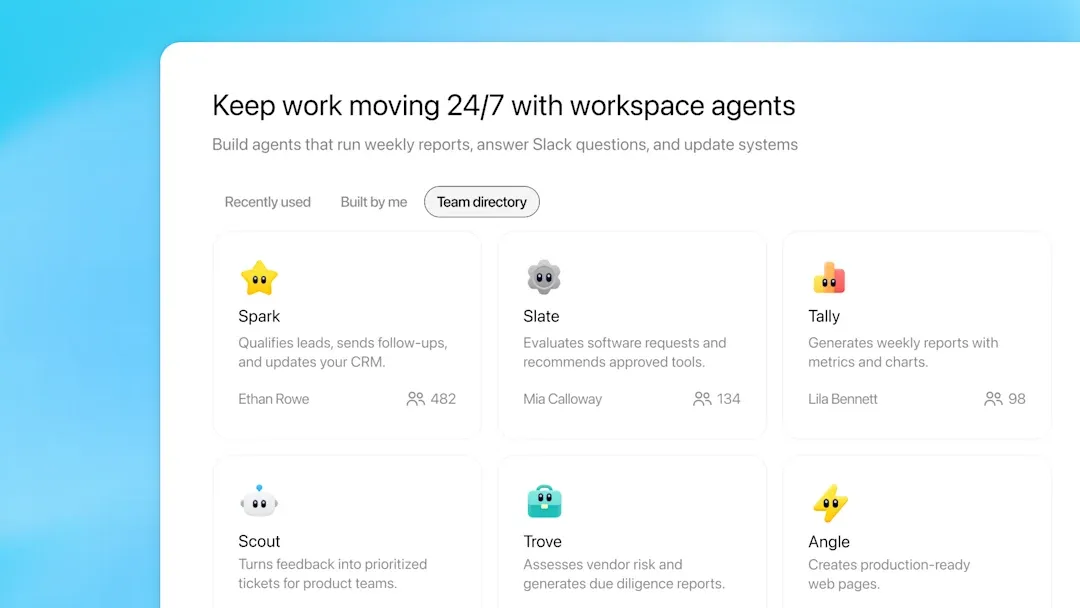
An AI workspace agent is an agent that works within a durable project or organizational context and can use approved tools to produce reviewable outputs. Depending on the product, the workspace may contain files, instructions, connected apps, run history, schedules, or shared access. None of those features should be assumed without documentation.
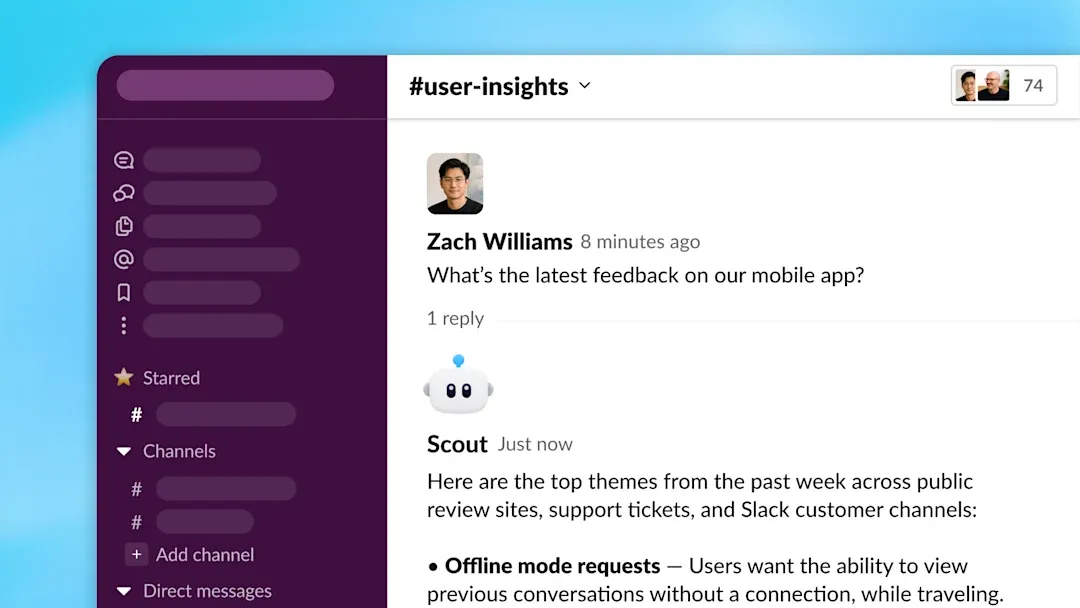
OpenAI's workspace agents announcement provides one current example: shared cloud agents can use connected tools, run on schedules, work in ChatGPT or Slack, and request approval under workspace controls. That example does not define the whole category.
Workspace agent versus adjacent tools
- Chat assistant: optimized for conversational turns; it may still have files and tools.
- Workflow builder: follows explicitly configured steps and branches; it can be more deterministic.
- Workspace agent: plans within goals and constraints and acts through permitted tools, with outputs and actions available for review.
- Self-hosted agent: gives operators more control but also more responsibility for security, state, and operations.
These categories overlap. A specialized deterministic tool is preferable when the task and rules are stable; an agent is useful when inputs vary and judgment is required. Neither “always wins.”
Original visual references
These images are restored from the article's original publication to preserve interface, workflow, and comparison context. Any product UI, pricing, benchmark result, or model availability shown is a historical capture; verify current official information before making a decision.
What to verify before adoption
- Where execution and stored state live.
- Which files, apps, and actions are actually supported.
- Whether access follows existing user permissions.
- Which actions require approval.
- How memory or state can be inspected, corrected, and deleted.
- What run logs, evidence, failures, and costs remain visible.
- How prompt injection and untrusted external content are handled.
Our local-first versus cloud workspace guide explains the deployment boundary, while the connector guide covers MCP, OAuth, and permissions.
Start with one bounded, repeatable task and least-privilege access. Evaluate output quality and action safety against explicit acceptance criteria before adding tools or autonomy.
https://floatboat.ai/blog/ai-workspace-agents