
HTML vs Markdown for AI Output — Which Format for Which Job
HTML vs Markdown for AI output depends on the job: a four-question decision framework plus the token, editing, and rendering trade-offs behind each answer.
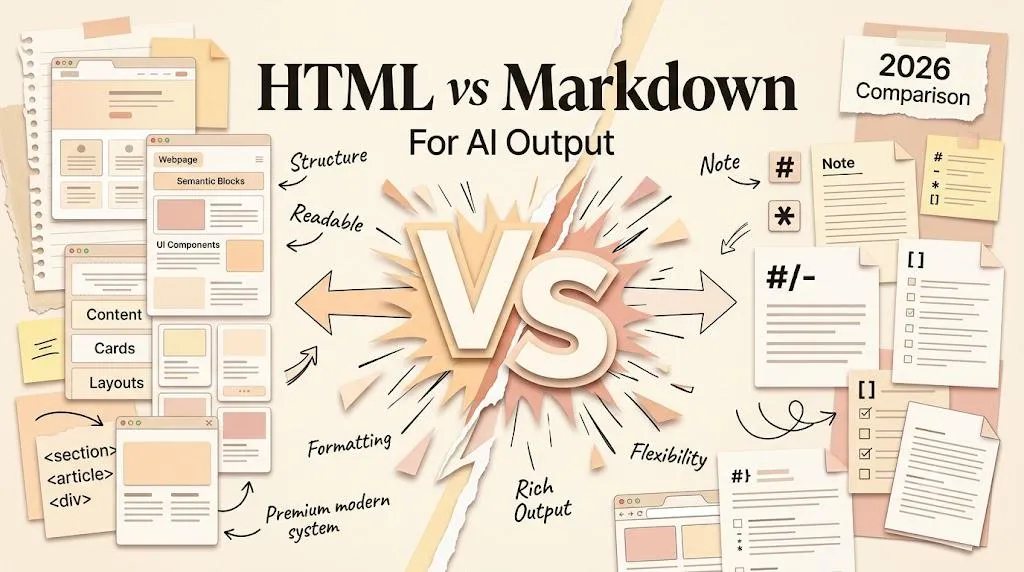
1. Stop Asking Which Format Is Better
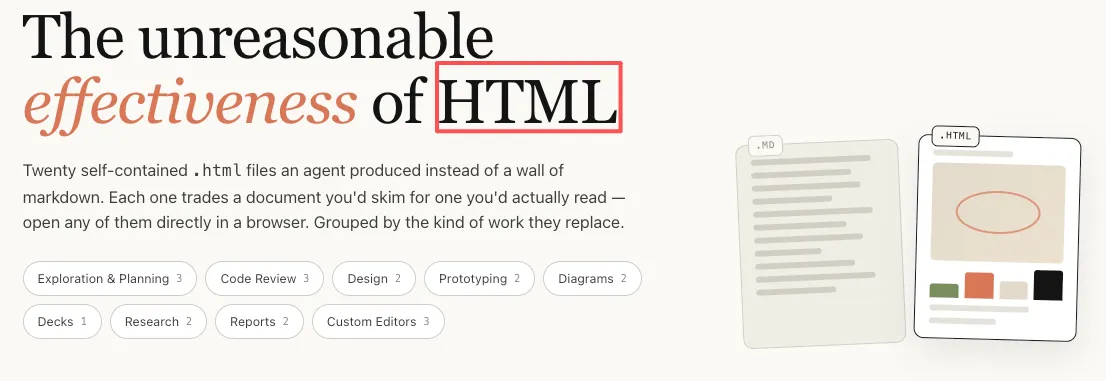
The question arrives constantly now — in DMs, in comments, on client calls — and it always has the same shape: should I be asking my AI agent for HTML instead of Markdown? It got louder in May 2026, when an engineer on Anthropic's Claude Code team made the case that HTML artifacts communicate better than Markdown ones and shipped working examples to back it up. The dual-format experiment that pushed this topic into the mainstream — the same implementation plan generated in both formats, where the HTML version's navigation and color-coded priorities kept people reading to the end — is the "HTML is the new Markdown" story we traced in full elsewhere; this article deliberately skips the origin debate and answers the operational question sitting underneath it.
The answer turns on one variable: what the output is actually for. Not which format is "better" in the abstract, and not which one is trendier this month. An output that you will edit tomorrow, diff in Git on Friday, and hand to another agent to parse next week has different requirements from a deliverable a client opens once, reads for ninety seconds, and acts on. Those are different jobs, and they deserve different formats — insisting on a single format for both means either paying for structure nobody uses or shipping reading experiences nobody enjoys.
Both failure modes are real, and both cost more than the choice saves. Asking for HTML on internal notes means every edit fights embedded CSS and every version diff arrives as unreadable noise. Asking for Markdown on a client-facing quarterly review means the reader gets a wall of headings with no way to navigate, compare, or prioritize — and a document that is hard to navigate is a document that gets skimmed and forgotten. The rest of this article is about avoiding both outcomes: a decision table first, the reasoning behind each cell after, and a four-question framework you can run in thirty seconds per output.
2. The Quick Decision Table: Four Scenarios, Two Formats
Before the reasoning, the cheat sheet. Four scenarios cover most of what an agent produces in a normal week, and each row reads the same way — audience plus lifecycle: who consumes this output, and what happens to it after generation.
| Scenario | Markdown | HTML |
|---|---|---|
| Internal notes (personal, never shared) | Use it — lightweight, editable, fast to generate | Overkill: structure nobody asked for |
| Agent-to-agent handoffs (output feeds another AI step) | Use it — token-efficient, easy to parse | Adds cost with no audience to see it |
| Human-facing reports (someone reads and acts) | Works, but visual structure is limited | Use it — hierarchy, color, and navigation carry the reading |
| Shareable artifacts (published, reused, presented) | Hard to style; rendering varies by platform | Use it — self-contained, portable, visual |
| Mixed weeks (drafting now, delivering later) | Floatboat's desktop workspace and free web tool handle both formats in one file tree — draft in Markdown, ship a rendered page without leaving the tool | No format lock-in: the same workspace previews and converts both ways |
The first four rows all pass the same test. If the output's next stop is an editor, a Git diff, or another machine, Markdown is the right call; if its next stop is a human who has to understand something and decide, HTML pays for itself. The fifth row is different in kind — it exists because most real weeks produce both kinds of output, and a workspace where the two formats live side by side removes the pressure to pledge allegiance to either camp before Monday morning.
Two honest caveats about reading the table. First, the rows describe scenarios, not file types: a "report" that only you will ever read is an internal note whatever its title says, so classify by what happens next rather than by what the document calls itself. Second, borderline cases exist — a review that a client reads once and then a team edits for a quarter is both jobs at once — and the four-question framework in section 6 is what handles those. The table gives you the default; the questions give you the exceptions.
3. Where Markdown Still Wins: Editable, Versioned, and Machine-Read
Markdown is not going away, and it is worth saying that plainly, because the "HTML is the new Markdown" conversation sometimes sounds as if Markdown is broken. It is not. Its advantages concentrate exactly where agent output spends most of its life — in editors, in repositories, and in pipelines — and none of those places has ever asked for better typography.
Anything that gets version-controlled belongs in Markdown: READMEs, changelogs, technical specs, CLAUDE.md context files. The reason is diff hygiene. A Markdown revision reads as prose that changed — a line added here, a sentence rewritten there — while an HTML revision churns at the tag level, and the actual content change drowns in structural noise; reviewing HTML diffs in a pull request is like reading a redlined legal document through a kaleidoscope. When an artifact's job is to live in a repo and evolve commit by commit, the plainest format wins.
The version-control argument extends into an ecosystem argument. Nearly every platform a builder touches already parses .md natively — GitHub, Obsidian-style vaults of linked notes, static site generators, documentation pipelines — so a Markdown output arrives wherever it is going already supported. And the vocabulary an agent actually needs is small: headings, lists, tables, code fences, and links cover almost everything an agent is ever asked to emit, which is one reason a Markdown cheat sheet fits on a single page while an HTML reference never could. Small format, small surface, few surprises on any platform.
When one AI step produces output that another AI step consumes, no human ever sees the document, and visual hierarchy buys nothing. What matters is token weight and parseability, and Markdown sits close to the floor on both. The Markdown Guide's getting-started page points out that the format was designed so that even the raw source reads coherently before any rendering — a property a machine consumer does not need, but the token efficiency that comes with it very much does. An HTML handoff document pays for wrappers, styles, and semantics that no reader will ever look at, on every single generation.
Quick notes and early drafts round out the category. A brainstorm of ten ideas or a rough project outline needs to be fast to generate, trivial to edit, and readable in whatever editor is already open — Markdown is all three, in any text editor on earth. Nobody needs collapsible sections for a list they will read once and delete.
The pattern across all of these: when the output is meant to be edited, versioned, or consumed by machines, Markdown wins. That has not changed — and nothing on HTML's side of the debate touches it.
4. Where HTML Earns Its Weight: Reports, Reviews, Prototypes, and Shareables
The other half of agent output has a different job: a human has to inspect, compare, or interact with it. This is where the 2026 shift is real, and where Markdown's virtues — plain, minimal, editor-friendly — stop being virtues and start being ceilings.
Consider anything a person must scan and act on: a quarterly review, an audit summary, a research digest. Markdown gives the reader headings, bold text, and bullet points, which is to say a single long scroll and a prayer. HTML gives the same content anchor links, a table of contents, visual grouping, and priority cues the eye can sort before the brain starts reading — a quarterly review in Markdown is a scroll, and the same review in HTML is a dashboard. That difference is not cosmetic; it changes whether the document gets read carefully, skimmed, or skipped.
Code review is the sharpest example. Thariq Shihipar's companion examples of AI-generated HTML include PR reviews with inline diff annotations and color-coded severity — information architecture Markdown literally cannot express, because there is no syntax for "put these two things side by side and color the left one red." Severity that meets the eye as color gets triaged in seconds; severity spelled out in prose has to be parsed line by line. For a document whose entire purpose is to help a reviewer decide what to look at first, the layout is not decoration — it is the job being done.
Then there are outputs that are not documents at all. If the agent can produce a working HTML prototype — a landing page, a form, a dashboard layout — that is a deliverable you can open in a browser, put in front of a client, and iterate on in the next turn of the conversation. Markdown cannot do this job at any price; it describes structure but performs nothing. The moment "try it" matters more than "read it," the format question answers itself.
Portability is HTML's quietest advantage and Markdown's least discussed weakness. An HTML file with inline CSS travels well — email it, open it on any device, and it renders itself, because the browser is the renderer; whole tools now exist to ship work as exactly these self-contained single-file pages. Markdown has no such independence: it needs an engine to look like anything, and GitHub's Markdown rendering is not the same as Obsidian's, which is not the same as Notion's — footnote syntax, task lists, table behavior, and math support all differ engine by engine, so the same .md file can be clean in one tool and mangled in another. That engine dependency is the strongest argument for HTML as the delivery format, and the reason a workspace that renders both formats consistently — Floatboat's free web Markdown tool and its desktop app both do — earns its place in the handoff: it removes the "which engine will this file meet?" gamble from every share.
The pattern mirrors section 3: when the output is meant to be read, compared, or acted on by a human, HTML earns the extra weight.
5. Token Cost and Maintenance: The Direction, Not the Multiplier
Refusing to say "it depends" and walk away also means refusing to invent precision. The multipliers floating around this debate vary too much to repeat honestly, so what follows is the direction — which is stable — plus a way to generate your own numbers, which is what actually decides anything.
HTML generally costs more output tokens than Markdown for the same content. Every wrapper, section boundary, style attribute, and inline CSS property is a token, and none of them are the content itself; they are the scaffolding around it. Markdown's markup runs a character or two per construct — a hash, a dash, a backtick — so the same information rides with far less overhead. The direction is reliable across models; the magnitude depends on how styling-heavy the HTML habit is.
Length amplifies the difference. On a three-paragraph summary, the token gap between the two formats is noise — a rounding error on a rounding error. On a twenty-section implementation plan with tables, color coding, and navigation, the gap is real money, and it widens exactly as the visual structure that justified the HTML accumulates. Volume compounds it: a pipeline emitting dozens of artifacts a day feels a per-document gap that a solo operator's one-off deliverable never will.
The honest check is your own test, and it takes five minutes: run the same prompt in both formats and compare token counts in the model you actually use. Output is billed per token — Anthropic's API pricing documentation is the reference for how that billing works on their side — so longer HTML outputs cost proportionally more, and your own measurement beats anyone's published multiplier. For most solo operators generating individual deliverables, the difference lands small enough to be worth the readability gain; for a high-volume pipeline, it is a line item worth measuring before committing to HTML everywhere.
Cost is not only tokens — maintenance compounds it. Markdown files are forgiving to hand-edit: open, fix, save, done, in any editor. Self-contained HTML files punish casual edits — one deleted closing tag or shifted style rule and the layout visibly breaks, at which point you are debugging a document instead of revising one. When an HTML artifact genuinely needs surgery, the pragmatic route is often to convert the HTML back to Markdown, edit where editing is cheap, and regenerate the HTML once the content has settled. Choose based on whether you will be editing the output (Markdown) or consuming it as-is (HTML): fit matters more than features.
6. The Four-Question Decision Framework
Tables cover the standard cases; the interesting ones need questions. If you run a one-person operation — content, strategy, delivery, all of it — the format choice comes up several times a day, so it has to be fast and it has to survive edge cases. Ask these four, in order; the order matters, because each question eliminates a different wrong answer.
-
Who reads this output? If it is just you, or another agent in a chain, Markdown is the call — visual hierarchy buys nothing without human eyes. If a client, collaborator, or audience will read it, HTML enters the conversation, because their reading experience is part of the deliverable, not a nice-to-have around it.
-
Will it be edited after generation? Markdown revisions happen in any text editor and show up cleanly in diffs, which is why anything alive — docs, specs, notes — belongs there. A finished deliverable that will not change again holds its formatting better as HTML, a format built to survive being opened anywhere by anything.
-
Does it need visual structure? Flat lists, outlines, and flowing paragraphs are Markdown's home turf. The moment the content needs tabs, color coding, side-by-side comparison, or navigation, it has left Markdown's expressive range — no amount of careful formatting substitutes for actual layout.
-
Will it be reused or templated? Repeated output types with a consistency expectation — weekly reviews, audit reports, status digests — benefit from templating, and chat-side artifacts features or local-first agentic HTML editors can hold that template so every generation looks like the last one. One-off requests do not need the infrastructure, and building it for them is a tax, not an investment.
The sequence is deliberate: audience sets the category, and the next three questions settle the boundary cases inside it. Run them against something concrete — a client onboarding checklist, a weekly revenue summary, a migration plan — and notice how rarely you reach question four before the answer is obvious. That speed is the point: a framework you can execute mid-prompt beats a perfect one you would have to look up.
The default this produces is a hybrid, and it is worth stating as a rule: draft and iterate in Markdown, convert or refine to HTML when delivering to humans. You get Markdown's editability during the thinking phase, when the content is changing every ninety seconds, and HTML's readability at the shipping phase, when the content is stable and the reader's attention is the scarce resource. The drafting side stays cheap forever — what Markdown is and why it spread is a small enough language to internalize in an afternoon — and only the delivery step pays HTML's premium, and only when a human is actually waiting.
The hybrid rule also explains what to look for in tooling. A workspace where both formats live side by side — Floatboat's desktop app and free web tool, for instance, render Markdown and handle HTML artifacts in the same file tree, with no export ritual between draft and deliverable — matches how the choice behaves in practice: per job, not per person. Monday's internal notes and Thursday's client report stop being a tooling decision and become what they should be, which is a formatting decision. Anything that forces a loyalty oath to one format is charging you for a decision you did not need to make.


7. Conclusion
Strip away the debate framing and the operational question is small enough to hold in one hand: outputs that will be edited, diffed, or parsed are Markdown jobs; outputs that will be read, compared, and acted on by humans are HTML jobs. Audit the last ten things you asked an agent to produce and sort them by what happened next — the sorting takes a minute, and it tells you your personal ratio, which no blog post can. Then run the four questions on the next output; in practice the answer arrives by question two, and the rare case that survives to question four is exactly the case worth slowing down for. The format debate will keep cycling, but the decision rule does not age: fit matters more than features, and the job in front of you always knows which format it needs.
https://floatboat.ai/blog/html-vs-markdown-ai-output