
What Is Gemini Agent? Google's Universal Work Agent Explained
Gemini Agent is Google's universal work agent for persistent tasks, multi-agent coordination, model routing, and work across business tools. Here's what is confirmed, what remains in preview, and how it differs from the Gemini app.
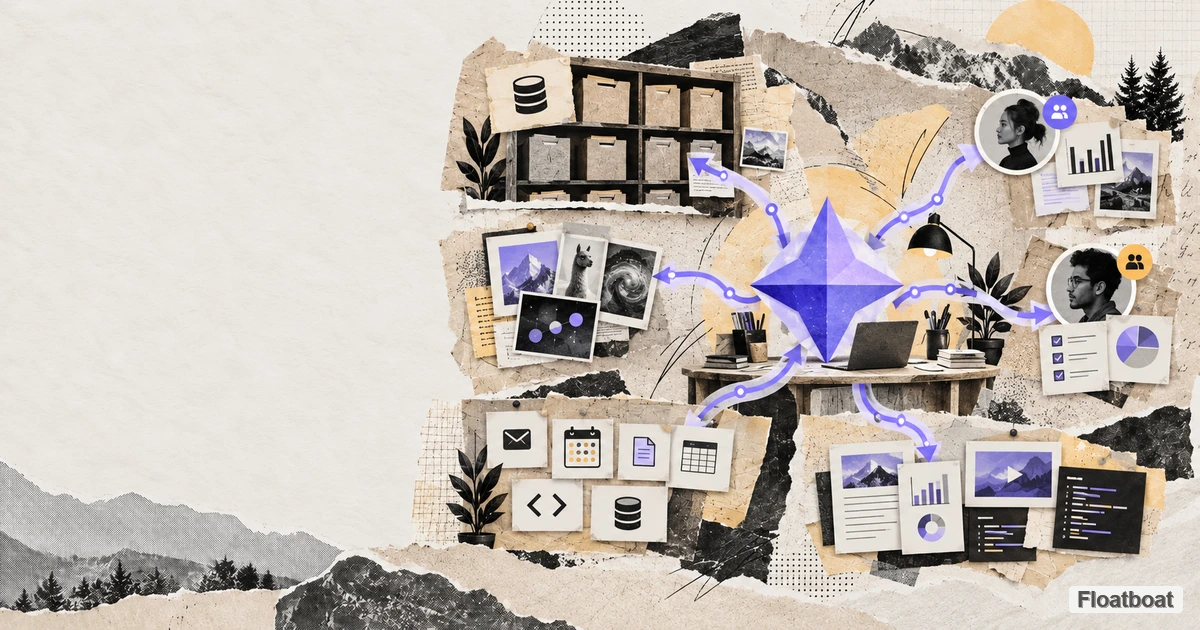
Google has used “Gemini” for models, an app, Workspace features, developer tools, and earlier agent experiments. The Gemini agent announced at Gemini at Work 2026 is another layer: a universal work agent that accepts an objective, plans the work, calls tools, coordinates other agents, and returns a finished result.
That distinction matters. This is not a new foundation model and it is not simply the Gemini chatbot with more buttons. Google is separating the agent—the durable work environment that holds context, tools, permissions, and execution—from whichever model performs a particular step.
Gemini Agent in one sentence
Gemini Agent is Google's cloud-based work agent for delegating outcomes across documents, communication, data, code, and media from one persistent workspace.
Google says a user can ask it a question, assign a long-running objective, schedule work, or have it respond to an event. The agent can continue after a laptop closes, use business systems, and return work inside the applications where a team already operates. The official Gemini at Work announcement calls it a “single, universal agent for work.”
This places it in the same broad category as AI workspace agents, not merely chat assistants. The unit of value is no longer the answer in a conversation. It is the completed report, updated spreadsheet, analyzed dataset, working code, scheduled action, or coordinated project.
Gemini Agent is not a Gemini model
The most consequential line in Google's announcement is easy to miss: Gemini is the agent, while the underlying model is a separate choice.
Google says the system can route work across Gemini models and Anthropic's Claude models today, with private and open models planned for later. A difficult reasoning step may use one model; a high-volume classification step may use another. Context, skills, and data remain attached to the agent rather than being rebuilt whenever the model changes.
That is the logic of an agent harness: the model supplies intelligence, while the surrounding runtime supplies memory, tools, permissions, retries, scheduling, and delivery. Gemini Agent is Google's enterprise product expression of that architecture.
What the universal work agent can do
Google's design combines capabilities that previously lived in separate products.
Keep working after the device closes
Gemini Agent runs in Google Cloud. Google says tasks lasting hours or days can continue after the user closes a laptop, with the same context available from web, mobile, Windows, macOS, command line, Workspace, Microsoft 365, Slack, or a headless integration.
Persistence changes the assignment. Instead of asking for one draft, a team can delegate an objective with checkpoints and return later. It also raises a harder operational question: who can stop, inspect, or approve an agent while it is running?
Remember work in four different ways
Google describes session, semantic, procedural, and episodic memory. Together, those cover the current conversation, durable facts, learned ways of doing work, and records of previous outcomes. Teams can also create projects that narrow the context, skills, and tools used for a particular stream of work.
The promise is less re-briefing. The risk is that an incorrect assumption may also persist. A useful evaluation therefore asks not only whether memory exists, but whether people can inspect, correct, scope, and delete it.
Create temporary and persistent coworkers
For complex assignments, Gemini Agent can create temporary subagents and run their steps sequentially or in parallel. Google also describes persistent “coworker agents” with defined roles, storage, scoped context, and dedicated company email identities.
This is more specific than a generic multi-agent demo. An identity gives an agent a place in enterprise permission systems and audit trails. It also makes governance unavoidable: a coworker agent should not inherit every permission held by the person who created it.
Work across the software a company already uses
The announced connections include Gmail, Drive, Docs, Slides, Sheets, Chat, Calendar, Microsoft 365, Teams, Slack, Git, Jira, Salesforce, ServiceNow, BigQuery, Databricks, PostgreSQL, Snowflake, desktop files, and MCP-compatible tools.
The important part is not the length of that list. It is whether an agent can preserve one objective while moving between those systems. Connectors alone do not create an agent; they create access. Planning, state, error recovery, and approvals determine whether that access becomes reliable work.
Three workflows Gemini Agent is designed to handle
The announcement is easier to understand as a set of work patterns than as a feature list. The following examples describe the architecture Google announced; they should not be read as independent tests of the private-preview product.
Turn a request into a coordinated project update
Imagine a manager forwarding a customer escalation and asking for an executive update by Friday. A work agent could find the relevant email thread and Drive files, collect issue status from Jira, check calendars for the next review, draft a status document, and turn the approved version into a presentation.
A chatbot can help write each artifact, but the user still carries state between applications. Gemini Agent is meant to hold the objective across the whole sequence. The important product questions are whether it cites the records it used, pauses before sending or modifying anything, and recovers cleanly when a connector fails.
Produce a research package, not just a research answer
Google's own launch example moves from market research to a financial model in Sheets and then to a presentation in Slides. That is a useful distinction: the desired output is a reusable package of evidence, calculations, and communication—not a long message in a chat window.
This workflow tests several layers at once. Research needs traceable sources; spreadsheet work needs deterministic calculations; the presentation needs to preserve the important caveats. Multi-model routing is only helpful if the handoffs do not lose assumptions or introduce conflicting figures.
Investigate an engineering or operations incident
An engineering agent could read an incident report, inspect Git and Jira history, query logs or data, ask temporary subagents to test competing explanations, and prepare a proposed patch or runbook update inside a sandbox. A human could then approve the change and retain the execution trail for review.
This is where persistent execution and coworker identities become operationally meaningful. It is also where weak controls become dangerous. Read access, code execution, deployment authority, and outbound communication should be separate permissions—not one broad “let the agent work” switch.
What is available, in preview, or still unproven
Gemini Agent was announced with a broad architecture, but announcement, preview access, and generally available product behavior are not the same thing.
| Area | Confirmed status | What not to assume yet |
|---|---|---|
| Universal work agent | Announced by Google on October 8, 2026 | Broad access for every Gemini or Workspace account |
| Availability | Private preview for selected enterprise customers | A public consumer launch date or self-serve plan |
| Model routing | Gemini and Claude support announced; private and open models planned | Identical model choice in every account, region, or workflow |
| Persistent execution and memory | Core parts of the announced architecture | That every memory control and long-running trigger is already exposed to all preview users |
| Connectors and MCP | A wide tool registry was announced | Equal depth, write permissions, and reliability for every connector |
| Coworker agents | Persistent identities, storage, and scoped context were announced | Unrestricted autonomous employees or a replacement for organizational accountability |
| Industry editions | Financial services and legal previews announced; other sectors described as forthcoming | Finished vertical products for every industry |
| Performance claims | Google published customer examples and internal product claims | An independent benchmark against other work agents |
This boundary matters for searchers asking “Is Gemini Agent available?” or “Can I use Gemini Agent now?” The accurate short answer is: the product has been announced and is being tested with selected enterprises, while exact access, connector scope, pricing, and general availability remain account- and program-dependent.
Gemini Agent vs the Gemini app
The names overlap, but the product scopes are different.
| Gemini app | Gemini Agent for work | |
|---|---|---|
| Primary job | Personal assistance and interactive tasks | Delegated business outcomes |
| Execution | Usually user-visible sessions | Persistent cloud execution |
| Context | Personal connected apps and conversations | Business data, projects, policies, and work history |
| Orchestration | Agent features inside the app | Temporary subagents and persistent coworker agents |
| Models | Gemini-centered product experience | Agent layer can route Gemini and Claude models |
| Governance | Consumer or plan-level controls | Identity, scoped permissions, audit, sandboxing, spend caps |
Earlier products and features called Gemini Agent or Agent Mode do not automatically have the full enterprise architecture described at Gemini at Work 2026. When reading coverage, check whether it refers to the consumer Gemini app, managed developer agents, or this new universal work agent.
How to compare Gemini Agent with other work agents
There is no single “best AI agent” independent of the work environment. Gemini Agent has an obvious advantage for organizations whose documents, identity, communication, and data already live in Google's ecosystem. A local or cross-model agent can offer a different advantage: more control over where context lives and which model or execution environment is used.
Use these six questions instead of comparing feature counts:
- Where does context live? A cloud workspace can follow the user across devices; a project-local workspace can be easier to isolate, inspect, and move.
- Where does execution happen? Persistent cloud execution suits scheduled and event-driven jobs. Local or hybrid execution can be preferable for files, developer tools, or data that should not leave a managed environment.
- How portable is the model layer? Announced multi-model routing is valuable, but buyers should ask who controls routing, which models are available, and whether their prompts, memory, and Skills survive a model change.
- How is the agent represented? Enterprise agents need their own identity, scoped credentials, audit history, and an owner. Personal assistants usually inherit the user's session and are harder to govern as durable workers.
- What can trigger work? Compare interactive prompts, schedules, external events, email, APIs, and background monitoring. Then verify which triggers are available in production, not only on a roadmap.
- Can completed work leave the platform? Documents, code, data, logs, and learned procedures should remain usable if the team changes agents or vendors.
The comparison is therefore not simply Gemini Agent versus another chatbot. It is Google-centered cloud continuity versus alternatives built around local control, a neutral project workspace, a particular business system, or a developer environment.
Security and cost are part of the product, not footnotes
An agent that can send messages, alter records, run code, and continue unattended needs more than a permission dialog. Google describes identity and policy management, role-based access, authorization controls, secure sandboxes, network gateways, audit records, and project-level spending caps.
These controls are a major part of the enterprise pitch, but their effectiveness will depend on implementation. Buyers should test least-privilege access, approval boundaries, revocation, trace visibility, prompt-injection handling, and what happens when a cost cap pauses a multi-step task.
A practical Gemini Agent pilot checklist
An enterprise pilot should test one bounded but representative workflow from beginning to end. A polished demo that only drafts text will not reveal whether the agent can be trusted with real work.
- Define the finish line. Choose a task with an observable result, such as a weekly account review with cited inputs, a reconciled spreadsheet, or a proposed code change.
- Start with least privilege. Grant only the folders, systems, and actions required for that task. Confirm that denied access produces a safe failure rather than an improvised workaround.
- Inspect the evidence trail. Require source links, tool-call history, changed records, model choices, and approvals to be understandable by someone other than the operator.
- Force a partial failure. Remove a document, break a connector, or return contradictory data. Measure whether the agent asks for help, retries safely, or silently produces an incomplete result.
- Test pause, revoke, and resume. A persistent agent should stop predictably, lose access promptly when credentials are revoked, and resume without repeating destructive actions.
- Set a real budget boundary. Verify what happens when a task approaches a model or project spending cap and whether lower-cost routing changes output quality.
- Export the outcome. Make sure the final documents, code, logs, and decisions can be retained outside the agent's interface.
The best pilot metric is not how autonomous the agent appears. It is how much verified work reaches the finish line per unit of human review, cost, and operational risk.
Availability and pricing
Google announced Gemini Agent on October 8, 2026. Independent launch coverage reports that the new universal agent is in private preview for selected enterprise customers, not generally available to every Gemini user. Google has not published a simple standalone consumer price or a broad consumer release date. TechCrunch and Android Authority both describe the initial enterprise focus.
That means feature descriptions should be read as the announced product architecture, not proof that every connector and coworker workflow is already available in every account. Pricing will also depend on enterprise agreements, model usage, tools, and cloud execution—not just a monthly chatbot subscription.
What Gemini Agent changes about the work-agent market
Google is making three bets at once. First, the enduring product is the workspace around the model, not the model picker. Second, work agents will need identities and governance because they act inside organizations. Third, the winning interface may be omnipresent: the same agent reached through email, documents, Slack, desktop, mobile, CLI, or an API.
The unresolved trade-off is control. A cloud agent can stay available everywhere and run indefinitely, but it also places memory, execution, and organizational context inside a vendor-controlled environment. Teams evaluating this category should compare where context lives, which models remain portable, how permissions are scoped, and whether completed work can move with them.
Floatboat approaches the same work-agent problem as a cross-model desktop workspace: projects, tools, Skills, and model choice stay organized around the work rather than a single chat session. If the idea of a persistent work agent is useful but you do not want to wait for an enterprise private preview, explore Floatboat's agent workspace.
Gemini Agent is important because it makes the category legible. Google is no longer describing AI at work as a smarter answer box. It is describing a governed worker with memory, tools, models, and time.
https://floatboat.ai/blog/what-is-gemini-agent