
What Is an AI File Organizer? — Three Forms, One Data Boundary
What is an AI file organizer? A neutral, practitioner-grade definition of file sorters, renamers, and organizers — and what data leaves your machine.
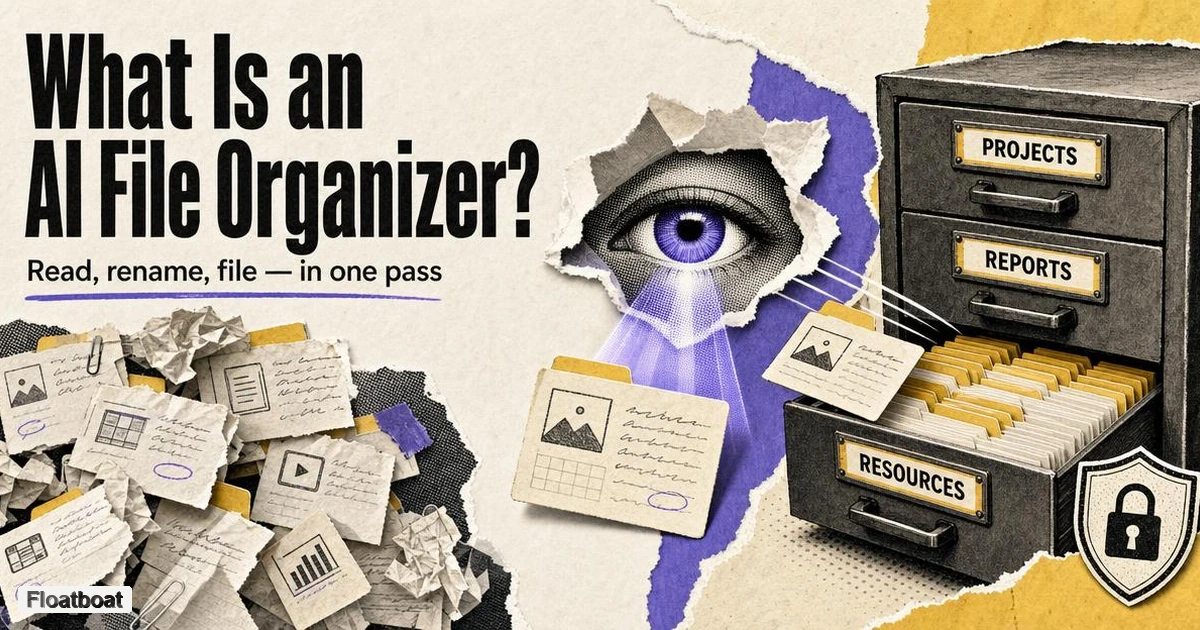
1. Why Your Desktop Became an Unmanageable Inbox
The folder that once collected downloads is now where work goes to die. For a solo founder or a solo knowledge worker, the Desktop and Downloads folder accumulate the same recurring inventory: screenshots from a client call, scan_0042.pdf from the office scanner, invoice-final-v2(2).docx, IMG_8841.HEIC from the phone, a contract export from an e-signing tool. None of those names describe what the files are, and none of them tell you where the file belongs — so the folder tree grows until nothing is findable by location, and the tax deadline or client audit turns every retrieval into a search expedition. The traditional remedies have scaled poorly. More folders, stricter naming conventions, and periodic cleanup are discipline systems: each one requires maintenance at the exact moment you are busiest, which is why they fail in the same pattern every quarter. Rule-based automation helped people who invested in it, but writing and maintaining rules — "if the filename contains invoice and the extension is pdf, move it to this folder" — only works for files that reliably match the patterns you thought of in advance.
“AI file organizer” now covers products that infer a file's subject or document fields before suggesting a name or destination. That differs from older rule engines, but it does not make every AI-labelled tool an organizer. The useful definition must separate what the software reads, what it changes, and where inference runs. This article provides that category map; product examples and data-boundary claims were rechecked against official sources on October 13, 2026.
2. What Is an AI File Organizer?
An AI file organizer is desktop software that inspects your files and then proposes — and, with your approval, executes — both a better name and a better home for each one. It reads more than the filename: it looks at metadata such as type, dates, and source folder, and in its more capable forms it reads the file's actual content, the text inside a PDF, the subject of an image, or the body of a document, and turns that understanding into a clear filename and a destination in a folder tree. That second step is what vendors now call content-aware file naming, and it matters because a name generated from what a file says survives search, thumbnails, and your own memory better than any convention you invent after the fact.
2.1 The Core Definition
More precisely, an AI file organizer uses a model to infer what a file is or where it belongs, then proposes or applies a file-system action. Some products only classify, some rename in place, and others also create folders and move files. Review is a safety control rather than a universal category requirement: one product may show a full plan for approval, while a watch-folder mode may apply rules automatically. Buyers should verify preview, approval, conflict handling and recovery for the exact mode they intend to use.
The short definition to keep is this: An AI file organizer interprets file signals or contents and proposes or performs classification, renaming or routing; whether it previews, asks for approval or runs automatically depends on the product and mode.
Two neighbors make that definition sharper. A file sorter mostly moves or groups files and rarely renames them. A file renamer rewrites filenames but leaves files where they are. An organizer does both in a single pass — which is why the section below treats the three as forms of one spectrum rather than three separate markets.
2.2 Three Forms: Sorter, Renamer, Organizer
The fastest way to make sense of this category is to stop treating "AI file organizer" as one homogeneous thing. Surveying the tools shipping in 2026, the label covers three forms along a spectrum of how much of a file's meaning each one touches, with an automation layer on top:
| Form | What it changes | Current examples checked October 13, 2026 |
|---|---|---|
| File sorter | Moves or groups files by type, date, keywords, or rules; rarely rewrites names | Rule-based classics like Hazel (macOS) and File Juggler (Windows); extension-based cleaners |
| File renamer | Rewrites filenames from content and metadata; leaves the folder structure alone | Zush renames files in place on Mac and Windows; content-aware batch renamers |
| File organizer | Combines content understanding with naming or filing; preview, approval, undo and automatic execution vary by product and mode | Sortio, FilesDesk, NudgeFile, Filect, and Floatboat's file agent, among others |
The boundaries matter because the three forms solve different failure modes. A sorter is the right tool when files have decent names but live in the wrong places — you mostly need routing. A renamer is right when files already sit in the correct folders but their names are useless for search, for IMG_8821.HEIC and final-v7.docx problems where moving anything would be overkill and would risk breaking references. An organizer earns its keep when both problems are present at once, which is the common case in a Downloads folder that has mixed everything for months.
This is also where an honest recommendation lives, and it is the fork our file organizer vs. file renamer vs. file sorter comparison maps in depth: many people do not need the full organizer. If your folder structure already routes correctly and only the names are broken, a rename-in-place tool from our best AI file renamer roundup is the better trade, because nothing moving means no path changes anywhere. If your files are already well named but scattered, a rule-based sorter is cheaper and fully deterministic. Only when the pile is both anonymous and misplaced — the actual state of most Downloads folders — does the organizer form justify its complexity, and that is the case the best AI file organizer rankings assume you are in.
2.3 What an AI File Organizer Is Not
Equally important is the boundary around the term. An AI file organizer is not a note app, not a document management system, not a cloud-sync service, and not a search index — and confusing any of those with the organizer explains most of the bad purchasing decisions in this category. First, note and knowledge apps such as Notion AI, Evernote AI, or an AI-assisted Obsidian vault operate inside their own databases and folders. They organize notes, pages, and knowledge bases that live in the app; they do not organize the files scattered across your operating system. The organizing habit is the same — the same urge to file things where you will find them later — but the substrate is different, and the tool you use for your OS files will not tidy your vault. A quick test exposes the difference: if your invoice is a PDF sitting on the Desktop, a note app's AI never sees it; if the same invoice is a page inside a note, a file organizer never sees it either. The two jobs only overlap in marketing, which is why this is the first boundary to check when a product promises to "organize everything." That distinction is also what makes an AI agent useful inside Obsidian: the agent organizes the notes, while a separate tool handles the filesystem.
Second, an organizer is not a document management system. A DMS or ECM owns the document lifecycle — check-in and check-out, retention policies, version history, compliance-driven organization inside a central repository — while an AI file organizer leaves your files in place inside your normal folders and simply makes those folders coherent. If an organization needs governed, searchable storage with audit requirements, that is a DMS project, not a desktop cleanup app. Third, an organizer is not cloud sync. iCloud, Google Drive, Dropbox, and OneDrive replicate files between devices; they do not decide where files belong by meaning. Sync and organizing are complementary, and organizers that act on a local folder tree will happily operate on a folder that a sync client keeps on your disk — several of them document exactly that workflow.
Fourth, an organizer is not system search. Spotlight and File Explorer find things when you can name them; an organizer gives files the names and locations that make search work in the first place, and tools in this space routinely describe themselves as making Spotlight and Windows Search more useful rather than replacing them. Finally, deterministic rule engines like Hazel and File Juggler are the pre-AI generation of this category: fast, predictable, and free to run, and still the right answer when a workflow is stable enough to encode as conditions and actions. What they cannot do is absorb a pile of unstructured, inconsistently named files and decide by meaning — which is precisely the gap the AI forms fill.
3. How an AI File Organizer Actually Works
Mechanically, an organizer runs a five-stage pipeline: scan, read, propose, approve, and apply — plus an optional automation loop that repeats the last four stages as new files arrive.
The scan stage walks a folder you point it at and indexes what is there: filenames, file types, dates, and often EXIF or other metadata. The read stage is where the forms diverge. A metadata-only read stops at names and attributes, which is fast and cheap and works for consistently named files. A content-aware read extracts text from documents — FilesDesk, for example, documents OCR for scanned PDFs alongside text extraction and EXIF reading for photos — and vision-capable tools go further, using image models to describe what a screenshot or photo shows. Each additional reading depth raises both accuracy and the privacy surface, which is why the next section treats reading depth and data location as the two axes that matter.
The propose stage is the actual AI decision. The model receives the reading, your natural-language instruction ("sort by client and project, rename as date_client_description"), and produces a concrete plan: a new name and a destination folder for every file, including folders that do not exist yet. Because a language model is deciding by meaning rather than matching a regex, a bank statement saved as statement-final(3).pdf can still land with the other bank statements. The approve stage is where safety lives: the tool shows the full plan as a preview tree, you can tweak it in the same conversation or uncheck individual files, and nothing is applied until you confirm. The apply stage performs the moves and renames, and every tool worth considering keeps an undo history that restores the batch in reverse.
The automation layer is what turns a one-time cleanup into a maintenance habit. Watch folders monitor Downloads or an intake directory and organize new arrivals, sometimes with rules attached to specific folders — NudgeFile's background watcher on Windows and the folder monitoring in Zush and Sortio all work this way. For a freelancer that means the recurring patterns — invoices from one client, screenshots from one project — are caught the moment they land, without a monthly cleanup session. The design pattern worth noting is hybrid determinism: fast, stable, high-volume flows get promoted to deterministic rules that cost nothing to run, while the messy long tail keeps using the model. Promoting a flow to a rule is a deliberate act: you trade the model's flexibility for speed, zero marginal cost, and perfect predictability, and the best tools make that hand-off a saved prompt rather than a rewrite. That split is emerging as the mature architecture for this category rather than an either-or between rules and AI.
4. The Data-Boundary Question: What Leaves Your Machine?
The question that separates this category faster than any feature comparison is simple: what leaves your machine, and for how long? For a solo founder organizing contracts, tax returns, medical records, or NDA-covered client work, that answer matters more than the naming template library, because the cost of a leak or a retention mistake is not a feature regression. The privacy requirement is not hypothetical in the community that actually uses these tools. On a Hacker News thread about a rule-based file sorter, one commenter argued that the genuinely hard version of this problem is exactly the one where AI could help: "But only if it works completely local and offline." The same refrain recurs across Mac and Windows utility threads, and makers of offline-first tools explicitly position against it. On Show HN, the developer of the macOS organizer Floxtop describes the app as running fully offline on Apple Silicon "so your sensitive files (finance, medical, personal, etc.) stay private." Treat these as community sentiment, not statistics — but the sentiment is consistent enough to read as a category norm.
Reading depth and computing location form the two axes you should map any candidate tool against:
- Filenames and metadata only. Nothing about the file's meaning is extracted beyond its name, type, and attributes. Lowest privacy surface, lowest accuracy on anonymous files.
- Document text extraction. The body of PDFs, Word files, and similar formats is read to classify and name. If that text is sent to a server, it is effectively a document upload.
- OCR and vision. Scanned documents, screenshots, and images are read visually. This is the deepest reading and, in a cloud configuration, the most sensitive data that leaves the device.
On the second axis, where the AI runs, the honest market in 2026 offers four configurations. On-device inference keeps everything local and works offline: NudgeFile is built around a local Ollama engine and never uploads; FilesDesk runs fully offline with local models such as Ollama, LM Studio, or vLLM; and open-source options like the cross-platform AI File Sorter ship local visual models (Gemma and Mistral variants) and accept your own GGUF models. Bring-your-own-key configurations let you keep the app but point inference at your own OpenAI, Anthropic, or similar account, as FilesDesk, Zush, and Sortio all allow. Managed vendor cloud is the default for several popular tools, which is where disclosure matters: Sortio states that content processed by its hosted AI is retained for up to 30 days and then purged, while Filect states that files are processed through OpenAI and that nothing is stored or shared.
The pattern to internalize is that disclosure quality is itself a feature. A tool that tells you, on its own site, what is uploaded, where it is processed, and how long anything is retained has made a decision you can evaluate; a tool that is silent on all three should be assumed to upload until proven otherwise. For folders that touch legal, medical, tax, or client-confidential material, the defensible default in 2026 is a tool that can run fully local and offline — and the only way to verify that claim is to check the vendor's own processing and retention statements, not its marketing page. We go tool by tool through who uploads, who stays on-device, and where a bring-your-own-key middle path exists in do AI file organizers upload your files.
5. Where File Organizing Is Headed
Three forces are reshaping this young category, and they are worth knowing before you buy, because they determine whether a tool you pick today will still make sense in eighteen months.
The first is the convergence of rules and AI. Deterministic rule engines remain the right backbone for stable, high-volume flows — Hazel on macOS and File Juggler on Windows still do this job well — and the newer tools are building rule layers on top of their models rather than replacing rules entirely. The mature pattern is a prompt or a saved AI rule for the messy intake, promoted to a deterministic rule once the flow becomes predictable. The economics push the same way: a rule costs nothing to run and never guesses wrong, while every model call has a marginal cost, so the sensible division is to let AI absorb the ambiguous intake and let rules own whatever has become routine.
The second is that organizers are absorbing search and maintenance. Filect, for example, pairs automatic organization with natural-language search over the same index, which points toward a future where "where is that invoice" and "keep this folder tidy" are one product rather than two. Watch folders and background monitoring are becoming defaults rather than paid extras. The two features compound: an index that understands a file well enough to file it can usually find it later, so "organize once, find forever" is the promise that separates this generation of organizers from older batch utilities.
The third is that file organizing is being absorbed into broader agent workspaces. Rather than a single-purpose utility, organizing is becoming one capability inside a desktop agent that also handles scheduling, messaging, and multi-step work. This is where the calendar-driven agent paradigm enters the story: an agent that runs work from a schedule — the concept behind an agentic calendar — needs a coherent file system to act on, and the same workspace that organizes your files can later send a follow-up or prep a meeting from them.
An implementation can combine these stages in different ways. A reviewed batch may show proposed names and destinations before applying them; a monitored folder may execute an approved rule automatically; a local-model mode and a managed-cloud mode may expose different formats or speeds. The category lesson is therefore not to copy one vendor's sequence, but to inspect the actual mode's inputs, proposed actions, approval point and recovery path. Setup also differs by operating system, so the platform guides cover AI file organizer on Mac and AI file organizer on Windows separately.
6. Conclusion
If you take one thing from this article, make it a three-question filter for any tool you evaluate. First, which form does your mess actually need — do your files need routing, renaming, or both in one pass? Second, what is the data boundary — what gets read, where does inference run, and what does the vendor say about retention? Third, does the workflow fit how you actually file things, including the review step you will have to do either way? Answer those honestly and the crowded, noisy marketing around this category mostly stops mattering.
For most solopreneurs and knowledge workers, the practical outcome is a split decision rather than a single universal app. A deterministic rule engine or a watch-folder sorter keeps the stable flows running for free; a content-aware organizer absorbs the anonymous long tail a few times a year; and anything touching sensitive documents stays in a tool that runs fully local and offline. If your pain is a specific pile rather than the whole desktop, the scenario guides cover the two most common ones end to end: cleaning up a Downloads folder and organizing receipts and invoices. The category is young, the vocabulary is still being written, and the tools that win will be the ones that make their data handling as legible as their feature lists.
Related posts
Organize Receipts with AI: A Verifiable Filing Template
Organize receipts with AI by verifying vendor, date, amount, currency, type, and invoice number while preserving originals and isolating…
How to Clean Up Downloads Folder with AI, the Safe Way
Clean up a Downloads folder with AI using a sample-first protocol, scoped prompt recipes, small-batch approval, recovery tests, and a…
AI File Organizer for Windows: How to Verify Offline Claims
Evaluate AI file organizers for Windows by model location, network traffic, preview, restore evidence, and OneDrive placeholder behavior.
https://floatboat.ai/blog/what-is-an-ai-file-organizer