
Does AI File Organizer Upload My Files? An Honest Answer
Do AI file organizers upload your files? Compare local, BYOK and managed-cloud data paths, retention disclosures, and a practical verification checklist.
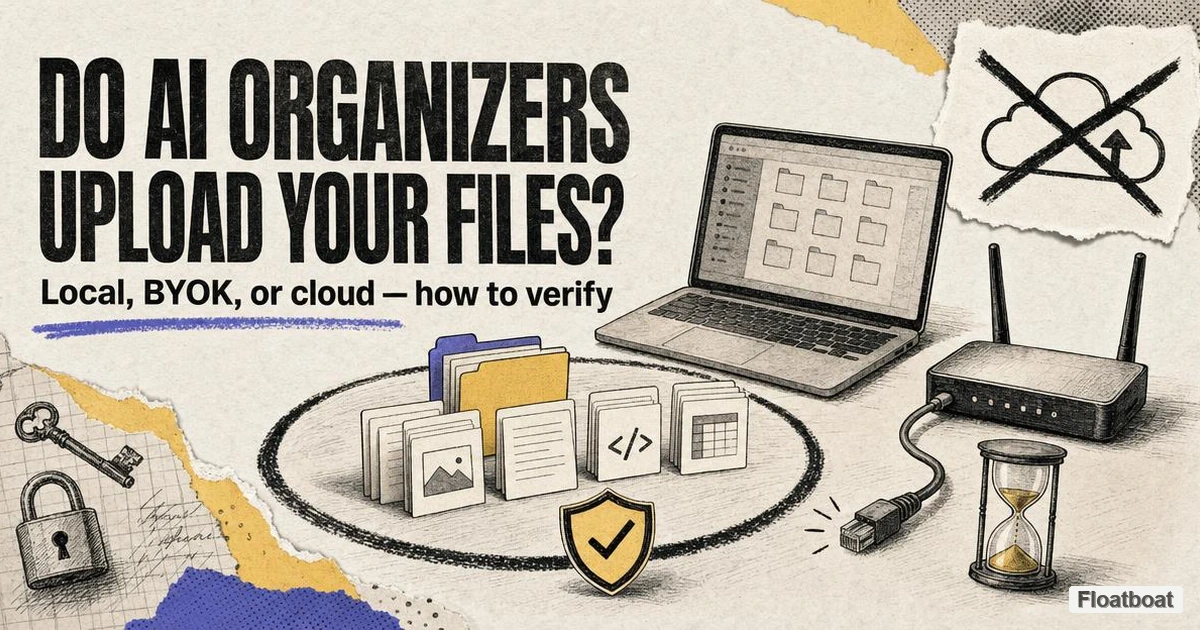
1. Why "Will It Upload My Files?" Is the Question of 2026
The short answer to the title question is "it depends on the tool and the mode you are in," which is precisely why the question keeps getting asked. An AI file organizer is different from most utility software because its core promise is to read your files: the product decides where a document belongs by understanding what is inside it, and that act of reading is where the privacy line gets drawn. We have a fuller category definition in our guide to what an AI file organizer is; this article is the privacy deep-dive that follows.
For a solopreneur who keeps client contracts, signed agreements, tax returns, and NDA-covered work on a single laptop, "the app needs to read my contract to sort it" triggers a very different mental model than "the app moves my Downloads folder."
Current products expose different processing paths: some document managed-cloud inference, some offer a local runtime, and some let users supply a cloud or local endpoint. Those options can coexist inside one app, so labels such as “private” or “local-capable” do not answer what the active feature transmits. The configuration, not a market-wide chronology, determines the data boundary.
Local-first demand is visible in community discussions, but comments are not market evidence and cannot prove why a vendor added a feature. What matters for a privacy decision is the current disclosure: the security page, privacy policy and active processing mode. Those sources were rechecked on October 13, 2026, and they often reveal distinctions that a homepage compresses into a “private” badge.
2. What "Upload" Even Means: Reading Depth, Explained
“Does it upload my file?” is not always a single yes-or-no property of the product. One mode may send only extracted text, another may send image pages, and a local mode may send neither. Before evaluating a vendor claim, identify which layer crosses the network in the exact mode you plan to use.
| Reading depth | What the AI sees | Privacy cost if it is sent |
|---|---|---|
| Names, paths, metadata | Filename, folder path, extension, date, size, sometimes EXIF | Low content exposure, but paths can still leak client or project names |
| Extracted text | Selectable text inside PDFs, Office documents, and spreadsheets | High — invoices, contracts, and medical letters are mostly text |
| OCR and visual content | Scanned pages, screenshots, photos, and their recognized text | Highest — this is the content most users assume never leaves the disk |
| Derived artifacts | Search index, embeddings, usage telemetry, server logs | Varies — index entries and logs can outlive the processing job |
A rule-based sorter or a simple renamer can do its work from the first row alone: it reads the filename, applies a pattern or a category by extension, and never opens the file. The moment a tool advertises that it understands what a document is — "invoice from Acme, dated March, amount due" — it must extract the second row, and if it uses OCR or vision, the third. The distinction between a renamer and an organizer is largely this reading depth; our comparison of file organizers versus file renamers versus file sorters walks through the difference before any of them touch a sensitive folder.
This is also where the vocabulary gets misleading. When a vendor says "your files never leave your device," ask which reading depth they mean: some organizers only transmit the filename and folder path to plan a sort, and their claim is literally true but narrower than it sounds. When another vendor says "nothing is stored or shared," they are making a claim about retention and third-party redistribution, not about whether the extracted text was transmitted for processing in the first place. Both statements can be true simultaneously — even while a file's contents crossed the network for a few seconds of processing.
Understanding reading depth is the first half of the two-axis framework this article uses; the second half is where the reading happens.
3. Four Architectures, Four Different Data Boundaries
The second axis is inference location — where the AI that reads and classifies the file actually runs — and in practice every tool in this category fits one of four architectures. The architectures matter more than brand names, because the same product can behave completely differently depending on which of its modes you enable.
On-device inference. The classification and renaming model runs on your own hardware — Apple Silicon's Neural Engine, a Windows GPU, or a CPU through a local runtime — typically after a one-time model download. File contents are read into a local process and never cross the network; the only outbound traffic is usually a license or update check. This is the mode behind local-first organizers such as NudgeFile on Windows, NameQuick's local-model mode on Mac, Sortio's Ollama mode, and the AI File Sorter's bundled local models, and it is the architecture Floatboat's file organizer uses on both Mac and Windows.
Bring-your-own-key (BYOK). The desktop app still does the file reading, but it sends the extracted text (or the image) to a model provider you chose — OpenAI, Claude, Gemini, or a custom endpoint — under your own API key. FilesDesk's self-managed license, NameQuick's self-managed mode, and Sortio's BYOK option all work this way. Because the vendor's servers are out of the loop, many marketing pages describe BYOK as more private than vendor-managed cloud, which is only partially true: the file content still travels to a third-party server that can see it, and the privacy outcome now depends on the contract you have with that provider rather than anything the organizer vendor promises.
Vendor-managed cloud. Files are sent to the organizer vendor's API, which forwards them to the model provider it has contracted with. This is the default for several popular tools — Filect, Sortio's default sort, Renamer.ai's desktop and web processing, and FilesDesk's managed plan — because it delivers the best frontier-model accuracy with zero setup. What happens to your data afterward is governed by two documents you rarely see: the vendor's retention policy and its contract with the model provider, which is why the retention rows in the next section vary so widely between otherwise similar tools.
Self-hosted or open source. You operate the model runtime yourself — Ollama, LM Studio, llama.cpp, or a small server — and point an open-source organizer at it. Tools like the hyperfield AI File Sorter and various GitHub-local organizers are explicit about this design: with a local model selected, files, filenames, and metadata stay on your computer and no telemetry is sent, and the network is only used if you deliberately enable a remote model. This is the most inspectable architecture because the code is public, and it is also the one where configuration mistakes — exposing an Ollama port on a shared network, for instance — can quietly undo the privacy you thought you had.
Two consequences follow from this map. Most commercial organizers are not one architecture but several, switchable per folder or per workspace, which is why "does X upload my files" only has an answer per mode. And no architecture is inherently safe or unsafe: vendor-managed cloud with a strong provider contract can suit non-sensitive files, while a misconfigured local setup can be less safe than an honest cloud tool. The right call is matching each architecture's data boundary to the sensitivity of the folder in front of you.
4. What Each Tool's Own Documentation Actually Says
The following table is a disclosure comparison, not a product ranking. Every cell is drawn from the linked official security page, privacy policy or product FAQ and was rechecked on October 13, 2026. Recheck before procurement: a statement that data is “not stored” does not mean it was not transmitted, and “encrypted” does not identify every party that can process plaintext.
| Tool (platform) | Architecture / modes | What the cited page says leaves your device | Retention as stated on the cited page | Source |
|---|---|---|---|---|
| Sortio (Mac & Windows) | Cloud default; local via Ollama; BYOK | Default cloud sort sends filenames and folder paths; file contents only if you enable a content-based feature; nothing leaves in local mode | Hosted-AI processing data "retained for up to 30 days, then purged"; account data deleted within 30 days of closure | Security docs · AI disclosures |
| Filect (Mac & Windows) | Cloud via OpenAI | States it "processes your files securely through OpenAI"; homepage says nothing is stored or shared and only you can see your data | No retention window published on the cited page; "stored or shared" claim covers Filect, not OpenAI's own policy | filect.io |
| Renamer.ai (desktop & web) | Cloud subprocessors | Web uploads stored on EU servers (AWS Frankfurt); desktop contents processed transiently and transmitted to AI subprocessors | Web files deleted after up to 24 hours; AI subprocessor inputs up to 30 days for abuse monitoring; no training use | Privacy policy |
| NudgeFile (Windows) | Local only, bundled Ollama | Built-in local AI processor; states no files are uploaded to third-party servers and it runs completely locally | No cloud data path described, so no cloud retention policy is published | nudgefile.com |
| FilesDesk (Windows) | Self-managed BYOK, or managed cloud | Self-managed: files never sent to FilesDesk servers (sent directly to your chosen AI provider); managed: files uploaded to FilesDesk, then to Gemini/OpenAI | File content "immediately deleted after processing"; managed uploads deleted from Gemini/OpenAI after processing; usage logs 90 days | Privacy policy |
| AI File Sorter by hyperfield (open source, cross-platform) | Local GGUF models, or remote with your own key | With a local model, files, filenames, images, and metadata stay on your computer and no telemetry is sent; internet only when a remote model is enabled | Not applicable in local mode; remote mode governed by the endpoint you choose | GitHub README |
| NameQuick (Mac) | Local models, BYOK, or managed | Local: nothing leaves; BYOK: extracted text or images to your chosen provider; managed: file content through an EU-routed service | Managed processing held briefly and deleted within 24 hours at the latest; never stored on NameQuick servers; no training | Privacy & Your Data |
| Floatboat AI File Organizer (Mac & Windows) | On-device | Classifier and renaming model run on-device (Apple Silicon Neural Engine or Windows GPU); states file contents never touch a Floatboat server and the app works offline | No cloud data path exists in the on-device design; the product page states 0 uploads | Product page |
Read the table the way a lawyer would read a contract, because the patterns are informative. The genuinely local tools publish no cloud retention policy because they have no cloud data path to describe — NudgeFile and the AI File Sorter rows are the cleanest examples. The cloud tools are honest in very different degrees: Renamer.ai publishes a precise retention table with concrete windows (24 hours for web uploads, 30 days for AI subprocessor abuse monitoring), which is exactly the level of detail a careful buyer wants, while Filect makes a broad "nothing is stored or shared" statement without specifying a retention window or addressing the OpenAI subprocessing step. Sortio splits the difference: it discloses that default cloud mode sends only filenames and paths unless you opt into content features, and that hosted-AI processing data is purged after 30 days, with an explicit local mode for sensitive folders.
The disclosure itself is the feature, not the trust badge on a landing page. A vendor whose official site stays silent on where processing runs, what is retained, and for how long forces you to treat it as unverified for sensitive files until it publishes specifics — not evidence of wrongdoing, but a decision-relevant absence in a category whose entire value proposition is "let AI read your files." A vendor's willingness to document its data boundary with the precision of Renamer.ai or Sortio is not a nice-to-have — that specificity is what lets you make the call yourself. Before you hand it a folder of contracts, a vendor that will not answer where the AI runs is asking you to trust its marketing over its architecture.
5. How to Verify Any Organizer Yourself, in Three Steps
You do not have to take a vendor's word for any of this, because the two-axis model gives you a concrete checklist. Verification takes three passes: ask the right questions of the documentation, find where the truthful answers live, and then run a network-off test that confirms the architecture in practice.
Start with three questions, and accept nothing less than explicit answers. First, where does the AI that reads file contents run — on my device, on the vendor's servers, or at a model provider under my own key? Second, which reading depths cross the network — filenames, extracted text, or full images — and does enabling content features change that? Third, after processing: is the data stored, for how long, by whom, is it ever used for training, and can I delete it? These three questions separate a genuine data-boundary disclosure from marketing copy; a page that answers them with adjectives instead of architecture language should lower your confidence in the rest of its homepage.
The answers live in specific places, and you can find most of them in under ten minutes. Look for a security, privacy, or trust page (separate from the marketing homepage), a data-processing addendum, a sub-processors list, and the FAQ entries that say "is my data used for training" or "does this work offline." In our own checks, the most informative sentences were almost always in the security documentation and the fine print rather than the product tour — Sortio's security docs, FilesDesk's privacy page, and NameQuick's mode-by-mode table are good examples of the specificity to look for. If a tool mentions Ollama, LM Studio, a local model, or an on-device engine, it has a local architecture to describe; if it mentions an API key, a relay, or a managed cloud, it has a transmission path to describe. And offline capability is the strongest signal that a tool's local mode is real: a runtime that depended on a vendor relay could not keep working with the network off, which is exactly what the test in the next step exploits.
Finally, run a network-off capability check with a folder of dummy files containing unique markers, then repeat with network logging enabled. If content-derived names still appear offline, that is evidence that the tested feature can infer locally in that configuration. If it fails, the feature needs a remote dependency. This check is not a complete privacy audit: success offline does not prove the app never uploads when online, and an outbound connection alone does not reveal its payload. Use a firewall log or packet-inspection process approved by your organization, compare each content feature separately, and reconcile the result with the vendor's policy.
Two cautions keep the test honest. First, offline capability only proves that the tool can run locally in that mode; a tool that defaults to cloud and offers local as an opt-in still transmits data every time you forget to switch modes, so check which mode is active for the folders you actually organize. Second, documentation changes faster than this article can track it — re-run the questions and the test whenever a tool ships a major update, because a vendor that adds a cloud feature to a previously local tool has changed your data boundary without changing your habits.
6. A Default Rule for Sensitive Files (and the Limits of Local)
A workable default for contracts, tax documents, medical records, legal correspondence, or NDA-covered material: keep content-reading features in an architecture you have verified as on-device, and use cloud modes only for folders you would not mind pasting into a web chat.
Concretely, identify which folders are sensitive, confirm with the network-off test that the tool's local mode runs inference on your hardware, run sensitive folders in that mode, and reserve cloud or BYOK modes for everyday cleanup of Downloads folders and screenshots where speed and accuracy matter more than the data boundary. This split is not extreme — it is the workflow several vendors document themselves.
Apply the same scrutiny to reassuring claims. "Deleted after processing" does not mean the file was never transmitted; "never stored" addresses retention rather than transmission; and "encrypted" does not identify every party that can process plaintext. A local option is not a guarantee that it is active. In regulated settings, architecture changes the data flow but does not decide legal or contractual obligations by itself. Your security, legal and compliance teams must confirm the applicable controls, agreements and jurisdictional requirements for the chosen deployment.
Local processing also has real limits that are worth stating plainly, because "your files never leave the device" is not the same as "your files are safe." A local model small enough to run on consumer hardware is less accurate on genuinely ambiguous files than a frontier model, and vendors that offer both modes are candid that local runs are slower — minutes rather than seconds for large batches — and occasionally need manual review. The local content index that makes files searchable is itself sensitive data sitting on your disk, so full-disk encryption and OS-level access control matter for local tools too; anyone who has used an AI agent with a fully local Obsidian vault already lives with this tradeoff. And an organizer that misfiles a document because the model misread it is a correctness risk no architecture removes — which is why approval-before-move workflows and reversible undo, not just privacy claims, belong on the evaluation list for anyone handling documents they cannot afford to lose.
This does not rule out cloud organizers. A managed service may be acceptable for low-sensitivity folders when its data path, retention and subprocessors meet the user's or organization's requirements. The point of the two-axis framework is not that local always wins; it is that the privacy question should be answered before the feature comparison, using formal disclosures and tests that match the selected mode.
7. Conclusion
The honest answer to "does AI file organizer upload my files" is that the current category is a spectrum, and your position on it is set by the mode you choose, not by the tool you pick. Every organizer that reads content has to extract it, and whether that extracted text crosses the network depends on whether inference runs on your device, at a provider under your own key, or on a vendor's cloud — a boundary most serious tools now document in detail and you can verify yourself with the network-off test. For sensitive documents, choose an architecture you have verified, treat vague privacy language as a risk signal, and reserve cloud convenience for the files that genuinely do not matter. Floatboat's file organizer is one example of the fully on-device end of that spectrum — its classifier and renaming model run on your Mac or Windows machine with zero uploads and full offline use — but it is an example of an approach, not an exception to it. Whatever you pick, read the security page before you point it at a folder you would not want posted online, and re-read it after every major update. That habit — reading the disclosures, running the offline test, re-checking after updates — matters more than any single tool recommendation in this article.
Related posts
Organize Receipts with AI: A Verifiable Filing Template
Organize receipts with AI by verifying vendor, date, amount, currency, type, and invoice number while preserving originals and isolating…
How to Clean Up Downloads Folder with AI, the Safe Way
Clean up a Downloads folder with AI using a sample-first protocol, scoped prompt recipes, small-batch approval, recovery tests, and a…
AI File Organizer for Windows: How to Verify Offline Claims
Evaluate AI file organizers for Windows by model location, network traffic, preview, restore evidence, and OneDrive placeholder behavior.
https://floatboat.ai/blog/do-ai-file-organizers-upload-your-files