
Markdown Documentation Sites — Docs-as-Code Without the Migraines
How markdown documentation sites work: the docs-as-code workflow, what Docusaurus, MkDocs and VitePress each trade away, and when plain files are enough.
1. What Docs-as-Code Actually Means
Traditional documentation lives in a separate universe from code: a CMS, a wiki, or a word-processor export pipeline, with its own login, its own review process, and its own slow decay. Docs-as-code moves documentation into the same world as the software it documents: files in a repository, changes through pull requests, publishes through CI.
Markdown is the format that makes this work, because it is the format developers already write without friction — the same format as the README sitting next to the code. A docs change becomes a diff; a typo fix becomes a one-line pull request; a stale page becomes an issue assigned next to the code it describes. Nothing about this is theoretical — as of 2026 it is the default pattern for developer-tool documentation, and the tooling has matured around it.
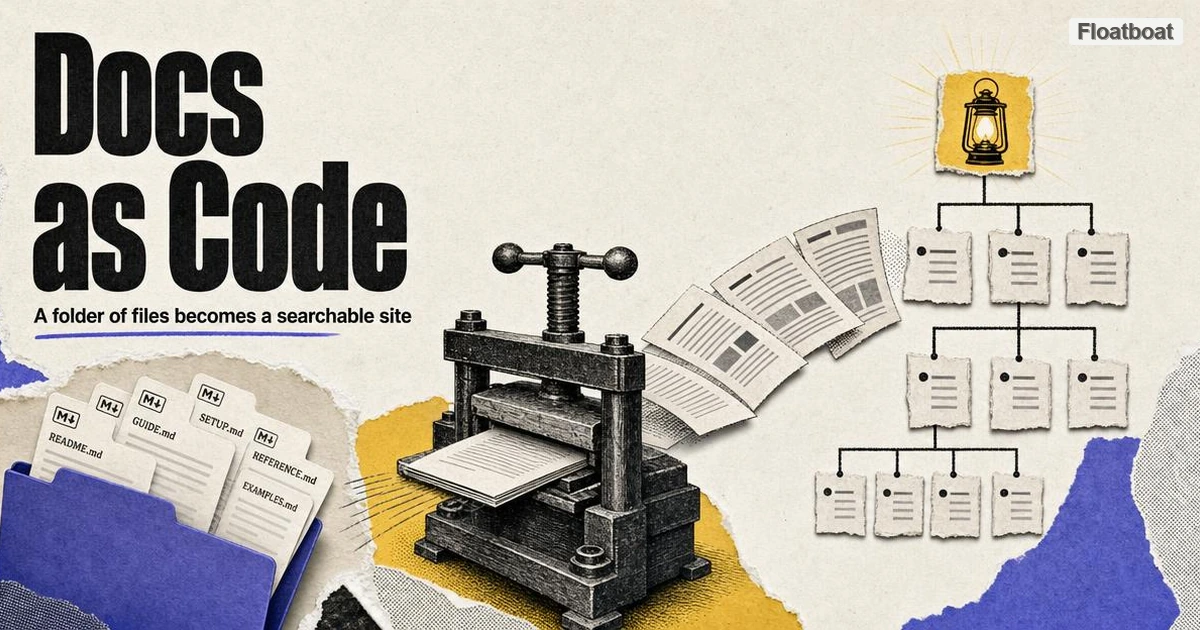
The mental model is worth stating plainly: the repository is the source of truth, Markdown is the storage format, and the documentation site is a build artifact. If the generator disappeared, the files would still be perfectly good documents.
2. The Three Mainstream Generators
All three of the following read your .md files and produce a static site with navigation, search, and versioning. They differ in ecosystem and extension philosophy.
Docusaurus is the React-based option with the largest plugin and theming ecosystem. Its distinguishing feature is MDX — Markdown files that can embed React components — which enables interactive elements inside docs pages. The trade: MDX files are no longer plain Markdown, so the content is coupled to the React toolchain.
MkDocs, usually paired with the Material for MkDocs theme, is the Python option famous for going from a folder of Markdown files to a polished, searchable site in an afternoon. Configuration is a single YAML file. It stays closest to "your files, but rendered."
VitePress is the Vue-based option prized for build speed and minimal default styling. It also supports Vue components inside Markdown, with the same portability trade as MDX.
For a first documentation site, the deciding factors are usually your team's language (JavaScript or Python) and whether you need embedded interactivity at all. If you do not, any of the three works, and the Markdown you write is identical across them.
3. Widening the Field: Five Generators Across Six Dimensions
The three profiles above dominate mindshare, but they are not the whole field, and choosing by vibe is how teams end up migrating a year later. Two more generators earn a place on most shortlists. Astro Starlight is the newest of the five: it builds on Astro's content-collections model and ships documentation defaults out of the box — autogenerated sidebars, previous/next pagination, built-in internationalized routing — with Pagefind providing local search by default. Hugo is the opposite pole: a single Go binary with no dependency tree at all, known for rendering very large sites in seconds, at the price of Go templates, which are less forgiving than a YAML config file for people who mainly want to tweak a layout.
With five candidates, a comparison only becomes decision-grade when it is pinned to dimensions that change daily work rather than marketing checkboxes. The six below are the ones that show up in practice: what gets installed, what themes exist, how search works, how versioning works, how internationalization works, and how fast the build runs.
| Dimension | Docusaurus | MkDocs + Material | VitePress | Astro Starlight | Hugo |
|---|---|---|---|---|---|
| Install stack | Node.js + React toolchain | Python + pip | Node.js + Vite | Node.js + Astro | Single Go binary |
| Theme ecosystem | Largest; npm plugin economy | Material is the de facto standard | Lean, opinionated defaults | Growing; any Astro integration | Huge gallery, uneven quality |
| Search | Algolia DocSearch or plugins | Built-in client-side (Lunr-based) | Built-in local search; Algolia optional | Pagefind, built in | DIY: emit a JSON index, add JS |
| Versioning | First-class snapshot command | Via the mike plugin | DIY patterns | DIY patterns | DIY |
| i18n | Built-in locale folders | Plugin-based | Built-in locale directories | Built-in locale routing | Built-in (content dirs + string files) |
| Build speed | Moderate; MDX compilation costs | Fast for small-to-mid sites | Very fast | Fast | Fastest at scale |
Read the table as three pairs. Install stack and build speed decide the day-one experience: a Node dependency tree means the docs inherit npm's upgrade churn, while Hugo's single binary runs identically on a locked-down CI runner with no network access. Build speed feels cosmetic until the site passes a few thousand pages, at which point the gap between a one-minute build and a ten-second build changes how often people bother previewing their edits at all.
Theme ecosystem and search decide how much gets assembled by hand. Docusaurus leans on the largest plugin economy, but Material for MkDocs remains the fastest route to a result that looks professionally designed, which is why it stays the default answer for a team's first docs site. Search splits the same way: most generators now ship adequate client-side search out of the box, while Algolia DocSearch — free for public documentation sites, on application — is the managed upgrade path once the built-in index starts missing queries.
Versioning and i18n are the two dimensions that bite a year in rather than on day one. Docusaurus is the only one of the five with versioning as a first-class concept; MkDocs reaches it through the community mike plugin; VitePress, Starlight, and Hugo leave teams to invent their own snapshot conventions, which works fine until the second version actually ships. If the documentation must serve several maintained releases of an API, that row outweighs theming and build speed entirely; if it documents one evergreen product, picking on the friendlier dimensions is safe.
4. Organizing Pages: Diátaxis in the Directory Tree
Before any generator, there is a quieter decision that outlives all of them: what a page is for. The most widely adopted answer is the Diátaxis framework, which sorts documentation into four modes by what the reader needs in the moment: tutorials (learning-oriented, a guided first success), how-to guides (task-oriented, recipes for people who know the basics), reference (information-oriented, lookup material read in fragments), and explanation (understanding-oriented, the why behind the how). The four modes have different voices, different structures, and different lifespans, and mixing them on one page is the most common failure mode in technical documentation.
Mapping the framework onto a repository is nearly mechanical, and the directory tree itself becomes a triage tool:
docs/
├── tutorials/
│   └── getting-started.md
├── how-to/
│   ├── deploy-to-production.md
│   └── rotate-api-keys.md
├── reference/
│   ├── api/
│   └── configuration.md
└── explanation/
    └── why-eventual-consistency.md
The tree earns its keep the moment someone has a new page to write. Documentation programs die the same death: a page stalls because nobody knows where it goes, the writer shrugs and files it somewhere arbitrary, and it rots unread. With quadrant directories mirrored in the site's sidebar, the placement question has an answer, the URL structure signals what the page promises, and a reviewer can object to a misplaced page without objecting to its content.
The framework also settles the oldest argument in documentation: whether a page should be complete. A how-to that detours into architecture is worse than two linked pages, because the reader following steps under deadline pressure does not want a lecture and the reader studying the design does not want steps. Split by mode and cross-link between quadrants — reference pages link up to explanations, tutorials link forward to how-tos — and each page can be judged against exactly one standard: did it serve its mode's reader.
5. The Workflow Benefits
The generator matters less than what the model unlocks, and four benefits carry the adoption.
Review: docs changes go through the same pull-request review as code, which means the people who understand the feature also sign off on the documentation of it. Versioning: docs sites ship versioned copies (v2.x and v3.x side by side), which product teams with long-lived releases need and wikis handle poorly. Search: generators index the full site automatically. Deployment: the site builds in CI alongside the product, so publishing docs is a deploy step, not a separate negotiation with a CMS owner.
There is a fifth benefit that arrived with the AI era: a repository of clean Markdown documentation is exactly the corpus that AI pipelines consume well — header-aware retrieval, agent answers grounded in your docs, and LLM-friendly structure come free with the format, no separate AI version to maintain.
6. Versioning: The Long-Term Cost Nobody Budgets
Every other cost in this model is visible up front. Versioning is different: it is the decision that quietly multiplies the documentation surface for years, and it deserves its own arithmetic. When a team ships docs for v2 and v3 side by side, it has committed to keeping two parallel trees factually correct, and every future doc bug now has an address in each tree.
The first decision is when to snapshot. Generators that support versioning do it by freezing the current tree into a versioned copy — Docusaurus's versioning guide documents the pattern: one command copies the current docs into a version-2.x directory, and further edits land in the "next" tree. Snapshot at release boundaries, when old-version behavior genuinely diverges from main, and resist snapshotting for minor releases that only add behavior; each snapshot is not a copy but a promise.
Deprecation is the second decision, and the honest version is a number. A policy like "documentation is maintained for the two most recent major releases" is something a reviewer can enforce; "old versions stay up" is how a site accumulates a v1 archive that nobody has validated since the API changed, quietly telling users lies. Put a visible banner on frozen versions, record the removal date in the changelog, and delete on schedule — removing a warned-about old version surprises nobody, while a wrong old version burns everyone who trusted it.
The third decision is how fixes propagate. When someone reports a doc error that exists in four published versions, the practical flow is to fix the latest tree first and cherry-pick into older ones — with a pre-agreed line on which errors earn a backport. A defensible line: factual errors about documented behavior get backported to all supported versions, while structural and stylistic changes land only in latest. Without that line, every docs review slows to the speed of the most cautious version.
Finally, version where behavior diverges and nowhere else. API references and configuration pages differ across majors and earn versioned copies; conceptual guides and tutorials usually do not, and many teams keep them single-source under a current-release note. Most sites over-version by default and then wonder why maintenance eats a day a week; the shape that survives is a small versioned reference core surrounded by an unversioned, regularly pruned body of guides.
7. Migrating Off Confluence or Notion
At some point the case for moving stops being arguable: the wiki holding the real documentation is locked behind a login, invisible to outside search, and editable with no review at all — the exact inverse of the docs-as-code model. The migration itself is a four-phase project, and the teams that regret it are the ones that treated a phase as optional.
-
Export everything in a single pass. Confluence spaces export to HTML or XML; Notion exports a workspace to HTML and Markdown archives, with databases flattening into CSV. Every export is slow and slightly lossy, so run one complete export, keep it versioned as the migration's ground truth, and take later deltas against it instead of re-exporting from scratch.
-
Clean the exports into plain Markdown. Conversion tools handle most of the mechanical translation, and the standard cleanup patterns for HTML-to-Markdown conversion cover what remains. What tools miss is structure: Confluence layout macros collapse into soup, Notion databases lose their views, and image paths point at directories that no longer exist. This is also the moment to add frontmatter — title, owner, last-reviewed date — because each file is about to enter a repository and should arrive with metadata.
-
Repair links while the map is cheap. Heading anchors differ between systems, page titles become new slugs, and every internal link that pointed at the wiki now dangles. Build the redirect map during cleaning — old URL to new URL, as a table committed to the repo — not after launch, because the person who remembers why page A linked to page B is the person still on the project now.
-
Redirect, freeze, and sunset. Host-level 301 redirects from the old wiki URLs preserve both old bookmarks and search equity; the old space goes read-only with a banner pointing to the new site; and the banner carries a sunset date, because an unmaintained read-only wiki is where stale answers go to resurface for years.
Two failure modes account for most migration regret. The first is attempting a perfect mapping before moving anything — months of analysis while the wiki keeps drifting — when the workable shape is a fast, imperfect pass followed by an owned ninety-day cleanup window. The second is migrating indiscriminately; a migration is the cheapest triage moment a team ever gets, and a substantial fraction of any wiki is process notes for projects that no longer exist. Delete that material before the move rather than paying to carry it.
8. The Honest Costs
The build toolchain is real: a Node or Python dependency tree, build times, and the occasional upgrade that breaks a theme. A docs site is a small software project, and it should be maintained like one.
The subtler cost is extension temptation. The moment documents start embedding components — MDX widgets, Vue islands, custom directives — they stop being portable Markdown. Mermaid diagrams are the exception that survives: a mermaid code block is still plain text, and most documentation generators render it natively. Your files now require that generator to render, and the whole point of the format was that they would not. A pragmatic line: keep 95% of pages pure Markdown, and spend interactivity on a few pages where it demonstrably teaches better than prose.
Finally, docs-as-code raises the contribution bar for non-developers. A teammate who lives in Google Docs will find pull requests hostile at first. Preview deployments and edit-links-on-every-page soften this, but it is a real adoption cost to plan for.
9. Shipping Docs from CI
The daily payoff of docs-as-code is the deployment path, and the minimal version fits in one small workflow file. A typical GitHub Actions setup for a docs site has two jobs: a build job that checks out the repository, installs the toolchain (npm ci or pip install), builds the site, and fails the check on build errors or broken internal links; and a deploy job that uploads the build output to a static host — GitHub Pages through its official deploy action, or Netlify and Cloudflare Pages through theirs. The whole file is a few dozen lines of boilerplate that a team writes once and rarely touches again.
The feature that changes team behavior is not deployment but preview. Hosting providers generate a unique preview URL for every pull request, so a reviewer clicks a link and reads the rendered page — with its navigation, code highlighting, and tables — instead of squinting at a raw Markdown diff. That single capability does more than any style guide to include non-developer reviewers in docs review, because it converts their feedback from a vague inability to picture the result into specific, renderable complaints.
Generator choice shows up here as build minutes. A Hugo site builds in seconds on the cheapest runner; heavier Node stacks with MDX compilation can take minutes, which is tolerable at a few builds a day and grating at fifty. Whatever the stack, the habit being encoded is the real point: publishing documentation is a deploy step, reviewed like code and shipped like code, with no separate negotiation and no calendar coordination.
10. The AI Retrieval Dividend
A documentation site built this way quietly becomes a knowledge base for machines. Retrieval-augmented pipelines chunk documents along heading boundaries, so the heading hierarchy is literally their segmentation strategy: a page with a descriptive H1 and one topic per H2 produces clean, self-contained chunks, while a page that meanders produces chunks that answer half of two different questions. Coding agents and support bots that ground their answers in product documentation are, in effect, the most demanding readers a docs site will ever have.
The habits that serve them are the same ones that serve human readers, which is what makes this a dividend rather than a tax. Descriptive headings ("Deploy to production," not "Deployment") satisfy the search index and the retrieval chunker at once; keeping each page coherent under a single topic gives the skimming human and the embedding model the same self-contained unit; preferring standard Markdown over exotic directives means every reader, silicon or otherwise, renders the page the same way. The keep-95%-pure-Markdown line gains a second justification here: every embedded component is a region of the page that a retrieval pipeline reads as noise.
By 2026 this has hardened into common practice, with conventions such as the proposed llms.txt standard for machine-readable site summaries still settling. The durable point does not depend on any specific convention: the site built for humans is already a knowledge base for agents, with no separate AI version to maintain and no extra pipeline to feed. Teams that keep their Markdown clean get agent-ready documentation as a side effect of serving human readers, which is the cheapest possible price for the capability.
11. Starting Small
The minimal path does not require choosing a generator on day one. Write the documentation as organized Markdown files first — the same habits as any Markdown workflow: one topic per page, consistent heading hierarchy, relative links between pages. Any generator ingests that structure, and until the docs need a public site, the folder itself is already useful — searchable, reviewable, and readable by both humans and AI tooling.
When a public site becomes necessary, pick the generator that matches your team's stack, run its init command against your folder, and commit. The docs were the asset all along; the site is an hour of configuration.
12. Conclusion
Markdown documentation sites work because they collapse three systems — authoring, review, and publishing — into one repository. The generators are good, but they are interchangeable; the files are the value. Choose Docusaurus, MkDocs, or VitePress by ecosystem and team language, keep the pages plain Markdown, and the docs will outlive every one of those tools.
https://floatboat.ai/blog/markdown-documentation-site