
AI Workflow for Solo Founders: What Actually Works
Running a one-person business means wearing five hats. Here's what an AI workflow that actually fits solo founders looks like — and where most setups fall short.
Hey, I'm Nova. I was reorganizing my content calendar last Tuesday — tabs everywhere, three different AI tools open, notes scattered across two apps — when I stopped and thought: I've been using AI every day for over a year now, and my actual workflow still feels stitched together with duct tape.
That's the thing nobody talks about. The AI models are incredible. The way most of us wire them into real work? Not so much. If you're running things on your own or with a tiny team, you already know the gap between "AI can do amazing things" and "AI actually helps me get through my Tuesday." This is what I've been thinking about lately — what makes an AI workflow genuinely useful for people like us, and where most setups quietly fall apart.
Why Generic AI Setups Keep Falling Short for Solo Founders
Designed for Questions, Not for How You Work
Here's the thing I keep running into. Most AI tools are built around a single interaction: you ask, it answers. That's it. You close the tab, open it again tomorrow, and it has no idea who you are, what you're working on, or that you asked it the same kind of question last week.
For someone with a team, that's annoying but manageable — you have people who carry context. For a solo founder, context is the whole game. You're the one person who knows why that proposal sounds different from the last three, why this client needs a specific tone, why Tuesday's draft connects to Friday's launch.
When AI doesn't carry that context, you end up re-explaining yourself constantly. I've spent more time writing prompts to set up the context than doing the actual work the AI was supposed to help with.
The "Five Roles, One Person" Problem
Last month I mapped out everything I do in a typical week. Content research, writing, client communication, project management, bookkeeping follow-ups. Five distinct jobs, sometimes more.
The standard advice is: use ChatGPT for writing, Zapier for automation, Notion for project management, and maybe a separate tool for research. That's four tools, four logins, four sets of context that don't talk to each other. Each one knows a tiny slice of your work, but none of them know how your work actually fits together .
I used to think more tools meant more productivity. I don't anymore — the more convincing framing I've come across is role-based AI workflows, where each of those five jobs gets an AI with a defined role and its own context, instead of five tools that share none.
What a Real Solo Founder AI Workflow Needs to Do
I've been experimenting with different setups for a while now, and I keep coming back to three things that actually matter. Not features — capabilities.
Carry Context Across Your Files, Browser, and Projects
This is the big one. The reason generic chatbots fail solo founders isn't intelligence — it's amnesia. You need an AI that can look at the document you're editing, remember the research you did yesterday, and understand how both connect to the client brief sitting in your file system.
I didn't fully appreciate this until I started tracking how much time I spent on what I call "context loading" — the five to ten minutes at the start of every AI interaction where I'm pasting background, uploading files, explaining what I've already tried. For someone juggling multiple projects, that adds up to hours per week.
What actually helps is when the AI has persistent access to your working environment — your files, your browser tabs, your project folders — instead of living inside a single chat window that forgets everything when you close it.
Remember Your Standards — Not Just Your History
This one took me a while to figure it out. There's a difference between an AI that remembers what you did and an AI that learns how you do things — your editing preferences, your tone of voice, the way you structure proposals, the shortcuts you've developed over time. That kind of tacit knowledge, the stuff you'd struggle to write down in a prompt but apply instinctively every day — that's what separates a useful AI workflow from a generic one.
A few newer tools are starting to explore this space. The idea is that AI shouldn't just execute commands; it should gradually absorb the patterns behind your decisions. I'm still experimenting with how well this works in practice. But the concept? That's one of those small things that actually matters.
Turn Repeated Work into Reusable Execution
Solo founders repeat the same types of work constantly. Weekly reports. Client onboarding emails. Content briefs. Competitive research summaries. Every week, same structure, different inputs.
The ideal AI workflow lets you do the work once, then package that process into something reusable. Not a template — something smarter. A workflow that can take new inputs and run through your established process automatically, including the judgment calls you usually make along the way.
This is different from traditional automation. Tools like Make or Zapier are great at connecting apps and moving data around, but they work on triggers and rules. What solo founders need is something closer to skill transfer — teaching the AI your process, not just your if-then logic.
The Build-It-Yourself Trap
Why Notion + ChatGPT + Zapier Doesn't Add Up to a Workflow
I've tried this exact stack. Notion for knowledge management, ChatGPT for generation, Zapier to glue things together. On paper, it covers everything. In practice, it creates a new problem: you become the integration layer .
You're the one copying context from Notion into ChatGPT. You're the one designing Zap triggers that sort of replicate your process but miss the nuance. You're the one maintaining all of it when something breaks.
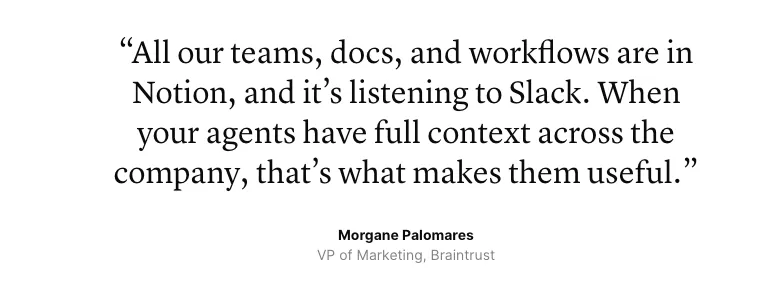
Notion's AI features have gotten significantly better — the new Agent can search across connected tools like Slack and Google Drive, and the custom instructions feature means it remembers your preferences within the workspace. That's a real improvement. But Notion AI still lives inside Notion. It doesn't know about the PDF on your desktop or the browser tab you have open.
When Stitching Tools Together Creates More Overhead, Not Less
I kept my expectations low going in when I first started building my own multi-tool workflow. Good thing, because the maintenance alone ate into the time I was supposedly saving. Every time one app updated its API, something broke downstream. Every time I wanted to modify my process, I had to update three different systems.
The honest truth: for a solo founder, the time you spend configuring and maintaining a DIY tool stack is time you're not spending building your actual business . And if you're not technical enough to troubleshoot API errors at 10 PM — and most of us aren't — you're stuck until you find a workaround.
I could be wrong here, but I think the DIY approach works for people who enjoy building systems as a hobby. For the rest of us, it's a tax disguised as a solution.
What to Look For in an AI Workspace Built for One Person
If you're evaluating tools in this space, here's the framework I use. Not features — these are the three capabilities I now check before anything else.
Context Continuity
Can the AI access your files, browser, and project history without you manually uploading everything each session? Does it maintain awareness across tasks, or does every conversation start from zero?
This is the single biggest differentiator I've found. Tools that treat each interaction as isolated will always require you to do the context work. Tools that maintain a persistent understanding of your working environment — your actual files on your actual computer — remove the biggest friction point.
Execution Memory
Does the tool learn from how you work, not just what you tell it to do? Can it absorb your editing patterns, your decision-making tendencies, your formatting preferences? According to Harvard Business School research on AI and work design, the gap between AI potential and AI reality often comes down to how well the tool adapts to individual work styles.
Desktop Integration
Is this a browser tab, or does it live where your work actually happens? For solo founders who work across local files, email, and multiple applications, a desktop-native tool has a real advantage over web-only interfaces. It can interact with your file system directly instead of requiring you to upload, download, and re-upload constantly.
How to Map Your Most Repeated Work — A Practical Starting Point
Before you pick any tool, do this exercise. It took me about thirty minutes and changed how I think about AI workflow entirely.
Spend one week logging every task you do more than twice. Not the creative work — the repeatable stuff. The research-then-summarize pattern. The draft-then-edit-then-format cycle. The "check five sources then write a comparison" routine.
I found seven workflows I repeat almost weekly. Three of them followed nearly identical steps every time. Those three became my first candidates for AI automation — not the creative, judgment-heavy work, but the structured, repeatable processes where AI can genuinely take over.
The question isn't "what can AI do?" It's: what does your workflow actually look like on a Tuesday? Start there. The right tool becomes obvious once you know what you're actually trying to automate.
Trade-Offs: What You Give Up and What You Gain
I'm not going to pretend this is all upside. Every approach has costs, and I think being honest about them matters more than selling a dream.
What you gain with a dedicated AI workspace:
-
Less time on context-loading — the AI already knows your files and preferences
-
Reusable workflows that get better over time
-
Fewer tools, fewer subscriptions, less maintenance
-
The ability to work across files, browser, and AI in one environment
What you give up:
-
Flexibility of best-in-class point tools. A dedicated workspace might not match Notion's database power or Zapier's 7,000+ app integrations. You're trading breadth for depth of integration.
-
Familiarity. Switching to a new system takes time, and there's a real learning curve. I've found that the most productive approach is to start with one specific workflow and expand from there, rather than trying to move everything at once.
-
Maturity. Some newer AI workspace tools are still early-stage. Features might change, pricing might shift. I haven't tested everything long enough to know where the edges are — and I'll say that openly.
-
Cost uncertainty. Credit-based pricing models can make monthly costs unpredictable for heavy users. Worth watching closely if you're on tight margins.
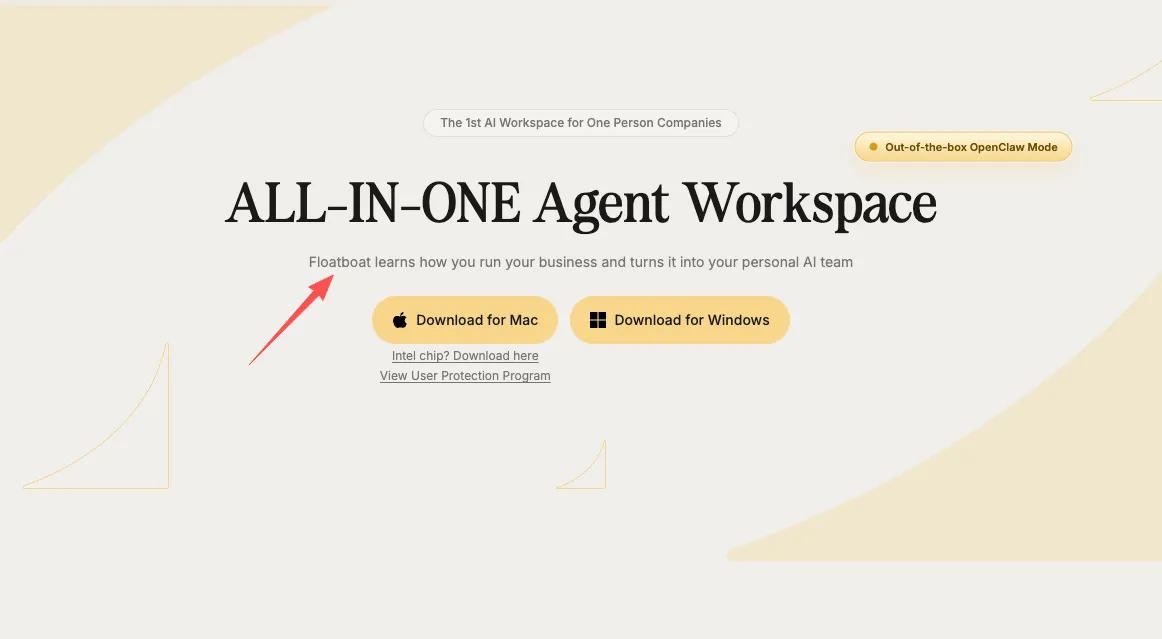
The tools in this category are evolving fast. Newer entrants like Floatboat are taking an interesting approach — building the AI workspace as a desktop app where the file system is the primary interface, with features like Combo Skills that let you package a completed workflow into a reusable automated process. I haven't put enough hours into it to give a definitive take, but the concept of learning from how you work rather than just what you ask is one I'm watching closely.
That's where I am with this right now. The shift from "AI as a chatbot" to "AI as a working environment" is still early, and I'm still adjusting my own setup. But the direction feels right — especially for people running things on their own, where every hour of overhead directly competes with the work that actually moves your business forward.
If your setup looks anything like mine, this might be worth exploring. I'll keep experimenting and share more as I learn.
Back to building things.
https://floatboat.ai/blog/ai-workflow-solo-founders