
ChatGPT Voice Mode vs Dictation — When to Talk or Type In the Box
ChatGPT voice mode vs dictation: GPT-Live two-way talk vs editable composer text. Choose the right voice workflow for agent prompts and document work.
1. The Voice Input Problem That AI Is Solving
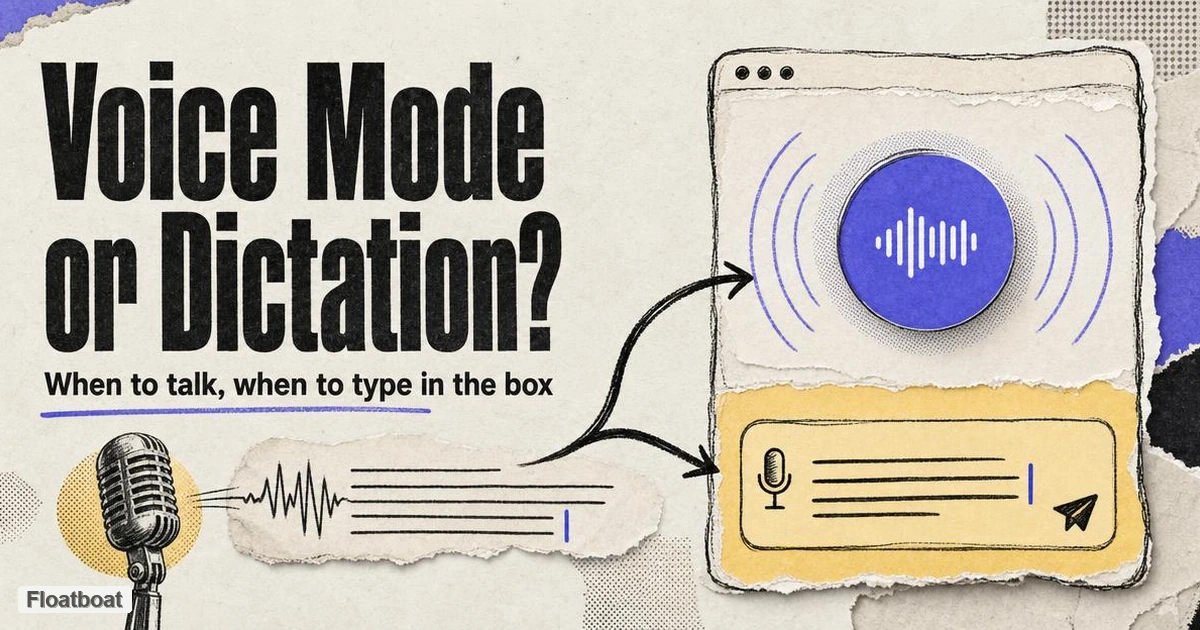
If you have opened ChatGPT on a phone, a laptop, or the desktop app in the last year, you have almost certainly noticed two microphone-related affordances — and many people treat them as interchangeable. They are not. One starts a live spoken dialogue where ChatGPT talks back in audio and the transcript accumulates in the thread. The other fills the message box with text you can edit, delete, or rewrite before you hit send. Same app, same model family underneath in many cases, but different contracts with your attention, your hands, and your downstream workflow.
That distinction matters because the two controls produce different artifacts. OpenAI's current ChatGPT Voice documentation describes Voice as a spoken conversation and Live as able to listen and speak at the same time. The separate Dictation FAQ says the microphone recording is transcribed into editable text before it is sent. One is for conversational turn-taking; the other is for drafting a reviewable prompt.
The confusion is understandable because both features live in the composer area, both accept speech, and both show up in marketing as "talk to ChatGPT." Product teams outside OpenAI have amplified the blur: system-wide dictation tools, meeting note-takers, and standalone voice agents each solve adjacent problems with overlapping vocabulary. For a solo founder drafting a client proposal, an operator specifying a multi-step agent run, or anyone wiring voice into a calendar-driven stack, the wrong choice is not "bad AI" — it is wrong modality. You either lose control before the prompt ships, or you lose the fluidity that makes spoken dialogue worth the audio channel in the first place.
For the category-level framing — how dictation differs from voice agents, voice mode, and ambient capture in agent systems — see our voice dictation for AI agents definition. This article stays focused on OpenAI's two in-app paths and when each fits work that eventually lands in agents, documents, or scheduled tasks.
2. The Four Generations of AI Voice Input
Before comparing ChatGPT's two icons side by side, it helps to place them on a short evolution map. Voice input in AI products has moved from dumb transcription to turn-based voice chat, then to full-duplex conversation, with a parallel track for document-native dictation that never left the text box. ChatGPT ships examples from multiple generations at once; understanding the generation tells you what problem each path was built to solve.
2.1 Gen 1: OS and Field Dictation (Speech → Cursor)
The oldest layer is operating-system dictation and third-party speech-to-text: you speak, text appears where the cursor lives, and nothing talks back. Mac Dictation, Windows speech recognition, and tools like Wispr Flow excel here. They are fast, plan-agnostic, and app-agnostic — which is why many power users never touch ChatGPT's built-in mic for serious writing. The limitation is equally clear: there is no model on the other side of the transcription step, no memory of your project, and no agent context unless you paste the result somewhere that has it.
2.2 Gen 2: Composer Dictation (Speech → Editable Prompt)
ChatGPT Dictation belongs here. You tap the small microphone icon in the message composer (not the waveform), speak, and receive editable text in the box. You fix a misheard name, add a constraint you forgot to say aloud, paste a snippet from elsewhere, then send — exactly like a typed message. OpenAI's help documentation explicitly positions Dictation for users who want to "record a prompt, review and edit its transcription, and then send it as text." The speech step produces text for review rather than starting a spoken dialogue session. That makes Gen 2 dictation the default input mode for long agent prompts, tool-calling instructions, and anything where a single malformed token breaks the run.
2.3 Gen 3: Turn-Based Voice Chat (Speech → Model → Spoken Reply)
Standard and Advanced Voice experiences in ChatGPT sit in Gen 3. Your speech is transcribed, the model reasons, and a spoken reply plays back — discrete turns with clearer boundaries. Standard in particular suits noisy rooms or speakers who want to finish a complete thought before hearing an answer. Advanced adds eligible visual sharing and other account-dependent capabilities. The interaction is conversational, but turn-taking is still the dominant metaphor: you speak, then you wait, then ChatGPT speaks. For brainstorming and accessibility this is already a major step up from typing; for agent orchestration it is often the wrong shape because the deliverable you need is still a structured message or file, not an audio exchange you must later distill.
2.4 Gen 4: Full-Duplex Voice Mode (GPT-Live / Live)
Voice Mode with the Live option powered by GPT-Live is Gen 4. The model can listen and speak concurrently, accept interruptions, use backchannels ("mhmm," "got it"), and keep the exchange feeling like a phone call rather than a sequence of STT → LLM → TTS hops. Live can use web search, memory, supported visual widgets, and work with text and images in the same chat — though video, screen sharing, and connected apps were not supported at initial Live launch, per OpenAI's Voice help page. Voice transcripts appear in the thread, but OpenAI warns they are not verbatim records of everything spoken, which matters if you treat a voice session as authoritative spec for an agent job.
The fourth generation also includes a parallel branch outside chat threads: document-centric dictation where speech feeds a living draft and agents co-edit in place. That branch is what complementary tools — including Floatboat's Flow Mode announcement — optimize for, rather than replacing Gen 4 conversation inside ChatGPT.
3. Head-to-Head: ChatGPT Voice Mode vs Dictation Compared
ChatGPT makes the product split visible in the UI: waveform icon → Voice Mode; microphone icon → Dictation. Everything else — plan limits, model routing, whether you can interrupt, whether you can edit before send — follows from that fork. The comparison below is intentionally scoped to OpenAI's own two paths, with one reference row for document-native dictation where chat composer workflows fall short.
3.1 Comparison Table
The table compresses seven dimensions that matter for voice and knowledge work. Product behavior was rechecked against official OpenAI documentation on October 13, 2026; availability still depends on plan, workspace settings, region and app version.
| Dimension | ChatGPT Voice Mode (GPT-Live / Live) | ChatGPT Dictation | Floatboat Flow Mode (document dictation) |
|---|---|---|---|
| Interaction model | Two-way spoken conversation; model talks back in audio | One-way speech → text; no spoken reply until you send | Speech → living document; Agent co-edits selected spans in same file |
| Primary output | Audio reply + non-verbatim thread transcript | Editable text in composer, sent as a normal chat message | Persistent document with version history and diff |
| Control before "commit" | Low — speech is the conversation; no composer review step | High — review, edit, append, then send | High — edit while dictating; batch voice annotations before Agent pass |
| Best for agent workflows | Clarifying ambiguous goals; exploratory dialogue; hands-free status Q&A | Agent task prompts, tool schemas, structured instructions, copy-paste-ready specs | Long-form docs, meeting-to-action-item drafts, calendar-linked prep where the file is the runtime |
| Multimodal in same session | Live supports search, memory, images, widgets (account-dependent); no video/screen share at Live launch | Same as typed chat once sent — files and images attach to messages | Voice + Agent + meeting capture inside event workspace |
| Where it falls short | Transcript is not verbatim | No spoken back-and-forth; composer-only | Not a replacement for ChatGPT's general reasoning chat; different product surface |
Voice Mode deserves credit at the job it was built for. In the desktop app on Mac and Windows, you can start a new voice chat or bind a hotkey under Settings → Voice. Live's full-duplex behavior — interrupting, overlapping speech, reasoning depth selectors — makes it the strongest in-app option when speed of dialogue beats precision of text. Dictation deserves equal credit on the opposite axis: it is the feature you reach for when you would otherwise type a three-paragraph agent brief and you simply want your wrists out of the loop until the text is on screen.
The Floatboat row is not a head-to-head "winner" over ChatGPT; it marks a complementary lane. Many operators use ChatGPT Dictation to draft a prompt, Voice Mode to stress-test assumptions aloud, and a document-native layer when the deliverable must survive beyond a chat thread — client memos, SOPs, meeting plans tied to calendar events. If you are mapping voice modalities across products rather than only OpenAI, our voice mode vs dictation for AI agents article walks the cross-vendor frame; this piece stays on ChatGPT's two icons.
3.2 What Voice Mode Adds That Dictation Cannot
Live's full-duplex design lets you interrupt, clarify mid-sentence or change pace without ending the session. That makes it better suited to exploratory conversation than a one-shot recording. It does not make the resulting transcript a verbatim record; OpenAI explicitly warns that Voice transcripts may not exactly match what was said.
For work that resembles a voice agent — continuous loop, spoken feedback, low latency — Live is closer to the architecture described in our what is a voice agent hub: perception and response in one session, not a transcription hop into a separate reasoning step you trigger manually. The catch for agent builders is that ChatGPT Voice Mode still terminates in a chat transcript, not in tool execution you control. You can ask ChatGPT to draft an agent spec aloud, but you are negotiating with a general assistant, not dispatching a structured job to your own runtime. When the session ends, you often copy text forward or re-dictate the parts that matter — which is why Gen 2 dictation remains the bridge most teams actually use.
3.3 What Dictation Adds That Voice Mode Cannot
Dictation preserves the composer contract that agent workflows depend on. Agent prompts are fragile: a wrong parameter name, a missing guardrail, or an ambiguous pronoun can waste a full run. Voice Mode optimizes for conversational repair — you talk until alignment feels right — but it does not give you a static, editable artifact before the model consumes your intent. Dictation does. You see the token boundaries, fix homophones, insert code fences, paste JSON, and only then commit.
That pre-send review is also why dictation scales better across long tasks. A ten-minute spoken monologue in Voice Mode produces a transcript you may need to re-read anyway; the same monologue into the composer via dictation is already in the shape your downstream tools expect. When names, numbers, constraints, or consequential actions are involved, editable text provides a visible checkpoint before the instruction is submitted.
4. How to Choose the Right Voice Workflow for Agent Work
Choosing between Voice Mode and Dictation is less about which feature is "smarter" and more about where the commit point lives in your workflow. Agent work introduces a second axis: is the session producing executable text, exploratory alignment, or a durable document that outlives the chat? Developer tooling reached the same conclusion from another direction — the oh-my-codex versus Superpowers debate is a fight over where the commit point belongs: an approved written plan before any code runs.
If your pipeline looks like "human specifies job → agent executes → human reviews output," the specify step almost always wants dictation or typing. You are building a contract: scope, tools allowed, success criteria, edge cases. Voice Mode can help you discover what belongs in that contract — talk through edge cases, hear the model ask clarifying questions — but the contract itself should land in editable text before it touches production agents. Teams that skip this step often report rework when a spoken phrase the model paraphrased differently in the transcript becomes the wrong trigger condition.
If your pipeline looks like "human thinks out loud → model responds → human adjusts direction in real time," Voice Mode is the better fit. Customer discovery calls you replay mentally, language tutoring, rehearsing a pitch, or walking through a decision tree where hearing tone and pacing matters — these are Gen 4 jobs. They may still feed agent work indirectly (you end the session and dictate a summary), but the session itself is not the agent trigger.
Hybrid patterns are common among solo founders. A typical pattern: start in Voice Mode for five minutes to attack an ambiguous problem, end the session, open a fresh composer, dictate a cleaned prompt that incorporates what you learned, then paste or route that prompt to the agent platform you actually run. Another pattern: dictate the prompt entirely, send it, and only switch to Voice Mode if the reply surfaces confusion worth talking through. Both patterns respect the modality split instead of forcing one icon to do both jobs.
For document-centric work — proposals, meeting notes that become task lists, multi-section briefs — chat composer dictation hits a ceiling fast. You are still copying between chat and files, losing selection context, and re-establishing workspace state every session. That is the gap document-native dictation targets. Floatboat Flow Mode keeps speech, manual edits, and Agent rewrites in the same document, with batch voice annotations and live meeting output that lands as checklists rather than post-hoc transcripts. It complements ChatGPT rather than replacing it: many users keep ChatGPT for open-ended reasoning while Flow Mode handles the artifact that must ship on a deadline tied to the calendar. Neither ChatGPT path optimizes for that file-as-runtime model today; choosing Flow Mode is a workflow choice, not a verdict on GPT-Live quality.
When in doubt, use this decision order: (1) Do I need exact text before anything executes? → Dictation. (2) Is spoken back-and-forth the actual deliverable? → Voice Mode. (3) Does the output live in a document with revision history and calendar context? → Document-native dictation outside the composer. (4) Am I building always-on autonomous voice loops? → That is voice agent territory, not either ChatGPT icon alone.
5. What's Next for Voice-First AI Workflows
As of October 13, 2026, OpenAI documents Live, Advanced and Standard as distinct Voice options whose availability varies by account context. Live serves natural back-and-forth; Advanced retains supported video or screen-sharing use cases; Standard remains turn-based. This page does not infer future API availability from the consumer experience.
Dictation and Voice Mode solve different problems. The composer is a reviewable control point for code, configuration, and agent instructions; spoken conversation prioritizes real-time exchange. Choose by whether you need to edit, verify, and reuse the text—not by predicting whether the two controls will merge.
Document-native voice is a separate buying decision from chat. Calendar-driven workspaces can attach speech-derived text to an event document rather than a conversational thread. Evaluate that path by where the editable artifact lives, which permissions the agent receives, and whether the record can be reviewed before downstream work begins.
For practitioners, the actionable forecast is modest: learn both icons now, label them correctly in internal playbooks ("waveform = talk; mic = type by voice"), and route agent specs through dictation by default. Revisit Voice Mode when OpenAI expands Live's tool and plugin support — each capability added to Live narrows cases where you must drop to text, but it will not remove the need for editable prompts in high-stakes automation.
6. Conclusion
ChatGPT voice mode vs dictation comes down to a single interface fork with two different commit points. Voice Mode, powered by GPT-Live on modern ChatGPT builds, is a two-way spoken conversation optimized for fluid dialogue, interruptions, and thinking in audio. Dictation is speech-to-text into the composer, optimized for precision, review, and prompts that agents and tools can consume without interpreting a conversation transcript. Use Voice Mode when hearing and adjusting in real time is the work; use Dictation when the words on the screen — exactly as you approve them — are the work.
Neither replaces the other, and neither alone covers document-native voice workflows that must survive beyond a chat thread. For that complementary lane, document-centric dictation in tools like Floatboat Flow Mode keeps speech inside the file you are shipping — worth pairing with ChatGPT when your reasoning happens in chat but your deliverable lives in a calendar-linked document. Map the modality first; choose the icon second; route agent execution through text you control.
Related posts

Local-First vs Cloud Agent Workspaces: Which Fits?
Compare local-first and cloud agent workspaces across files, privacy, background execution, connectors, reliability, and control—then…
Best Markdown Editors in 2026 — Ranked by Workflow, Not Features
Obsidian, Typora, VS Code, Zettlr, iA Writer and more, ranked by workflow fit. What each editor trades away, and where browser tools beat…
Math in Markdown: LaTeX Syntax and Where It Renders
How math in markdown works: dollar-sign LaTeX syntax, where it renders (GitHub, Obsidian, Jekyll), the KaTeX vs MathJax split, and honest…
https://floatboat.ai/blog/chatgpt-voice-mode-vs-dictation