
Voice Mode vs Dictation for AI Agents — Which Job Shape Fits?
Voice mode vs dictation for AI agents: two-way speech or speech-to-text? Compare ChatGPT, Claude, coding tools, and solo founder workflows.
1. Why "Voice" Split Into Two Job Shapes
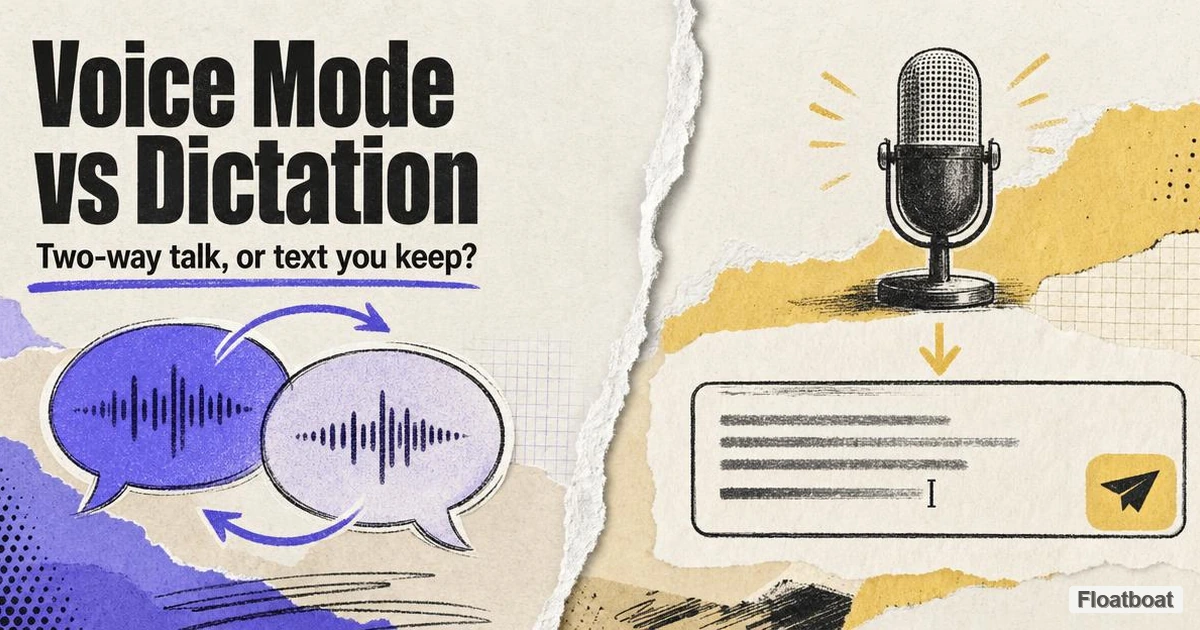
Speech entered mainstream AI through the same front door: a microphone icon beside the text box. That single icon hides two incompatible workflows. In one workflow, speech is the medium of conversation—audio in, audio out, with the model managing pacing and follow-ups. In the other, speech is a keyboard replacement—audio in, text out, with you retaining editorial control before anything reaches the model.
The confusion peaked when vendors reused overlapping labels. OpenAI's help center now explicitly contrasts "Voice" and "ChatGPT Dictation." Anthropic's docs draw the same line between "voice mode" and "dictation" inside Claude Cowork. Yet marketing pages, app store screenshots, and third-party reviews still collapse both into "talk to your AI," which sends solopreneurs down the wrong path: opening a live voice session when they needed a editable brief, or dictating into a chat box when they needed a thinking partner on a walk.
The cost of picking the wrong shape is not a settings toggle—it is friction in the work itself. Voice mode sessions produce paraphrased transcripts, not verbatim stenography; they excel when you want the model to respond while you keep moving. Dictation produces editable text in the prompt field; it excels when the deliverable is a precise instruction, a structured task brief, or code-adjacent language that you will tweak before execution. Treating them as interchangeable means either over-editing spoken dialogue or under-guiding an agent that never saw your refined wording.
As agent surfaces multiply—ChatGPT on mobile, Claude Cowork on desktop, Claude Code in the terminal, Cursor-style coding agents—the job-shape question matters more than brand loyalty. The rest of this article names the boundary clearly, maps how major products implement each side, and offers a decision framework for solo founders who cannot afford the wrong modality twice a day.
2. Voice Mode Defined
2.1 The Core Definition
Voice mode (also called live voice, advanced voice, or GPT-Live in OpenAI's stack) is a bidirectional spoken interface to an AI model. You speak; the model generates a spoken reply; the loop continues without requiring you to manually send each turn as text. The session is conversational by design—the system handles end-of-turn detection, response pacing, and (in modern full-duplex stacks) simultaneous listen-and-speak behavior.
This is the paradigm behind "talk through a hard problem while walking" or "practice a client pitch out loud with feedback." The output you care about is often the exchange itself: clarified thinking, follow-up questions, or a spoken summary you may later copy from the transcript. Voice mode is not optimized to drop clean paragraphs directly into a Word doc without a separate export step.
2.2 Defining Properties
Four properties separate voice mode from dictation in practice.
Two-way audio. The model speaks back. Latency, voice selection, and turn-taking quality define the experience. OpenAI's GPT-Live uses a full-duplex architecture so you can interrupt or overlap without rigid silence-based turn detection—a meaningful upgrade over earlier turn-by-turn voice stacks that could mistake a pause for "your turn is over" OpenAI GPT-Live announcement.
Session-bound context. Voice mode runs inside a chat or voice session. Context accumulates across spoken turns; switching to text mid-session is usually supported, but the center of gravity remains the live dialogue — which is also why what the agent actually knows at decision time shapes the output more than which channel fed the words in.
Paraphrased transcripts. OpenAI notes that voice transcripts are not verbatim records and may not exactly match what was said OpenAI ChatGPT Voice help. That is acceptable for reasoning; it is problematic when you needed word-perfect legal or code language without review.
Usage accounting. Limits and plan availability change by product and account. Verify them in each vendor’s current official documentation; the durable distinction here is conversational audio versus editable text.
2.3 What Voice Mode Is Not
Voice mode is not system-wide speech-to-text. It does not insert text into Excel, Gmail, or your IDE unless the product explicitly bridges there. It is not the same as a meeting bot that records a call for post-hoc notes—though some products blur the line with live meeting capture.
It is also not, by itself, a voice agent in the proactive sense: an entity that watches triggers, calls tools on a schedule, and executes multi-step work without you opening a session. Spoken chat is one input channel; a voice agent adds orchestration, memory boundaries, and action surfaces. Our cluster hub on what is a voice agent covers that broader category; this article focuses on the input paradigm inside apps you already open.
3. Dictation Defined
3.1 The Core Definition
Dictation (voice typing or speech-to-text input) converts spoken audio into text in an input field. You see the transcript, edit it, and explicitly send it—Enter, Run, or Submit—like any typed prompt. The model may never hear your voice; it only reads the text you approved.
Anthropic's help center states the distinction plainly: "Dictation converts your speech to text so you can type prompts by speaking. Voice mode is a full two-way conversation" Anthropic voice mode help. That one sentence is the architectural boundary for Claude; the same logic applies across the ecosystem.
3.2 Defining Properties
Text-first output. The artifact is a string in a message box, terminal prompt, or document field. You can delete a clause, paste a URL, or wrap content in markdown before the agent runs.
Single-shot or serial prompts. Each send is a discrete agent invocation unless the product auto-chains. Dictation fits long briefs built in one take, serial steering messages ("now tighten section two"), and precision vocabulary (API names, client surnames, legal terms) you verify on screen.
Surface portability. Dictation appears where text prompts appear: ChatGPT's dictation control and operating-system dictation can place editable text into a composer, editor, or shell. The AI product does not own the entire loop.
No spoken reply required. The model responds in text (or code diffs) as it would for typing. That keeps Cowork and Code usable in open offices and shared spaces where spoken AI replies would be disruptive.
3.3 What Dictation Is Not
Dictation is not a substitute for conversational scaffolding when you need the model to ask clarifying questions out loud while you think. You can simulate that in text, but you lose the hands-free, eyes-off pacing that voice mode targets.
It is also not automatically "better for privacy" or "better for quality"—cloud dictation still sends audio to a server for transcription. The difference is control before execution, not necessarily on-device processing unless you use OS-level offline dictation.
For a taxonomy of how dictation fits agent work versus live dialogue, the cluster hub defines vocabulary across both halves; this section defines the dictation side of the pair.
4. How the Technology Stacks Differ
Understanding the stack prevents category errors when comparing products.
Voice mode stack. Audio capture → streaming speech understanding → model reasoning (often with tool use, memory, web search in premium tiers) → text-to-speech synthesis → playback. Full-duplex systems interleave listening and generation continuously rather than waiting for a complete user utterance OpenAI GPT-Live. Turn-taking, interruption handling, and backchannel cues ("mhmm," "got it") are first-class product problems.
Dictation stack. Audio capture → speech-to-text (ASR) → text inserted at cursor → user edit → standard text inference path. The agent stack downstream is identical to typing. Tool calls, file edits, and Cowork plans all trigger from approved text—precisely how AI workspace agents operate on your files and tools, whatever microphone captured the input.
The practical implication for solopreneurs: voice mode investments (headphones, quiet environments, tolerance for paraphrase) differ from dictation investments (good mic, punctuation commands, habit of reading before Send). Mixing stacks in one workflow—dictating a brief, then opening voice mode to "continue"—can work, but context may not transfer cleanly between Cowork dictation and Claude mobile voice, because Anthropic currently excludes voice mode from Cowork and Code entirely Anthropic help.
Latency expectations diverge too. Voice mode optimizes perceived conversational flow; dictation optimizes transcription accuracy and lets you batch a 400-word brief before the model starts thinking. For deadline-driven agent tasks, that batching is often faster end-to-end even if speaking feels slower than a live ping-pong dialogue.
5. Product Landscape: ChatGPT, Claude, and Coding Agents
5.1 ChatGPT: GPT-Live, Legacy Voice, and Dictation
As of October 13, 2026, OpenAI describes Voice as a spoken conversation and documents account-dependent options, limits, video and screen sharing on supported mobile experiences OpenAI Voice help. Its separate Dictation FAQ says microphone audio is transcribed into editable text that the user can revise before sending. That official product boundary—not a model-name comparison—is the useful distinction for agent work.
ChatGPT Dictation sits outside that stack: record speech, review transcription, send as text. OpenAI's own guidance—use voice for live back-and-forth; use dictation when you want an editable prompt—mirrors the framework in this article. Deeper product-by-product tables live in ChatGPT voice mode vs dictation; here the takeaway is that OpenAI treats them as sibling features with different quotas and UX entry points, not as one mode with a text fallback.
5.2 Claude: Voice Mode in Chat, Dictation in Cowork and Code
Claude Voice Mode runs in Claude mobile, desktop, and web as a beta on all plans, with expanded models (Opus, Sonnet, Haiku as of mid-2026) and connected tools on paid tiers Anthropic blog. It is turn-based spoken dialogue optimized for extended reasoning—pitch practice, offer comparison, brainstorming—not for inserting text into external files.
Dictation appears inside Claude Cowork and Claude Code only as speech-to-text in the prompt area. Voice Mode does not run there; Anthropic confirms voice mode cannot reference Cowork projects and skills the way a Cowork session does Anthropic help. For a solo founder running file automation in Cowork, dictation is the relevant modality; for thinking through strategy on a phone walk, Voice Mode is.
Claude Desktop on Mac adds quick entry (Option + Space, Caps Lock to dictate) for capturing prompts from other apps—still transcription into Claude's input, not two-way voice through the OS.
5.3 Coding Agents: Terminal Dictation, Not Voice Mode
Developer-facing agents are usually evaluated on text artifacts: the submitted instruction, command output, diff and approval record. Operating-system dictation can reduce typing, but it does not turn that review loop into a spoken conversation. Treat vendor-specific voice commands as current-product details to verify in official documentation, not as defining features of coding agents.
The same pattern appears across Cursor, Windsurf, and other IDE agents: voice input, when present, fills the prompt or inline edit field. The agent responds in code and text. Full-duplex voice pair programming has not become the default job shape—partially because reading code on screen dominates the loop, partially because spoken replies disrupt focus in shared environments.
For coding, dictation wins on precision: you speak a function signature, visually confirm the transcript, then run. Voice mode would add spoken explanations you cannot paste into a PR description without an extra copy step.
5.4 Document-Centric Dictation (Floatboat Flow Mode)
A third pattern sits beside chat voice and prompt dictation: document-centric dictation, where speech feeds a living draft and the agent collaborates in-file. Floatboat Flow Mode (announced 2026) keeps real-time transcription in the document while you select spans for agent rewrites—closer to dictation plus co-editing than to GPT-Live dialogue, as described in our Flow Mode announcement. It targets solopreneurs shipping memos and meeting plans, not hands-free Q&A on a commute.
Flow Mode illustrates that "dictation" is not one job either: prompt-box dictation steers an agent; in-document dictation is the deliverable surface. Neither replaces voice mode for spoken reasoning; both can outperform voice mode when the output must land in a structured file.
6. Comparison Table: Voice Mode vs Dictation
The table below compresses the paradigm split; read it as a routing aid, not a scorecard—each column is "best when," not "better."
| Dimension | Voice mode | Dictation |
|---|---|---|
| Primary output | Spoken reply + session transcript | Editable text in input field |
| Interaction loop | Continuous dialogue | Speak → review → send |
| Best for | Exploration, practice, hands-free thinking | Briefs, agent steering, coding prompts |
| Editability before model runs | Low (paraphrased transcript) | High (full text control) |
| Cowork / Code / IDE | Generally excluded or limited | Native in prompt surfaces |
| Environment | Private audio, headphones | Open office viable (silent reply) |
| Typical quota | Live voice limits on many plans | Usually separate / lighter |
| Full-duplex overlap | GPT-Live yes; Claude turn-based | N/A (no reply audio) |
After the table: the rows that most often decide solopreneur workflows are editability and surface. If your next action is "run this exact agent task on these files," dictation belongs in Cowork or Code. If your next action is "help me decide while I cannot look at a screen," voice mode belongs in ChatGPT or Claude chat. Products that blur columns—Flow Mode's in-doc dictation, GPT-Live showing text while speaking—still preserve the underlying loop: either the model is conversing live, or you are approving text before inference.
7. Decision Framework for Solopreneurs
Solo founders do not need a single default modality; they need a fast routing rule before opening an app.
Step 1 — Name the deliverable. If the deliverable is thinking clarity (should I take this client, how do I frame this offer), bias toward voice mode in ChatGPT or Claude chat. If the deliverable is an executable instruction (Cowork plan, code change, email draft with names and numbers), bias toward dictation.
Step 2 — Name the surface. Cowork, Code, and IDE agents are dictation-native. Opening Claude Voice Mode on your phone will not steer an active Cowork workspace. Conversely, dictating a 2,000-word spec on a phone keyboard alternative still beats voice-mode paraphrase if you paste sections into Notion afterward.
Step 3 — Name the precision bar. Legal clauses, API identifiers, and pricing tables fail the voice-mode path unless you re-read the transcript. Dictation's pause-and-correct habit catches errors before tokens burn on a wrong agent run.
Step 4 — Name the environment. Walking, driving (where legally permitted), cooking: voice mode. Open office, late-night household: dictation with text replies.
Step 5 — Combine sequentially, not simultaneously. A productive pattern is voice mode for exploration on a walk, then dictation into Cowork with a tightened brief—explicitly rewriting names and constraints the transcript garbled. The failure mode is assuming the Cowork session inherited voice-mode context without copy-paste.
For scenario-level routing (client calls vs deep work vs coding sprints), see voice agent vs voice dictation for work—that spoke applies this framework to weekly job mixes; this section stays at the paradigm layer.
When dictation beats voice mode even if speech feels natural: you are billing by accurate deliverables, you need reproducible prompts for agent recipes, or you work in Claude Code/Cowork where voice mode simply is not offered.
When voice mode beats dictation even if typing is available: you are stuck in motion, you want follow-up questions without crafting each one, or you are practicing spoken performance (sales, podcast outlines) where hearing rhythm matters.
Neither modality replaces calendar-driven automation for recurring prep and follow-up—speech inputs still sit inside apps you must open. The same ceiling motivates Claude Managed Agents, where the run itself moves to hosted infrastructure and the voice-versus-dictation question stops mattering because no live session is waiting on you. Calendar-triggered agents remain pull-free for scheduled work; voice and dictation reduce friction after you choose to engage.
8. Conclusion
Voice mode and dictation share a microphone icon but diverge at the architecture: conversational audio loop versus speech-to-text into a prompt you control. ChatGPT's GPT-Live push makes the live side feel more natural than ever; Anthropic's strict Cowork/Code boundary makes the dictation side unavoidable for desktop agent work; coding tools reinforce dictation as the terminal-native shape.
Solopreneurs should pick by job shape—exploration and hands-free reasoning on voice mode; agent briefs, edits, and code on dictation—rather than by which app they opened first. When the question shifts from input method to proactive orchestration, the voice-agent category—not spoken chat alone—carries the answer.
https://floatboat.ai/blog/voice-mode-vs-dictation-for-ai-agents