
Workflow Builder vs AI Workspace: How to Choose
Compare workflow builders and AI workspaces by task shape, context, state, permissions, observability, cost, lock-in, and a practical selection pilot.
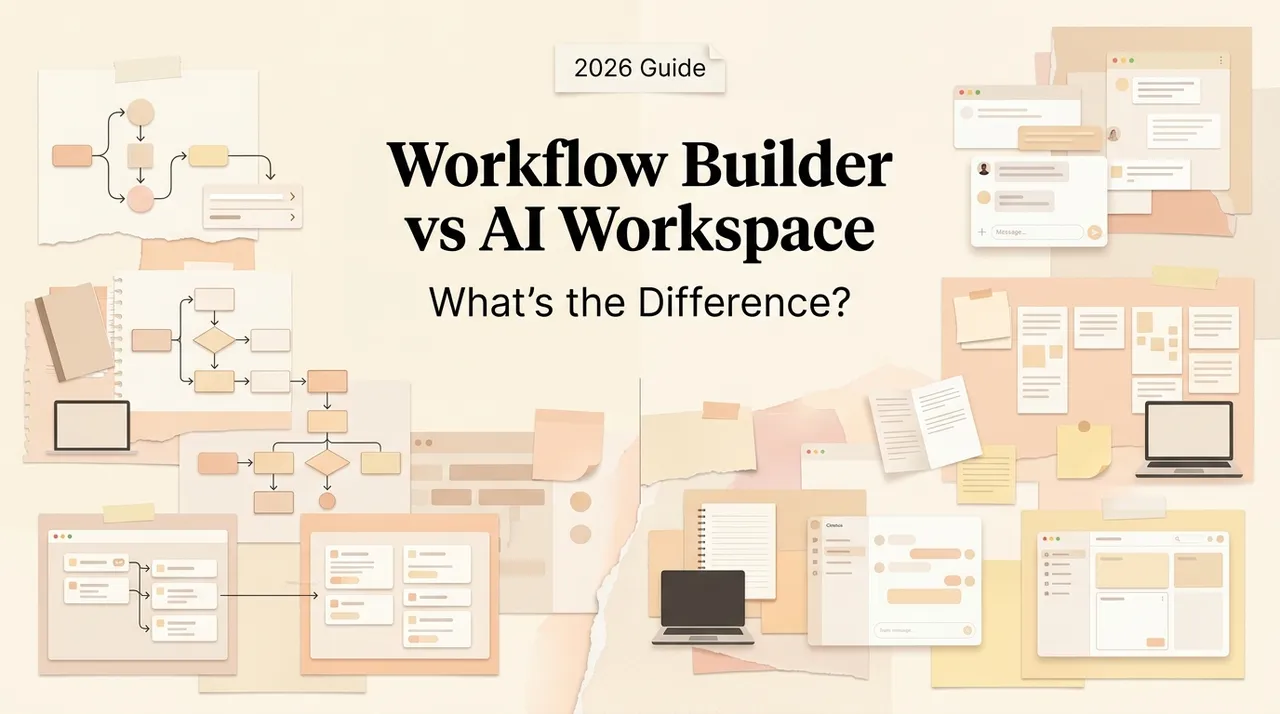
A workflow builder and an AI workspace can both connect models to business tools, but they organize work around different control points.
A workflow builder starts with a process: a trigger, explicit steps, conditions, data mappings, and outputs. An AI workspace starts with a body of work: files, conversations, projects, connected knowledge, and a person who can redirect the task.
The choice is not “automation or AI.” Modern builders include agent nodes, and modern workspaces include triggers and actions. The useful distinction is where the authoritative state lives and who decides the next step.
The boundary in one table
| Dimension | Workflow builder | AI workspace |
|---|---|---|
| Primary unit | A workflow or run | A project, conversation, or collection of artifacts |
| Best task shape | Repeatable, event-driven, schema-friendly | Exploratory, artifact-heavy, changing direction |
| Next-step control | Defined graph, rules, or bounded agent node | Model and user collaborate during the task |
| Context | Mapped fields and retrieved data per step | Files, history, selected sources, active artifacts |
| State | Execution state, variables, queues, run history | Project context, drafts, files, conversation history |
| Output | Record update, notification, API action, structured artifact | Analysis, document, plan, code, or reviewed artifact |
| Human role | Designs flow and handles exceptions | Directs work and reviews intermediate results |
| Scaling goal | Many similar runs | Fewer, more variable knowledge tasks |
A workflow builder can contain an agent, and a workspace can trigger a workflow. Those hybrids do not erase the boundary: determine which layer owns the business process and which layer owns the working context.
What a workflow builder is good at
Workflow builders are strongest when an event should repeatedly produce a predictable operational result. Typical components include triggers, connectors, filters, branches, schemas, retries, schedules, approvals, and execution logs. AI can classify unstructured input or select among approved tools inside a bounded step.
Examples:
- validate a submitted lead, enrich approved fields, route it, and create a CRM task;
- extract fields from invoices, apply deterministic checks, and send exceptions for review;
- turn a meeting transcript into a draft task list, then create tasks only after approval;
- collect data on a schedule and publish a structured internal report.
Make’s current AI Agents overview emphasizes agents embedded in a visual automation canvas, reusable tools, and decision visibility. The point is not that one vendor defines the category; it shows how agentic decisions can sit inside a controlled workflow.
A builder becomes a poor fit when the process changes every run, inputs are mostly unstructured files, success requires ongoing interpretation, or the user must reshape the output several times before knowing what “done” means.
What an AI workspace is good at
An AI workspace is strongest when the work and its evidence need to remain visible together. The user brings files, selects sources, gives instructions, reviews drafts, and redirects the task as understanding changes.
Examples:
- compare a folder of contracts and iteratively produce a risk memo;
- investigate a market using web sources, internal notes, and evolving questions;
- draft a launch plan while revising positioning, evidence, and deliverables;
- refactor a codebase while inspecting files, tests, and intermediate diffs.
Notion’s official Agent documentation describes an agent using the current page, selected workspace sources, connected apps, files, instructions, and skills. Google similarly documents that Gemini’s Workspace access remains subject to administrator and content-owner permissions. These are important workspace properties: context is useful only when its provenance and access are controlled.
A workspace becomes a poor fit when the same operation must run at high volume with strict schemas, predictable retries, queue semantics, transaction guarantees, or unattended service-level objectives.
Context and state: the most important distinction
In a builder, context is usually assembled deliberately for each node or agent call. State is the machine’s run: trigger payload, variables, tool results, retry count, approval status, and side-effect IDs.
In a workspace, context is the material a person and model are actively using: project files, selected messages, instructions, drafts, and conversation history. State includes the evolving artifacts and decisions that make the next iteration intelligible.
Neither model “remembers everything.” Builders lose what was not mapped or stored. Workspaces can retrieve the wrong source, omit a file, or exceed context limits. Require source references, versions, and timestamps in both systems.
A practical rule: use a builder when state must be machine-replayable; use a workspace when state must be human-legible and editable. Use both when both requirements matter.
Permissions and approval
A connector is an authority boundary, not just a convenience.
Workflow builders often use service credentials. Their advantage is that each action can be limited, validated, approved, and logged. Their risk is one long-lived credential silently powering many flows.
Workspace agents may act with the user’s permissions or with an agent-specific identity. Those models are not equivalent. Notion’s current documentation, for example, distinguishes a personal Agent that acts with the user’s permissions from Custom Agents with independent resource permissions. Sharing such an agent can expose whatever the agent itself can access.
For either category:
- separate read, draft, reversible write, and consequential write;
- require approval before sending, publishing, paying, deleting, or changing access;
- show the proposed action and evidence at approval time;
- use least-privilege credentials;
- review orphaned agents, departed owners, and unused connectors;
- treat external documents and messages as untrusted input.
Observability and recovery
A builder should expose run input, each step, mapped values, tool arguments, output, errors, retries, timing, cost, and side-effect IDs. Recovery needs idempotency, checkpoints, retry policy, a dead-letter path, and replay controls.
A workspace should expose selected sources, file versions, instructions, model/tool actions, intermediate artifacts, approvals, and final edits. Recovery means preserving drafts, knowing which sources were used, and allowing a person to resume or branch the work.
“Activity history” alone is not enough. Run the same failure drills in both products:
- revoke a connector;
- return malformed data;
- duplicate the trigger;
- change the source after it was read;
- interrupt immediately before and after a write;
- remove the original owner;
- request an action outside policy.
The winner is the product in which a second operator can explain the failure and recover without repeating a harmful action.
Cost and operating model
Workflow-builder cost commonly grows with operations, executions, premium connectors, queue capacity, storage, and model calls. Add the labor required to maintain mappings and investigate failed runs.
AI-workspace cost commonly grows with seats, plan tier, model or credit usage, storage, connector availability, and time spent reviewing outputs. Notion, for example, documents separate usage allowances and admin controls for premium models; exact rates can change and should be checked at purchase time.
Compare cost per accepted outcome, not per automation run or AI message. Include:
- build and onboarding time;
- human review and correction;
- failed and retried work;
- connector or model changes;
- security and compliance review;
- exporting or rebuilding when leaving.
Lock-in and migration
Both categories create lock-in, but in different forms.
A workflow builder stores value in proprietary graphs, connector mappings, credentials, execution history, and platform-specific expressions. Exported JSON may preserve structure without recreating managed connectors or runtime behavior.
An AI workspace stores value in pages, files, permissions, links, comments, database schemas, agent instructions, and conversation history. File export may not preserve relationships, access rules, citations, or agent configuration.
Reduce lock-in by keeping these assets outside the product when possible:
- task contract and acceptance criteria;
- prompt and instruction versions;
- tool schemas and permission matrix;
- evaluation cases;
- source-of-truth identifiers;
- export schedule and restore test;
- run or artifact index;
- owner and offboarding procedure.
Portability is not “there is an Export button.” It is the ability to reconstruct useful behavior and evidence elsewhere.
When to combine them
A strong hybrid keeps exploration in the workspace and production repetition in the builder.
Example: a team researches accounts and develops a qualification rubric in a workspace. Once the rubric stabilizes, a builder receives each new CRM record, gathers approved data, applies deterministic checks, asks a bounded model step for classification, and routes uncertain cases back to the workspace for review.
The handoff needs a contract:
- structured input and output schema;
- stable source links;
- confidence or exception reason;
- approval owner;
- idempotency key;
- a feedback field that can improve the next version.
Without that contract, “integration” becomes copying context between two black boxes.
A two-week selection pilot
Use one representative task and the same test set in both approaches.
1. Define the job
Write the trigger, inputs, allowed sources, allowed actions, expected artifact, approval, stop conditions, and success rubric.
2. Include normal and adversarial cases
Test missing fields, conflicting sources, duplicate triggers, prompt injection in documents, unavailable connectors, changed permissions, and interrupted runs.
3. Build the smallest version
In the builder, keep deterministic steps outside the model. In the workspace, pin required sources and require citations or references.
4. Run shadow mode
Do not allow external writes. Compare results with the current human process.
5. Allow one reversible action
Examples include creating a draft, adding a tag, or writing to a test database. Keep high-impact actions behind approval.
6. Measure operations, not demo quality
Track accepted outcomes, correction time, intervention rate, unsafe-action attempts, recovery time, latency, full cost, and time for a second operator to understand the run.
Selection matrix
| If the work is… | Start with… |
|---|---|
| Event-driven, repetitive, structured, high-volume | Workflow builder |
| Exploratory, file-heavy, judgment-led, frequently redirected | AI workspace |
| Stable except for one classification or drafting step | Workflow with a bounded AI step |
| Exploratory now but likely repeatable later | Workspace first, then extract a workflow |
| Repeatable with complex exceptions | Builder plus workspace exception queue |
| Product-critical with custom guarantees | Code or managed runtime, possibly with both interfaces |
For implementation detail, see how to build agents for repeated work. For no-code platform selection, use the no-code AI agent builder guide. For the related agent-level comparison, see workspace agents vs workflow builders.
Final recommendation
Pick a workflow builder when the organization already understands the process and needs to execute it repeatedly. Pick an AI workspace when the work is still being understood and the person must steer context, evidence, and artifacts.
Do not ask either category to hide the other’s missing capability. A workspace is not a transaction engine; a builder is not a substitute for exploratory judgment. The best architecture often lets work mature in the workspace, then promotes stable parts into a governed workflow.
Related posts

Local-First vs Cloud Agent Workspaces: Which Fits?
Compare local-first and cloud agent workspaces across files, privacy, background execution, connectors, reliability, and control—then…
Best Markdown Editors in 2026 — Ranked by Workflow, Not Features
Obsidian, Typora, VS Code, Zettlr, iA Writer and more, ranked by workflow fit. What each editor trades away, and where browser tools beat…

Math in Markdown: LaTeX Syntax and Where It Renders
How math in markdown works: dollar-sign LaTeX syntax, where it renders (GitHub, Obsidian, Jekyll), the KaTeX vs MathJax split, and honest…
https://floatboat.ai/blog/workflow-builder-vs-ai-workspace