Back to Blog
Label
Apr 28, 20269 min read

Workspace Agents vs Workflow Builders: A Clear Comparison

Workspace agents work alongside you; workflow builders run defined pipelines. Here's how the two differ and which fits your work better.
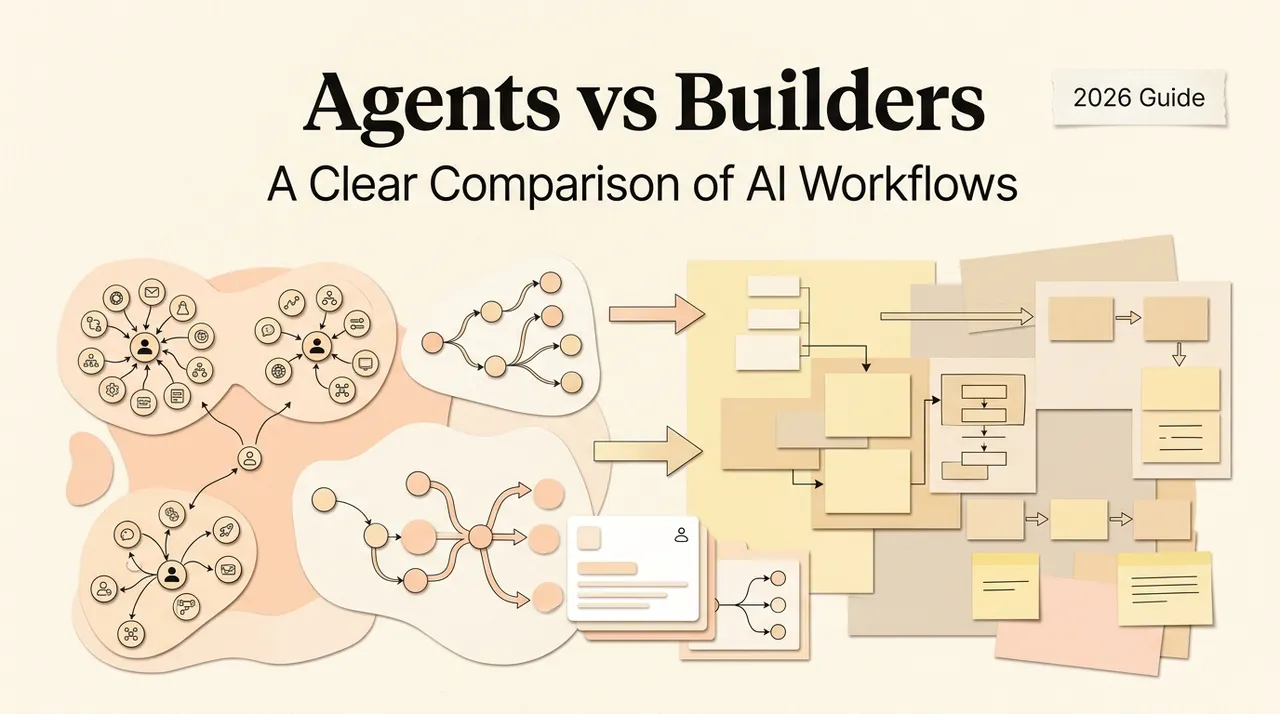
Workspace Agents vs Workflow Builders: A Clear Comparison

Hi, I'm Nova, I had a small moment last week that pushed me to write this. A friend who runs a one-person consulting practice asked me, "should I learn Zapier or one of these new AI workspace things?" She'd seen too many threads, too many comparisons, and ended up more confused than when she started.

The honest answer is: those are two different categories of tool, even though they get lumped together. And once you see the difference, the choice usually makes itself. So this is the version of that conversation I wish I'd been able to send her in one link.

Two paradigms for automating work with AI

The split that matters isn't "old automation vs new AI." It's about ​where the AI sits relative to your work​.

Workflow builders: build once, trigger forever

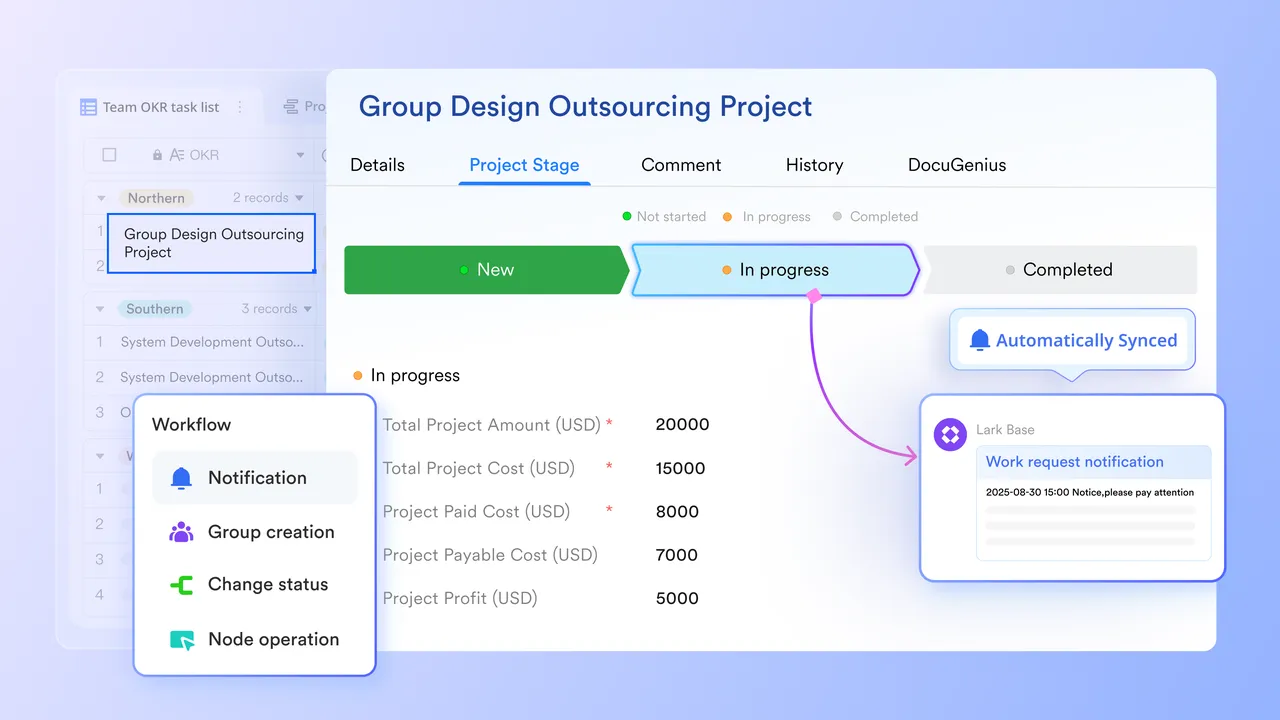
Workflow builders are pipelines you construct ahead of time. You set a trigger ("new row in this spreadsheet"), then chain a series of nodes — read this, transform that, write here, send that. Once it's running, it runs every time the trigger fires, in the same sequence, with the same logic. Tools like Zapier and Make.com are the canonical examples, and they've gotten significantly more capable with embedded AI nodes. Zapier alone now connects to over 8,000 apps, and the modern era of these platforms increasingly bakes LLMs into individual steps — you can route, summarize, or extract inside a node mid-pipeline. The shape of the work is fixed. The intelligence sits inside one or two steps.

Workspace agents: AI inside the work as it happens

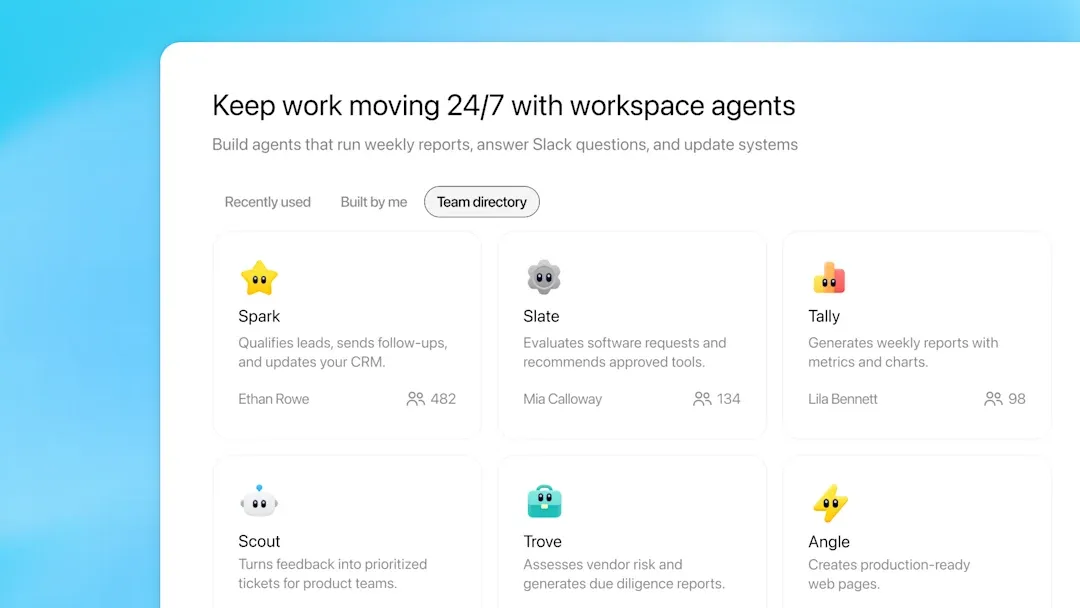
Workspace agents are a different idea. Instead of pre-defining a pipeline, you sit inside an AI-aware environment — usually a desktop or browser layer — and the agent works alongside you on whatever you're doing right now. Files, browser tabs, notes, drafts. You ask it to do something, it figures out the steps, executes, and you adjust as it goes.

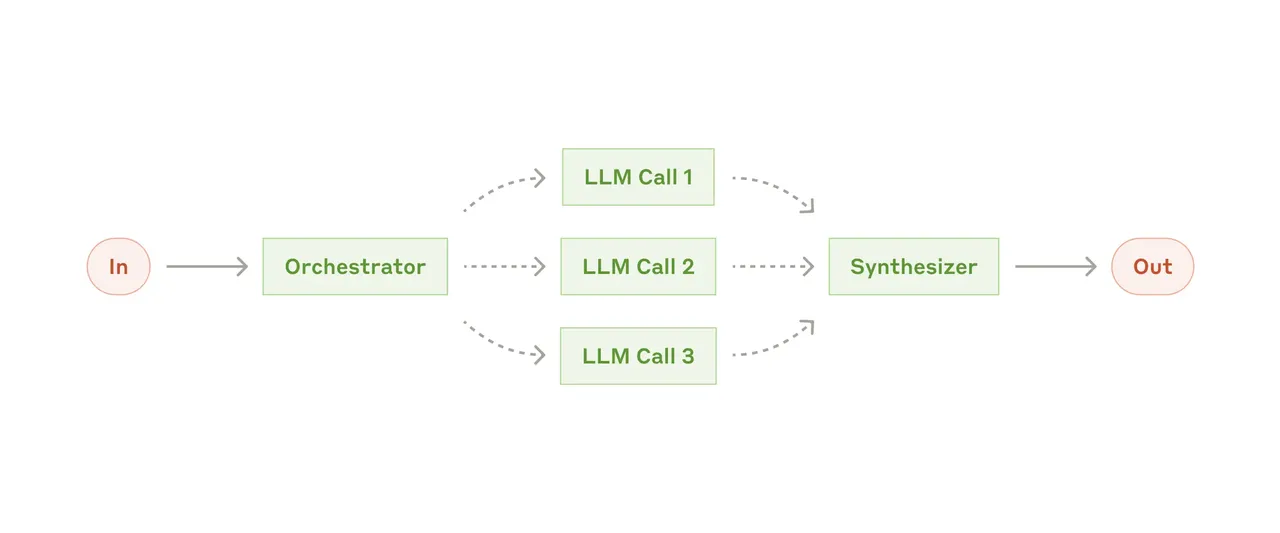
Anthropic's research team has a useful definition for this distinction — workflows are "systems where LLMs and tools are orchestrated through predefined code paths," while agents are systems where the model "dynamically directs its own processes and tool usage." That language is for engineers building these things, but it captures the user-facing difference too. Workflow builders run the path you drew. Workspace agents pick the path while the work is happening.

2.PNG

Where the real difference shows up

You don't feel the difference reading marketing pages. You feel it in four specific places.

Setup time and learning curve

Workflow builders need upfront design. You map the trigger, the nodes, the branches, the error paths. Zapier is easier than Make for beginners, but both expect you to think about the workflow as a thing you're constructing. There's a real learning curve, especially when logic gets non-trivial.

Workspace agents flip this. You open the app and describe what you want — "summarize these three PDFs, find the recurring objections, draft a response." No nodes, no setup. The cost shows up later, in figuring out which kinds of work it actually handles well.

What happens when the work doesn't fit a template

This is the cleanest test. A workflow builder handles "​every time X happens, do Y​" beautifully. Form submission → CRM entry → Slack ping. Predictable input, predictable output. It will run that exact thing 50,000 times without complaining.

A workspace agent is built for "​help me get this specific piece of work done right now, using these files and this context​." The work is one-off or near one-off. The inputs change every time. The "right answer" depends on judgment.

I had this exact thing last week. I needed to compare three vendor proposals for a client. Different formats, different terminology, partial overlaps. A workflow pipeline for this would have taken me longer to build than to do manually. An agent inside my workspace, with the three files open, got me to a comparison draft in about fifteen minutes. Nothing about that task would happen again the same way.

3.PNG

How judgment and exceptions are handled

Workflow builders are deterministic by design. That's the feature, not the bug — when the bank charges a customer, you don't want creative interpretation. As the team at Atomicwork points out in their breakdown, rule-based automation is "uncompromising, rigid but highly predictable in outcome." Exceptions usually get bounced to a human queue.

Workspace agents handle ambiguity in the moment. They'll make a judgment call — sometimes a wrong one — and you correct it inline. The trade-off is real: you give up predictability and get adaptability.

What happens to your context across tasks

Workflow builders don't really have context. Each run is a fresh execution. They process inputs and produce outputs; they don't remember that you spent yesterday afternoon on a Q3 strategy doc and probably want today's notes filed near it.

Workspace agents live closer to that context — they see your files, your recent work, the tab you have open. Whether they actually use that context well is still uneven. I'm one data point here, but the agents I've used vary a lot in how much they actually retain across sessions. Worth checking before committing.

Where workflow builders are the right call

Both categories have legit territory. Workflow builders win in three places.

High-volume, repeatable, trigger-based processes

Anything that runs hundreds or thousands of times with the same shape — invoice processing, lead routing, support ticket triage, scheduled reports. Work needs to happen the same way every time, and you want zero surprises. As Knack's side-by-side analysis notes, Zapier's strength here is "stronger enterprise-level support" with SOC 2 compliance and stability for basic automations.

Integrations between systems that don't talk to each other

The original Zapier wedge. You have eight tools that should know about each other and don't. A workflow builder threads them together. An agent isn't really designed for "every new Stripe charge → Notion entry → Slack message → Mailchimp tag." That's pipe work, and pipes are what builders are good at.

Teams with defined handoffs

When a process crosses people — design submits, PM reviews, engineering picks up — workflow builders give you the audit trail and the determinism teams need. You want a system of record, not a system of judgment.

Where workspace agents fit better

Mixed, judgment-heavy, daily-changing work

Solo founders and consultants live here. Monday is research. Tuesday is a proposal. Wednesday is editing client copy. Thursday is figuring out a tax thing. None of these justify building a workflow — by the time you're done designing it, you could've finished the task. Anthropic's team makes this point directly: agents are the right call "when flexibility and model-driven decision-making are needed at scale," while workflows fit "well-defined tasks."

4.png

Solo operators and multi-role workers

If you're a one-person business doing strategy and execution and content and client comms, a workflow builder doesn't really compress your day. It compresses one repetitive slice of it. An agent that can sit inside your work and help with whatever's in front of you compresses the whole shape. The Relevance AI team framed this nicely: workflow tools "operate on syntax — the structure of information," while agents handle semantics — what the information actually means in context.

Work that lives across files, tabs, and tools

Knowledge work isn't a pipeline. It's twelve open tabs, three PDFs, a half-written doc, and a Slack thread you keep meaning to read. Workflow builders aren't designed for "use the stuff that's already on my screen." That's the workspace agent's home turf.

What neither one does well

Worth being honest about. Neither category is great at:

  • Genuinely creative work that requires taste. Both can draft. Neither can decide what your brand voice should sound like.

  • Anything where being wrong has real cost — financial, legal, medical — without a human approval gate.

  • Tasks that need long-term institutional memory. Both are still patchy here, agents in particular.

I've been disappointed by promises in both categories. Honestly, the gap between demo and daily use is still real for a lot of agent products. Worth keeping expectations grounded.

How to decide — a simple framework

Quick comparison, then a decision rule.

Workflow builder

Workspace agent

Best for

Repeating the same process

Handling novel work

Setup cost

Higher upfront

Near zero

Predictability

High

Lower

Volume sweet spot

Many runs of one shape

One run of many shapes

Integration depth

Wide app coverage

Deep context, fewer apps

Failure mode

Rigid; breaks on edge cases

Inconsistent on judgment calls

Decision rule I'd actually use:

If the work you want to automate ​happens the same way more than 20 times a month​, build it in a workflow tool. If it happens ​once or twice and the shape changes every time​, that's agent territory. If it's both — which it usually is for solo operators — you'll end up with one of each, and that's fine.

Gartner predicts that 40% of enterprise applications will have embedded task-specific agents by end of 2026, up from less than 5% in 2025. Whether that exact number lands is anyone's guess — as of when I'm writing this, it's a forecast, not a fact — but the directional read seems right. The categories are diverging, not converging.

5.png

FAQ

Are workspace agents replacing workflow builders?

No. They're solving different problems. The high-volume integration work that Zapier does is genuinely not where agents are strong, and probably won't be soon.

Can I use both?

Yes, and most people who do serious work with AI eventually do. Workflow tools for the recurring pipes, agents for the daily judgment work.

Are agent tools production-ready?

Mixed. Some categories (coding agents, research agents) have matured fast. General workspace agents are still uneven. I haven't tested every one on the market, so this is a partial view — but I'd plan for some friction in early use.

What about cost?

Workflow builder pricing is task-based or operation-based and predictable at scale. Agent pricing varies widely and tends to be tied to AI usage; the cost per "session" is harder to forecast. Worth modeling for your actual volume.

That's my honest take. The categories aren't really competing — they're solving different parts of how work gets done. If your work is shaped like a pipeline, build a pipeline. If it's shaped like a desk with a lot of stuff on it, get something that can sit at the desk with you. When you need this, you'll know.

Previous Posts:

Get automation tips for your workflow

Weekly insights for non-technical professionals. No spam ever.