
Information checked October 13, 2026. The examples describe the documented tool-call pattern; model aliases, beta endpoints, and feature limits should be verified against DeepSeek’s live API documentation.
TL;DR
-
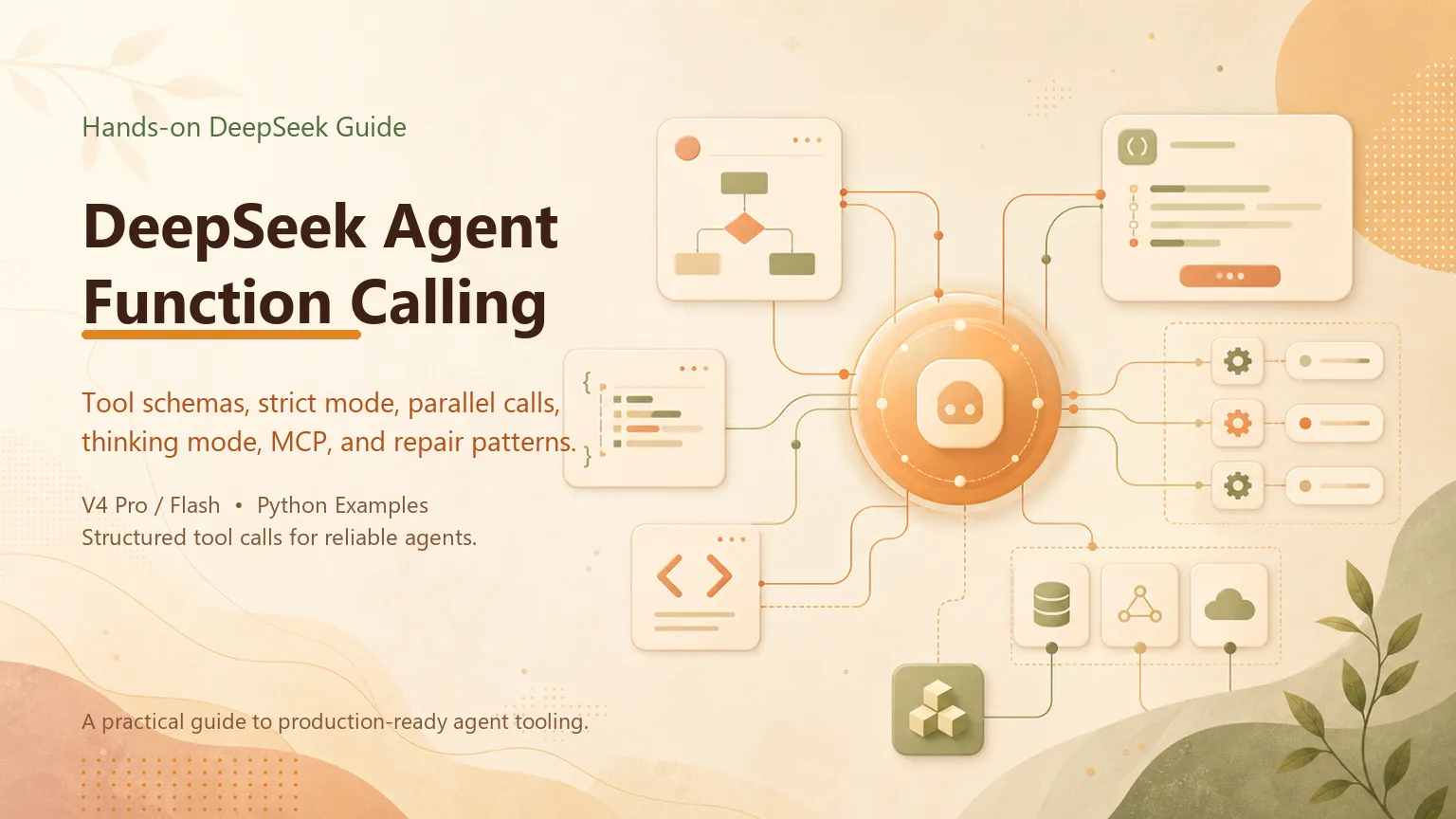
DeepSeek function calling lets an agent request structured actions—query a database, read a file, or call an API—through an OpenAI-compatible
toolsarray. Your application, not the model, validates and executes those requests. -
The wire format is standard: define tools in JSON Schema, send them with your messages, inspect
message.tool_calls, execute locally, append results asrole: "tool"messages, and call the API again. Strict mode ("strict": truevia the/betaendpoint) enforces schema adherence when argument reliability matters. -
Thinking mode and tool calling can be used together. MCP is not a native model capability: a client or harness discovers MCP tools and presents callable schemas to the model.
-
Production agents need a repair layer: validate JSON arguments, return structured errors the model can self-correct, and bound parallel execution. If you have not built an agent loop yet, start with How to Build a DeepSeek Agent; this guide goes deeper on the tool-calling layer specifically.
1. What Function Calling Means in a DeepSeek Agent
Function calling — also called tool calling — is the mechanism that separates an agent from a chatbot. A chatbot receives a prompt and returns text. An agent receives a prompt plus a list of available tools, decides whether any tool can help, returns a structured request to call one or more of them, waits for your code to execute those calls, and then continues reasoning with the results in context.
On DeepSeek V4, function calling is native to both deepseek-v4-pro and deepseek-flash. The API uses the OpenAI-compatible format: a tools array in the chat completion request, tool calls returned in message.tool_calls, and results fed back as role: "tool" messages with matching tool_call_id values, as documented in DeepSeek's tool calling guide.
This guide assumes you understand the basic agent loop — send messages, check for tool calls, execute, feed back, repeat. If that pattern is new, read How to Build a DeepSeek Agent first. Here we focus on what happens inside the tool-calling layer: schema design, parallel execution, strict mode, thinking mode interaction, and the production patterns that keep agent loops from breaking on malformed arguments.
Understanding the distinction between "function calling" and "an agent" helps define what your system needs to implement. Function calling is one API capability. An agent is a system that wraps that capability in a loop with error handling, state management, and tool permissioning. Most DeepSeek Agent failures in production trace back to the tool-calling layer — invalid JSON, wrong parameter types, or parallel calls that race against shared state — not to the model's reasoning quality.
2. Designing Tool Schemas That Models Actually Follow
The quality of your tool definitions determines how reliably the model calls them. V4 models are significantly better at structured output than V3, but ambiguous schemas still produce ambiguous tool calls.
Each tool is a JSON object with type: "function" and a function block containing name, description, and parameters (JSON Schema). The description field is not documentation for humans — it is instructions for the model. Write it as if you are telling a junior developer when and how to use the function.
tools = [
    {
        "type": "function",
        "function": {
            "name": "search_codebase",
            "description": (
                "Search the project codebase for files matching a query. "
                "Use this when the user asks about code location, function definitions, "
                "or file structure. Do NOT use for running tests or modifying files."
            ),
            "parameters": {
                "type": "object",
                "properties": {
                    "query": {
                        "type": "string",
                        "description": "Search term — function name, file path fragment, or keyword",
                    },
                    "file_type": {
                        "type": "string",
                        "enum": ["py", "js", "ts", "all"],
                        "description": "Limit search to specific file extensions",
                    },
                },
                "required": ["query"],
            },
        },
    },
    {
        "type": "function",
        "function": {
            "name": "run_tests",
            "description": (
                "Execute the project's test suite or a specific test file. "
                "Use after code changes to verify correctness. "
                "Returns pass/fail counts and failure messages."
            ),
            "parameters": {
                "type": "object",
                "properties": {
                    "test_path": {
                        "type": "string",
                        "description": "Optional path to a specific test file or directory",
                    },
                },
                "required": [],
            },
        },
    },
]
Three design principles that improve call reliability on V4:
Be explicit about boundaries. The search_codebase description above tells the model when not to use the tool ("Do NOT use for running tests"). Negative constraints reduce tool-selection errors in multi-tool agents.
Use enums for constrained choices. When a parameter has a fixed set of valid values, declare them as "enum" rather than free-text strings. The model selects from the list rather than inventing values like "python" when you expected "py".
Keep required fields minimal. Only mark parameters as "required" if the tool genuinely cannot run without them. Over-constraining required fields increases JSON parse failures when the model omits optional context.
For agents where argument correctness is critical — billing systems, database writes, deployment triggers — enable strict mode by setting "strict": true inside the function definition and calling the /beta endpoint at https://api.deepseek.com/beta, as detailed in DeepSeek's function calling documentation. Strict mode constrains the model to produce arguments that conform exactly to your JSON Schema, reducing the need for downstream validation at the cost of slightly higher latency on the first tool call.
3. The Tool Call Loop: Beyond the Basics
The minimal loop from How to Build a DeepSeek Agent handles one tool call per turn. Production agents need three additional controls: tool_choice, parallel call handling, and conversation state preservation.
tool_choicecontrols whether the model must call a tool. The default "auto" lets the model decide. Set "required" when every turn must produce a tool call (rare — usually for forced pipeline steps). Set "none" on the final synthesis turn after all tools have executed, which prevents the model from calling more tools when you want a plain-text answer.
# Force a final text answer after tools complete
final_response = client.chat.completions.create(
    model="deepseek-flash",
    messages=messages,
    tools=tools,
    tool_choice="none",
)
Parallel tool calls happen when the model returns multiple entries in message.tool_calls on one turn. Do not design around an assumed maximum: cap concurrency in your executor, verify the live API limit, and account for rate limits and downstream service capacity. A research agent may request several independent tools, but your application decides whether they are safe to run concurrently.
Handle parallel calls by iterating over all entries in tool_calls, executing each independently, and appending each result as a separate role: "tool" message. Order does not matter to the model as long as each result carries the correct tool_call_id.
for tc in assistant_msg.tool_calls:
    args = json.loads(tc.function.arguments)
    result = TOOL_REGISTRY[tc.function.name](**args)
    messages.append({
        "role": "tool",
        "tool_call_id": tc.id,
        "content": json.dumps(result),
    })
State preservation is the most common production bug. When appending the assistant message that contains tool calls, you must include the full tool_calls array with id, type, and function.name / function.arguments exactly as returned. Omitting or modifying any field breaks the association between tool results and the calls that produced them, and the model loses track of which result belongs to which action.
If you are building on top of LangChain or LangGraph, these details are abstracted away — until they are not. When the abstraction fails, understanding the raw message shape is what lets you debug a stuck agent loop.
4. Parallel Tool Calls: When and How to Use Them
Parallel tool calls shine when the sub-tasks are independent. A coding agent refactoring three unrelated modules can read all three files in one turn. A research agent gathering data from multiple sources can query them simultaneously. The cost savings come from latency — one API round-trip instead of three sequential ones — not from token pricing, since each tool result still adds to context.
The pattern breaks down when tools have side effects on shared state. If write_file and read_file operate on the same path, parallel execution creates a race condition your agent loop does not control. For stateful tools, either serialize execution (process tool calls one at a time) or design tools with explicit locking semantics.
Multi-agent fan-out is a harness design, not evidence of a “native DeepSeek Agent” category. A listing in an integration repository does not make a third-party client part of the DeepSeek model runtime. If you add fan-out, evaluate its permissions, merge strategy, failure handling, and total cost independently.
For most custom agents, start with sequential execution until the loop is stable, then enable parallelism for read-only tools (search, fetch, query) where independence is guaranteed. Promote to parallel writes only after you have idempotency guarantees or explicit conflict resolution.
5. Thinking Mode and Tool Calls Together
V4 models support thinking mode (chain-of-thought reasoning) alongside tool calling — a combination that was unreliable on earlier model generations. Enable both with:
response = client.chat.completions.create(
    model="deepseek-flash",
    messages=messages,
    tools=tools,
    tool_choice="auto",
    extra_body={
        "thinking": {"type": "enabled"},
        "reasoning_effort": "high",
    },
)
When the protocol returns reasoning_content, handle it according to the current DeepSeek documentation. It can help debug message formatting and replay, but it is not a reliable explanation of why a decision was made and must not serve as audit evidence. Audit observable tool requests, validations, approvals, results, and actions.
The cost implication: thinking tokens are billed as output tokens. A high-effort reasoning step before a simple tool call might add 300–800 tokens of reasoning overhead. For agent loops with dozens of turns, apply thinking mode selectively — on the planning turn at the start of a task and on synthesis turns where the model integrates multiple tool results, not on every tool execution turn.
A practical split that works well in coding agents: use deepseek-v4-pro with reasoning_effort: "high" for the first turn (plan which files to modify), deepseek-flash with thinking disabled for intermediate tool execution turns, and deepseek-v4-pro with reasoning_effort: "max" for the final review turn. Three model configurations in one agent run, each chosen for the economics of that step.
6. MCP: Extending the Tool Surface Beyond Inline Definitions
The Model Context Protocol (MCP) connects a client or harness to external tool servers. DeepSeek models provide function/tool calling; they do not themselves run an MCP client. The harness discovers MCP tools, translates them into model-visible definitions, executes approved calls, and returns results.
Inline function definitions (the tools array approach in this guide) work well for agents with a fixed, known tool set — five to fifteen functions defined in your codebase. MCP becomes necessary when the tool surface is dynamic (plugins, user-configured integrations) or when tools are maintained by separate teams (a database team runs the MCP server, the agent team consumes it).
The integration pattern: your agent loop stays the same. Instead of calling local Python functions when the model returns a tool call, it forwards the call to an MCP server, which executes the action and returns the result. The message history format does not change — only the execution layer behind TOOL_REGISTRY.
Inline definitions are the simpler starting point for a small, stable tool set. Consider MCP when tools need independent lifecycle management, standardized discovery, or isolated credentials. The choice is architectural rather than a fixed tool-count threshold; the DeepSeek Agent category overview explains how the harness changes the decision. In every design, verify the client’s documented tools and permissions instead of inferring them from DeepSeek model support.
7. Production Patterns: Validation, Repair, and Failure Modes
The difference between a demo agent and a production agent is almost entirely in the tool-calling error handling. V4 models self-correct well when given structured feedback, but they cannot recover from silently swallowed errors.
Validate before execute. Parse tool_call.function.arguments as JSON. Check that the function name exists in your registry. Verify required parameters are present and types match. Return errors as JSON strings the model can read:
def execute_with_repair(tool_call, registry):
    try:
        args = json.loads(tool_call.function.arguments)
    except json.JSONDecodeError as e:
        return json.dumps({"error": "invalid_json", "detail": str(e)})

    fn = registry.get(tool_call.function.name)
    if fn is None:
        return json.dumps({
            "error": "unknown_tool",
            "requested": tool_call.function.name,
            "available": list(registry.keys()),
        })

    try:
        return json.dumps({"result": fn(**args)})
    except TypeError as e:
        return json.dumps({
            "error": "invalid_arguments",
            "detail": str(e),
            "schema": get_schema(tool_call.function.name),
        })
Bound the loop. Set max_turns and track consecutive failed tool calls. If the model calls the same tool with the same arguments three times in a row, exit with an error rather than burning tokens indefinitely.
Log tool call traces. In production, log every tool call with its arguments, result, and latency. When an agent produces wrong output, the trace — not the final answer — tells you whether the model chose the wrong tool, passed wrong arguments, or received misleading data from your execution layer.
Handle context growth. Each tool result adds tokens. For agents that read large files or return paginated query results, truncate or summarize tool outputs before appending them to context. A 50,000-token file read on turn 3 will dominate the context budget by turn 10.
Conclusion
Function calling is the connective tissue of every DeepSeek Agent. The model's reasoning quality matters, but the tool-calling layer determines whether that reasoning translates into correct actions. Schema design, parallel execution, thinking mode selection, and the repair pattern described here are what separate agents that work in demos from agents that survive production traffic.
Start with two or three well-defined tools and a sequential loop. Add strict mode when argument errors become your top failure mode. Add parallel calls when latency — not correctness — is the bottleneck. Add MCP when the tool surface outgrows inline definitions.
For the full agent architecture — API setup, model selection, and the loop skeleton that this guide extends — How to Build a DeepSeek Agent walks through each step with runnable code.
Related posts

What Is Gemini Agent? Google's Universal Work Agent Explained
Gemini Agent is Google's universal work agent for persistent tasks, multi-agent coordination, model routing, and work across business…
AI Agent Connectors Explained: MCP, OAuth, and Permissions
Learn how AI agent connectors use MCP, OAuth, scopes, resource permissions, and approval gates—and how to evaluate a connector before it…

What Is an Agent Harness? Architecture, Loops, and Safety
Learn what an AI agent harness does, how its execution loop, context, tools, sandbox, approvals, tracing, and recovery fit together, and…
https://floatboat.ai/blog/deepseek-agent-function-calling