
What If Your Calendar Could Run Itself? Calendar-Driven AI
Explore calendar-driven AI as a design pattern: events trigger reviewable preparation or follow-up workflows, with explicit permissions, approval gates, retries, and audit history.
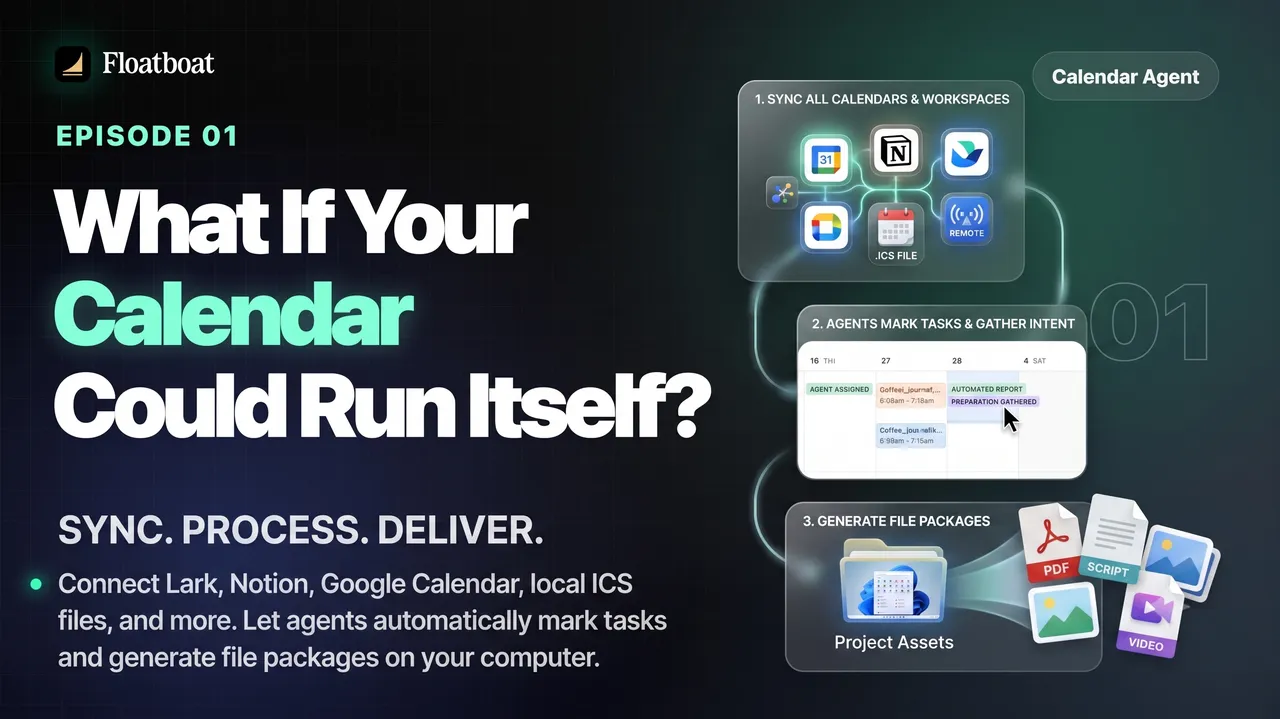
Information checked October 13, 2026. The scenarios below are design patterns, not claims that every calendar product currently performs them. Verify triggers, permissions, review gates, retries, and audit history in the product you test.
TL;DR
-
Calendar-driven AI is a design pattern in which a scheduled event can trigger predefined preparation or follow-up work without a new chat prompt.
-
The mental shift is from time container to trigger: an entry no longer just holds an appointment and a few notes — it behaves like an instruction that wakes up a predefined workflow at the right moment.
-
Three moments carry most of the value — before an event, toward a deadline, after a conversation — each a place where follow-through today depends on memory.
-
The human stays in charge: the system assembles briefs, drafts, and reminders for your review. What disappears is the remembering burden, not the judgment.
1. What the Core Event-and-Reminder Flow Covers
Open your calendar on a Wednesday and you will see the week compressed into colored blocks: a 9:00 standup, a 10:00 client call, a 2:00 review, and, tucked into event titles, the deadlines you have run out of other places to store. If you are like most knowledge workers — and nearly every solo operator we meet — your calendar stopped being a scheduling tool years ago. It became a memory system: the place commitments go so they stop living in your head.
The cited documentation supports a narrower point. Microsoft describes Outlook Calendar's core event flow as creating appointments and events, organizing meetings, and viewing group schedules; Google documents configurable Calendar notifications. Those pages describe native event and reminder behavior, not the full limits of either platform, its add-ons, APIs, or connected services. For this article, that core flow is the baseline against which a separate trigger-and-approval workflow is compared.
When a setup uses only the core event and reminder flow, supporting work still depends on a person or separately configured automation initiating it with the right context. That is manageable on a light day and easier to miss when meetings run long. For a solo operator, the useful comparison is therefore not whether a calendar can hold events, but whether a separate workflow can prepare reviewable work around them. Our guide to the calendar features solo operators should compare covers the underlying views, tasks, and sync choices.
The calendar can still provide useful trigger data: start and end times, recurrence, attendees, and deadlines. The question this article explores is what a separately configured workflow could do with those signals while preserving permissions, review gates, and failure handling.
2. What "Running Itself" Actually Means
Calendar-driven AI — sometimes called an agentic calendar or a calendar-driven agent — is a design in which calendar entries act as triggers that start predefined work at the right moment, without a human asking. We have covered the paradigm elsewhere, including why it differs from chat-based AI at the architectural level: a chat window waits for you to prompt it, while a calendar-driven system runs on your schedule — see our calendar-driven AI vs. chat-based AI breakdown. The working definition is simple — the event is the instruction, time is the trigger, and the AI assembles whatever that instruction implies.
The change is mental before it is technical, and it can be stated as a single swap: the calendar stops being a container for time and becomes a surface for triggers. A container stores an hour; a trigger starts work. Where you once wrote "Finalize Q3 deck" in an event's notes and trusted yourself to remember to open it, the system instead recognizes that this event has a workflow attached and runs it on the schedule you defined. The closest analogy is the background process on your computer — your operating system updates and cleans up without being asked — with your calendar as the schedule and its agents as the processes that execute.
A concrete way to see the distance between the two models is to line them up across the moments that make up a work week:
| Moment | A conventional calendar | A calendar-driven AI |
|---|---|---|
| What an entry is | A time slot with a title, attendees, and notes you typed | A semantic trigger that routes to a predefined workflow |
| Who starts the work | A person or another configured system | A configured time or event trigger |
| Before an event | Native reminders and event details | A defined workflow may assemble a reviewable brief |
| Toward a deadline | The event records the commitment | A defined workflow may create intermediate checks or drafts |
| After an event | Notes and updates entered by people or connected tools | A defined workflow may propose tasks or follow-up drafts |
| Failure mode | Missed human or connected-tool step | Missed, duplicated, or incorrect run that needs logs and recovery |
The comparison is about workflow design, not a claim that one category always fails better than another. A native event flow can miss a human step; an automation can fail silently, duplicate work, or generate a poor draft unless it has observability and recovery controls. The next three sections use hypothetical scenarios to show what should be configured and tested.
3. Scenario One: The Meeting That Prepares Itself
Consider a hypothetical configured workflow for a 10:00 client call: a rule starts a preparation run twenty-five minutes before the event and proposes a one-page brief from explicitly permitted calendar, email, note, and document sources. This is a design example, not a claim that a named product supplies those sources or produces a reliable brief by default.
Compare that with the container model's 9:35. You are wrapping up another call, half-remember the client had feedback on the proposal, and open several tabs hoping to reconstruct the context before joining. A calendar-triggered preparation workflow can start that assembly earlier, but only if it has permission to the relevant sources and a defined output. Our pre-meeting pipeline walkthrough separates context gathering, document surfacing, brief generation, and action-item carry-over so each stage can be tested rather than assumed.
The brief should remain a starting point, not a script. The trigger can be as simple as start time minus a lead interval, while continuity depends on the product's documented storage, permissions, and retention—not on the calendar event alone.
4. Scenario Two: The Deadline That Pushes Work Forward
Consider a proposal due Friday. In a hypothetical deadline workflow, the event could trigger configured intermediate checks: a draft review on Wednesday, a blocker check on Thursday, and a final review on Friday. Whether a product can gather the right evidence or generate useful drafts must be tested; the deadline itself does not create those capabilities.
It is worth being precise about the difference between a reminder and a trigger. A reminder announces that the deadline exists; it fires at the time you configured, and it changes nothing about whether the work is done — in Outlook's own design, you snooze or dismiss the event and it remains exactly as incomplete as before. Reminders are honest and useful for people who need the nudge. A trigger does something else: it converts a single point in the future into intermediate milestones, each with a concrete output. That conversion is what makes the calendar behave like a lightweight project manager rather than storage.
For a solo operator this is the difference between projects that advance only while you are looking at them and projects that quietly move while you are heads-down in one of them. The boundary is worth stating plainly: none of this activates if the deadline was never entered as a real event with real context, and output quality depends on the sources you connected. The calendar must be kept honest — a genuine Friday-5:00 commitment, not a note — because the trigger only fires for what the calendar knows. That is less a limitation than a contract: the system mirrors the truthfulness of the calendar you feed it.
5. Scenario Three: The Follow-Up That Fires on Its Own
A meeting ends with two agreements. In a configured follow-up workflow, the event's end time could trigger extraction into a review queue: a proposed summary, candidate action items, and draft messages. These outputs require meeting evidence, ownership rules, duplicate prevention, and human review. A recurring event does not by itself guarantee that the next brief will carry the correct history.
The mechanics are covered in depth in our article on AI follow-up automation, which explains how meeting evidence can become reviewable tasks and drafts. Architecturally, an event's end time is a reusable trigger. What happens after that trigger still depends on the connected evidence, the workflow definition, and whether a person approves the proposed output.
Taken together, the three scenarios form a single cycle rather than three separate tricks. Preparation feeds the meeting; the meeting produces decisions; the deadline pushes them toward completion; the follow-up confirms them and seeds the next preparation. The calendar becomes a loop of responsible work that spins on its own — except the remembering, assembling, and sequencing no longer depend on one person's attention holding steady all week. Your job is to define the loop once, review what it produces, and intervene when it gets something wrong. That division of labor — the calendar deciding when, the agents assembling, the human deciding — is the real answer to the title's question.
6. What This Is Not — The Honest Boundaries
It is worth being equally clear about what a self-running calendar is not. It is not an autonomous executive. Products differ on whether they send, book, or commit automatically, so buyers must inspect the current permission and approval model rather than assume a safety boundary. A prudent evaluation keeps external actions behind review until the trigger, evidence, retry, and rollback behavior has been tested. The useful target is assembly work—finding, formatting, and sequencing—not unreviewed judgment on your behalf.
Nor is it the same as two neighboring categories. A chat assistant may remain prompt-driven, while its retained context depends on the product and account configuration. An AI scheduling agent, as described in our AI scheduling agent explainer, focuses primarily on finding a time and booking the meeting. A calendar-triggered workflow starts from an existing event and proposes work around it. The categories can complement one another, but interoperability and supported triggers must be verified product by product.
The approach also has real dependencies worth naming. It is only as good as the calendar you keep and the sources you connect: a calendar full of vague titles produces noisy context, and a system with access only to your calendar produces thin briefs. Privacy is a genuine consideration — the useful versions of this read calendar entries and, ideally, the emails and files around them, so scoped access and local processing matter where confidentiality is a concern. And for some readers the honest answer is not to use this at all: if your week holds a few internal meetings and no recurring client loop, a well-kept plain calendar plus a chat assistant when needed may remain the right tool. A calendar that runs itself is powerful precisely because it is specialized — and specialization is never for everyone.
7. Where It Stands Today — and the Road Ahead
As of October 13, 2026, this article treats calendar-driven AI as a design pattern, not a maturity claim about a product category. Calendar APIs can expose event data to authorized applications—for example, Microsoft Graph documents Outlook calendar access—but an API does not prove that a product supplies reliable preparation, follow-up, approval, retry, or audit behavior. Those capabilities must be verified in the specific product and account being evaluated.
For any candidate, the hard questions are operational: how events are matched to workflows, which sources are read, where outputs appear, what requires approval, how duplicate runs are prevented, and how failures are recovered. A demo of a successful brief or draft is not evidence that those controls work across a real calendar.
The road ahead looks like three trajectories converging. First, the unit of automation will widen from the single meeting to the objective: agents will manage arcs that span many events — a proposal, a launch, a renewal — each entry advancing a shared, dated goal. Second, systems will learn personal defaults the way the recurring-client example showed: not generic templates, but per-series behavior tuned by what you approve and reject over weeks. Third, governance will set the pace — audit trails, granular permissions, and local processing where confidentiality demands it, because the trust question, not the intelligence question, is what will determine whether anyone lets a calendar actually run itself. The division of labor throughout this article is not a compromise awaiting removal; it is the design.
8. Conclusion
Return to the Wednesday example. In the intended pattern, calendar signals start bounded workflows that place preparation, deadline checks, and follow-up drafts into a review queue. That outcome is not guaranteed by the event: a pilot must verify permissions, evidence quality, duplicate handling, retries, and approval behavior. The useful shift is from remembering every initiation step to reviewing observable proposed work.
If you want to test the idea without overhauling your workflow, try the smallest experiment: pick one recurring meeting and one real deadline next week, and write down what preparation and follow-through around them currently cost you. Then try a calendar-driven tool on those two items — or, staying manual, turn the deadline into three intermediate events named "draft outline" and "request missing numbers," and notice how much more of the work survives the week. The calendar already knows your commitments better than you remember them. The only question left is whether the work those commitments represent will start moving on its own.
https://floatboat.ai/blog/what-if-your-calendar-could-run-itself