
AI Meeting Preparation: Build a Brief You Can Trust
A practical AI meeting preparation workflow for gathering context, checking permissions, writing a concise pre-meeting brief, and carrying decisions forward.
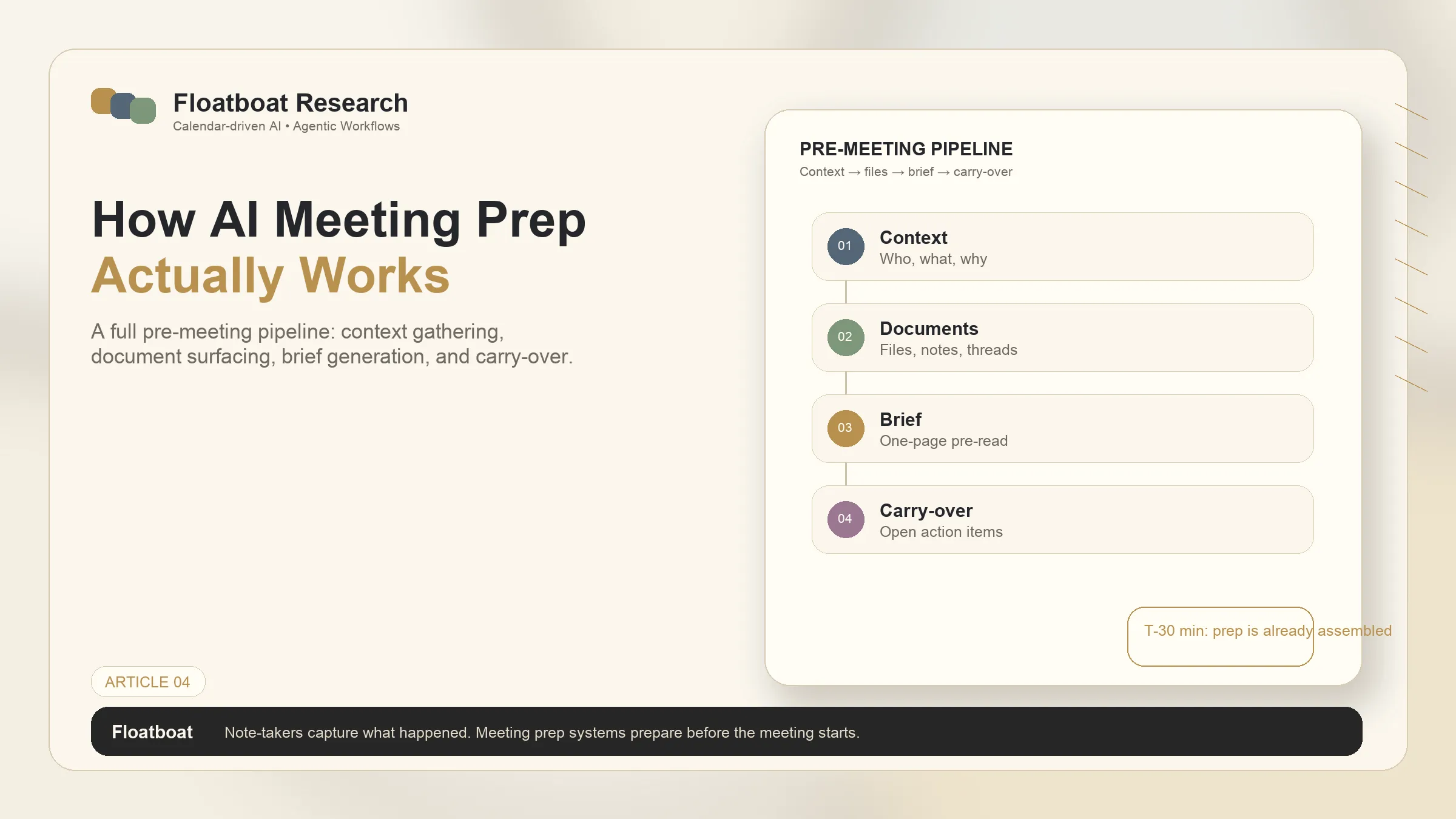
AI meeting preparation should answer a narrow question: what must this attendee know, decide, or bring before the meeting starts? It is not the same job as transcription. A note-taker records the meeting after people join; a preparation workflow assembles relevant evidence beforehand and turns it into a reviewable brief.
The useful version is not “summarize everything about this customer.” It starts from the event, searches only authorized sources, identifies unresolved work, and shows where every material claim came from. This guide explains how to build that pipeline without turning a calendar invite into an excuse for uncontrolled data access.
Information checked October 13, 2026. Product availability changes by plan, tenant, region, and administrator settings. The workflow below is vendor-neutral; linked product examples document currently available implementations.
The output: a one-page decision brief
A good meeting brief is designed for use five minutes before the call. It should contain:
- Purpose: why the meeting exists and what outcome is expected.
- People: attendees, their roles, and only the relationship context relevant to this meeting.
- State: the last decision, open commitments, deadlines, and material changes since the previous interaction.
- Evidence: links to the source email, document, CRM record, or prior notes behind each important claim.
- Decision agenda: questions that must be answered, ordered by importance.
- Risks: missing information, conflicting records, and permissions that prevented retrieval.
- Next action placeholder: a place to capture the owner and date for each decision after the call.
This schema prevents the common failure where an AI generates a polished biography of the attendees but misses the unpaid invoice, unresolved objection, or decision due today.
Stage 1: turn the calendar event into a retrieval plan
Start with event fields: title, organizer, attendees, description, time, recurrence, attachments, and conferencing link. Treat them as routing signals, not ground truth. Titles can be vague, attendee lists can be outdated, and recurring events often retain an obsolete description.
Translate the event into explicit retrieval keys:
- people and verified organizations;
- project, account, or matter identifier;
- recent date range appropriate to the meeting;
- prior event in the same series;
- documents explicitly attached or linked;
- open actions assigned to attendees.
Google documents that Calendar events can contain Drive attachments and meeting notes, with sharing controlled separately in Drive. Microsoft says its meeting-preparation feature can summarize accessible context, tasks, documents, and resources, while warning that meetings without related content may receive generic results. Those limits support the same rule: the event points to evidence; it does not create evidence. See Google Calendar attachment guidance and Microsoft's meeting-preparation documentation.
Stage 2: collect evidence without flattening permissions
Search in a fixed order so the brief favors authoritative, recent sources:
- event attachments and the current agenda;
- decisions and action items from the previous meeting;
- project or CRM records of current state;
- recent email and authorized team messages;
- background documents needed to explain an open decision;
- public web sources only when external change matters.
Preserve source identity and timestamps. Do not paste all retrieved text into one untraceable context block. Record whether an item is a decision, an assertion, a draft, or an outdated plan.
Permissions must follow the person receiving the brief. Microsoft explicitly says different attendees can receive different meeting insights because summaries reflect content each person can access. Google likewise separates event visibility from Drive-file access. If a file is visible by name but cannot be opened, the brief should say “attachment not accessible,” not infer its contents or silently broaden sharing.
Stage 3: resolve conflicts before summarizing
Meeting context often disagrees with itself. An email says Friday; the project system says Monday. A prior note assigns Jordan; the ticket assigns Mei. The correct behavior is not to choose the newest sentence blindly.
Use three labels:
- confirmed: supported by the designated system of record or an explicit decision;
- reported: present in a source but not independently confirmed;
- conflict: two relevant sources disagree and the meeting must resolve it.
This is where AI adds more value than simple search. It can cluster references, identify contradictions, and compress evidence. Human review remains essential for commercial, legal, medical, personnel, and financial decisions.
Stage 4: draft for the decision, not for completeness
Generate the brief from the selected evidence and enforce a hard length limit. A useful prompt specifies audience, meeting objective, prohibited sources, required citations, and maximum length. It should also say what to do when evidence is absent: disclose the gap instead of improvising.
The final review takes under two minutes:
- Can every material number and commitment be traced?
- Are old notes clearly dated?
- Are private details necessary for this attendee and purpose?
- Is the decision agenda visible without scrolling through history?
- Does the brief distinguish facts, inferences, and missing information?
If the workflow cannot pass that review, it is retrieval theater—not meeting preparation.
Trigger it manually or from the calendar?
A chat-based workflow waits for “prepare me for tomorrow's call.” A calendar-driven workflow can start at a defined offset, such as two hours before an external meeting, then notify the user when a draft is ready. The distinction is explored in calendar-driven AI versus chat-based AI.
Automation should be selective. Use rules such as:
- external customer meeting: prepare two hours before;
- recurring internal stand-up: show only open blockers;
- confidential personnel meeting: require a manual start;
- event with no agenda or sources: request clarification rather than produce filler.
For the broader category and its limits, see what an agentic calendar is. The safest design is “automatic draft, explicit review,” not automatic distribution to every attendee.
Carry the meeting forward
Preparation improves over time only if the meeting's decisions return to the system. After the call, capture decision, owner, due date, source note, and whether follow-up may be sent automatically. Then update the next event in the series or the underlying project record.
This closes the loop without pretending the pre-meeting agent heard the meeting. A separate note-taking or human-confirmation step must produce the post-meeting facts. The follow-through design is covered in AI follow-up automation.
A safe pilot
Pilot the workflow on ten low-risk meetings across three types. Measure preparation minutes saved, source-citation accuracy, missed commitments, false or stale claims, and how often the brief changes a decision or question. Include one event with inaccessible attachments and one with conflicting deadlines.
Stop the pilot if the system silently expands permissions, fabricates missing context, sends a brief without review, or cannot identify its sources. A concise, incomplete brief that names its gaps is safer and more useful than a comprehensive-looking fiction.
Bottom line
AI meeting preparation is a retrieval-and-decision pipeline: use the event to locate evidence, preserve access controls, expose conflicts, compress the result into a one-page brief, and carry confirmed decisions forward. The quality of the model matters, but source discipline and approval design determine whether the brief can be trusted.
Related posts
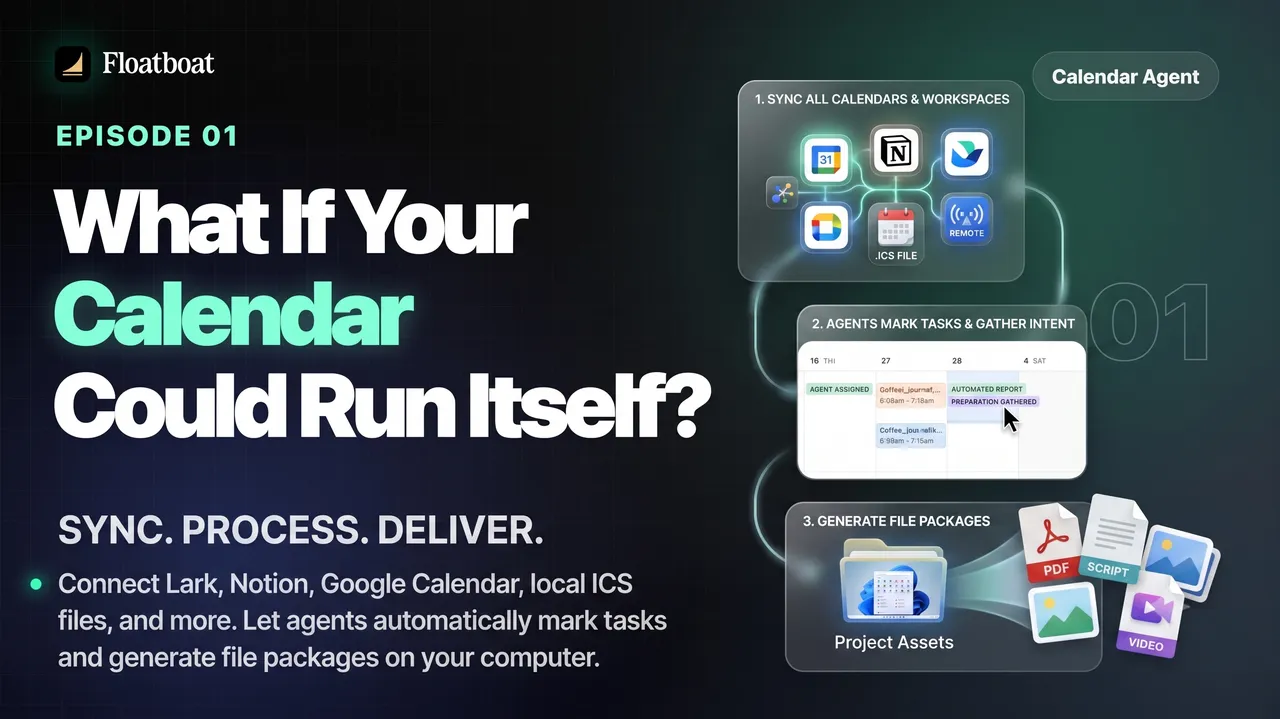
What If Your Calendar Could Run Itself? Calendar-Driven AI
Explore calendar-driven AI as a design pattern: events trigger reviewable preparation or follow-up workflows, with explicit permissions,…
Where Was the World Cup 2026 Held? All 16 Host Cities
The 2026 FIFA World Cup was held across 16 host markets in Canada, Mexico, and the United States. See every city and stadium, the country…

World Cup 2026 Bracket: Complete Knockout Results and Final Path
The completed 2026 World Cup bracket from the Round of 32 to the final: every knockout result, Spain's title path, bracket rules, and…
https://floatboat.ai/blog/ai-meeting-preparation