
1. Why Doubao Work Was Needed
1.1 From "Chatting" to "Getting Things Done"
Many AI assistants can already write a decent report, yet the workflow still looks like: copy and paste, open WPS Office yourself, file folders by hand, create a task in Feishu. The model supplies the answer — but the last few steps usually still fall to a human.
ByteDance's Seed team put it bluntly: in productivity scenarios, users need more than a one-shot answer — they need the model to keep driving toward a goal and produce a usable result. That gap between "suggestion" and "delivery" is exactly what Doubao Work is built to close.
When you send a task command with local or browser automation enabled, Doubao plans and executes on its own — file read/write, web actions, software automation, batch processing. Those instructions count as your authorization; anything touching property, identity, or high-risk privileges still needs your sign-off.
1.2 How It Differs From "Doubao" and "Dola"
Product | Who it's for | What it mainly does |
Doubao | Users in mainland China | Chat, search, creation, light office work |
Doubao Work | Individuals and Feishu (Lark) teams | Complex task execution, local/cloud-computer control, enterprise collaboration |
Dola | International users | Multilingual chat, writing, translation, images and creation |
Dola is not the international version of Doubao Work: it focuses on everyday assistant capabilities, with no office-agent entry point, no Doubao Work-grade local control, and no Feishu team integration. The accurate way to put it: Dola exists, but an international Doubao Work doesn't.
Doubao Work isn't here to replace Doubao — it's a dedicated office entry point spun out of it: heavy execution, desktop control, and Feishu context belong here; everyday Q&A and creation stay in Doubao.
2. Why ByteDance Made It a Separate Product
This is the key to understanding Doubao Work: it isn't just another mode inside the Doubao app — it's ByteDance splitting its product track in the AI office race.
2.1 Chat Products and Work Products Come With Different Expectations
When people chat in Doubao, the default expectation is "quick Q&A, interruptible anytime, light creation." An office agent sets a different expectation: "hand over a goal, walk away for a while, come back and accept the result" — the task might run for half an hour and touch local files and Feishu data inside permission boundaries.
Trying to satisfy both expectations in one product entry creates three problems: high discovery cost (finding "work tasks" in a chat app's feature tree), blurred brand perception (chat tool or office agent?), and hard-to-split monetization (office tasks burn far more compute and need their own tiers, seats, and governance). Standing "Doubao Work" up as its own brand is, at bottom, a message to the market: this is for getting work done — judge it by its own client, website, and pricing.
2.2 Model Capability Has Reached the Point Where a Separate Track Is Necessary
Seed 2.1's official release notes stress that for high-value work tasks, the model needs to take part in analysis, solution design, content planning, and result synthesis, and keep improving toward a Computer-Use agent across environments and tools. TRAE Work, Doubao's "office tasks" mode, and later Doubao Work are all forms of that capability line landing on verifiable deliverables. Once a model evolves from "writes well" to "gets it done," product organization splits too — chat entry, office entry, coding entry — with Doubao Work as flag-bearer of the office line.
2.3 Feishu Enterprise Scenarios Need a Distinct Product Boundary
The user agreement splits Doubao into a personal and an enterprise edition. The enterprise edition includes the Doubao Work client and Doubao features inside Feishu: Feishu sign-in, organization-managed identities and permissions, and a team edition that inherits Feishu's team knowledge and enterprise-grade permissions — work delivered without repeatedly re-explaining context.
These capabilities are hard to carry inside a consumer chat product's compliance framework. A separate brand lets IT procure by seat, audit, and data-training opt-out — not have employees subscribe to a chat membership and "incidentally" operate company files with it.
2.4 TRAE and Coze Integration Needs One Unified Office Front Door
Seed's notes also connect the Doubao office-task mode to models used in TRAE Work and TRAE IDE. If the office agent, the coding agent, and the Skill platform (Coze) each go their own way, enterprise customers juggle three accounts and three billing schemes — so as ByteDance's unified brand for AI office, Doubao Work gathers Feishu's modular capabilities, the TRAE coding line, and the Coze Skill ecosystem under one narrative: chat with Doubao, work with Doubao Work, code with TRAE.
2.5 Competition Forced the Issue: Office Agents Are Already Their Own Category
In 2026, Tencent's WorkBuddy and Alibaba's Qwen Office have both launched as standalone desktop workbenches with standalone websites. Keeping ByteDance's strongest office-agent capability buried in a Doubao app menu would mean starting the "AI office entry" race at a natural disadvantage — and a standalone product also stakes a claim to a search intent and a desktop-install slot, on the same table as WorkBuddy and Qwen Office rather than from a tab inside a super app.
3. What Doubao Work Is
3.1 A One-Sentence Definition
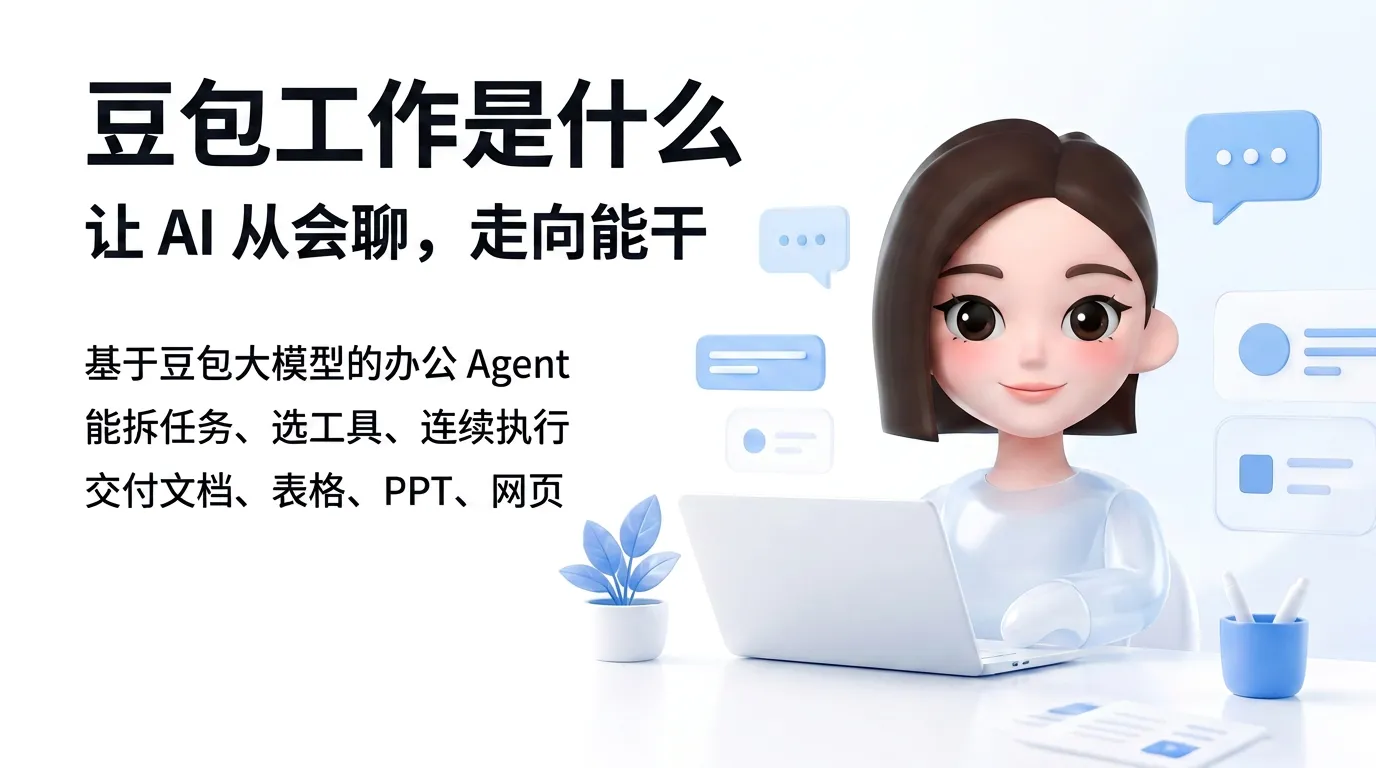
Doubao Work is an AI office agent built on the Doubao family of models: you state your goal clearly, and the system breaks it into steps and picks its tools by itself — local computer, cloud computer, browser, office suite, skills, and connectors — then executes continuously until it delivers a finished document, spreadsheet, deck, webpage, or other artifact.
To explain it to a colleague: it's like an intern who can operate a computer — you say what needs to be done, it opens the software and fills in the spreadsheets; you do the acceptance.
3.2 Four Core Characteristics
Two of the four characteristics are about what the product optimizes for and where it runs. Delivery-oriented: the output should be an editable file or a Feishu cloud document, not a paragraph of advice — the artifact is the unit of work. Two ways to run: local software and private files execute on a local virtual desktop, long-running and scheduled jobs go to a cloud computer, and the mobile app can remotely dispatch tasks to an authorized computer — three modes for three different moments in a workday.
The other two are about what the agent can reach. Skills and connectors: preset skills cover earnings-call interpretation, contract drafting, and deck building; connectors tie into Feishu, DingTalk, WeCom, and Tencent Meeting; the team edition additionally calls Feishu messages, calendar, documents, spreadsheets, and the knowledge base. Organizational context: with a Feishu enterprise account, the agent reads organizational relationships, group chats, documents, and tasks within your permission scope, and writes results back into the collaboration flow.
3.3 "Doubao Office" vs "Doubao Work"
In everyday speech, "Doubao Office" usually refers to the "work tasks / office tasks" mode inside the Doubao app. Doubao Work is the standalone brand officially launched in August 2026, with a separate desktop client and its own official site. Same product line, different stage names.
3.4 How to Install It, Where to Access It
Doubao Work ships on several surfaces, each tuned to a different situation: the desktop client from doubao.com/work (Windows and macOS) carries the full local-control experience; the Doubao app still offers the work-task mode, being aligned with the standalone client; enterprise users get an embedded experience inside Feishu, with team capabilities unlocked by Feishu sign-in; and the mobile app dispatches tasks to an authorized computer rather than doing full desktop control on the phone. The split is deliberate — full virtual-desktop control needs the native client, dispatching from your phone needs only a connection to an authorized machine — so the entry you use depends on whether you're steering the agent or checking on it.
3.5 What It Isn't
Boundary-setting matters here, because "AI office agent" marketing blurs several distinct things into one. None of the following apply:
-
Not a renamed Doubao chatbot.
-
Not the international Dola.
-
Not hands-off full automation — authorization and high-risk steps still need human oversight.
-
Not an open platform for any model — the personal edition mainly runs ByteDance's own models, with paid tiers offering options like Doubao Seed 2.1 Pro (check the client for details).
-
Not something that automatically prepares your meetings from your calendar by default — unless you start it yourself or set up a scheduled task.
The last point deserves emphasis, because it's the most common wrong assumption. Doubao Work executes when you ask it to; a system that watches your calendar and starts preparing before a meeting is a different architecture — the schedule, not the chat window, is the trigger.
4. How the Capabilities Land in Practice
4.1 Local Virtual Desktop (Windows-Centric)
On Windows, Doubao Work opens a separate virtual desktop where the agent mimics looking at the screen, moving the mouse, clicking, and typing: tidying files, converting WPS Office documents to PDF, and moving data across software.
The hard part is usually exception handling — expired logins, CAPTCHAs, software-version differences — so trial-run on non-sensitive files first. Local mode can also reuse your browser login state, suiting intranet OA scenarios that pure APIs can't cover.
4.2 Cloud Computers and Remote Task Dispatch
These suit scheduled collection, batch processing, and workflows that must finish after you shut down your machine. Private data and local software run locally; long-running and compute-intensive work runs in the cloud. The same "cloud computer per teammate" architecture is what xAI leans on in Grok Bot — except Grok Bot's teammates live entirely in the cloud, while Doubao Work splits the load between a local virtual desktop and cloud machines. Tiers and quotas follow the official pricing page.
4.3 Skills, Connectors, and Work Teammates
The team edition emphasizes four capabilities: rich work delivery (from documents to in-house applications), connecting team knowledge (Feishu as the data source), native Feishu access, and clear permissions (entitled content only; deliverables written back to Feishu). Teams can also save validated workflows as Skills and share them across the organization.
4.4 Multimodal Delivery
Built on Seedream and Seedance, Doubao Work can generate Word documents, Excel spreadsheets, PowerPoint decks, images, videos, and data-bearing web pages within a single task. That finished-artifact ambition is shared by Western all-in-one agents like Genspark's Super Agent, built around structured research and page outputs rather than chat replies — though Genspark has no IM or calendar foundation. Feishu sign-in drops deliverables straight into Feishu cloud documents.
5. Competitive Landscape: Doubao Work vs WorkBuddy vs Qwen Office vs Floatboat
The 2026 AI office-agent market runs on two main lines: domestic giants growing agents into their IM/document ecosystems (Doubao Work, WorkBuddy, Qwen Office), and calendar-driven agents growing into the schedule runtime (led by Floatboat). Both share "natural-language goal → multi-step execution → verifiable deliverable"; they differ in trigger, collaboration foundation, and whose context gets inherited by default.
5.1 Positioning, Side by Side
Dimension | Doubao Work | Tencent WorkBuddy | Alibaba Qwen Office | Floatboat |
Official positioning | A new teammate for team work; deeply integrated with Feishu | An all-scenario AI office workbench | One-stop AI office for individuals and enterprises | A proactive Agent OS with the calendar as its runtime |
Collaboration / context | Feishu (native in the team edition) | Tencent Docs, WeCom, QQ, WeChat | DingTalk (in-DingTalk plus deep integration) | Google/Outlook/Lark calendars and ICS; event-level workspaces |
Trigger | User initiates tasks; team edition reads Feishu context | User initiates; remote dispatch via IM | User initiates; scheduled cloud tasks | Calendar events trigger automatically (pre-meeting prep, deadlines, post-meeting follow-up) |
Desktop agent | Local virtual desktop + cloud computers | Reads/writes local files within authorized folders | Desktop computer control + cloud agents | Mac/Windows desktop; Combo Skills run per event or on a schedule |
Typical users | Feishu teams; mainland-China content/office workers | Teams on Tencent IM and docs | DingTalk organizations; e-commerce and multi-device scenarios | Solopreneurs, consultants, cross-timezone calendar users |
Typical differentiator | Feishu permissions + ByteDance multimodal | Broad IM reach; large skill library | Native in DingTalk; web publishing | Proactive execution, cross-calendar, not locked to a single IM |
Two patterns stand out. The three mainland products inherit context from an IM-and-documents suite — Feishu, Tencent's stack, or DingTalk — and treat the desktop agent as its extension, while Floatboat inherits context from the calendar and treats events as the trigger for work (compiled from each vendor's website and documentation). On the Floatboat side, see the Agentic Calendar definition and our comparison of calendar-driven AI versus chat AI. Whichever system already holds your default context is the one whose agent will feel least like extra software.
5.2 Tencent's WorkBuddy: A "Desktop Colleague" in the Tencent Ecosystem
Tencent Cloud officially defines WorkBuddy as an all-scenario AI office workbench: describe what you need in everyday language, and it breaks the task into steps, plans its way through, and delivers work results you can accept directly — unlike AI that only chats and suggests.
Officially highlighted capabilities include:
-
Natural-language tasking with autonomous planning — complex tasks decompose into multi-step plans with tools invoked and self-checks along the way.
-
Multimodal processing and local file operations — documents, spreadsheets, decks, and data analysis, plus authorized reading, writing, and batch processing of local files.
-
A five-digit skill library — more than 10,000 skills cataloged as of September 2026, per WorkBuddy's skills-market documentation, covering recruiting, investment research, legal, and marketing.
-
Cloud persistence and IM reach — long tasks keep running after you close the client, and can be dispatched remotely from WeChat, WeCom, QQ, and other channels (enterprise-edition scope per official documentation).
WorkBuddy Enterprise, alongside it, is Tencent Cloud's one-stop agent platform for enterprises — a "coding + office + agent hosting" matrix with CodeBuddy, supporting Hunyuan plus external models.
Compared with Doubao Work: WorkBuddy wins on Tencent IM and document coverage, the scale of its skill library, and multi-model or private deployment; Doubao Work wins on native Feishu data and permissions, the Seed multimodal pipeline, and the Windows virtual desktop. WeCom-docs teams will find WorkBuddy the easier migration; Feishu-knowledge teams get closer to out-of-the-box from Doubao Work's team edition.
5.3 Alibaba's Qwen Office: An "AI Workbench" in the DingTalk Ecosystem
The official Qwen Office site positions the product as a one-stop AI office platform for individuals and enterprises, on the web plus macOS, Windows, and HarmonyOS clients, covering content creation, data analysis, research, file processing, and web delivery.
The official documentation highlights three agent forms:
-
Web/cloud agents run in the browser or as scheduled cloud tasks, and keep running after you close the browser.
-
Desktop agents take natural-language tasks and combine files, skills, connectors, computer control, IM, and Hooks to get work done.
-
Enterprise collaboration agents sit inside DingTalk, with an admin console, credits, and SSO (Feishu, DingTalk, WeCom, Microsoft Entra ID, and more).
The desktop notes are explicit about computer control — screen perception, keyboard/mouse control, cross-app workflows — plus IM channels, expert suites, a skills system, and "My Webpages" website hosting.
Compared with Doubao Work: Qwen Office wins on collaboration inside DingTalk, web publishing and HarmonyOS coverage, and SSO against many identity providers; Doubao Work has no equivalent native DingTalk binding. Teams centered on DingTalk should evaluate Qwen Office first; Feishu teams don't need the detour.
5.4 Floatboat: The Calendar-Driven Option for International and Independent Users
Floatboat isn't "yet another chat agent inside Feishu/DingTalk." It's a Calendar-Driven Agent OS: your calendar is the agent's runtime, so meetings, deadlines, and recurring tasks automatically trigger preparation and execution — a brief before a meeting, a draft before a deadline, a follow-up after. For the category definition, see the agentic calendar category.
Compared with the "user assigns a task, the agent goes and does it" model of Doubao Work and its peers, Floatboat differs in:
-
Trigger model: Floatboat is system push — work starts when the schedule says so; Doubao Work is mostly user pull, with the team edition layering Feishu context on top.
-
Source of context: Floatboat builds a persistent workspace around calendar events — Google Calendar, Outlook, Notion Calendar, Lark/Feishu via ICS — without defaulting to one IM family; the Doubao Work team edition's context lives in Feishu organizational data.
-
Typical scenarios: pre-meeting preparation and post-meeting follow-up for solopreneurs, consultants, and cross-border teams — see AI meeting preparation; Doubao Work leans toward in-Feishu document/deck/video delivery plus local GUI control.
-
Collaboration shape and market: Floatboat + FloatIM take the agent-native group-chat route for solopreneurs and small teams worldwide; Doubao Work takes deep Feishu integration for mainland-China enterprises.
The short version: if your collaboration hub is Feishu group chats and cloud documents, Doubao Work fits better. If your hub is the meetings and deadlines on your calendar and you want agents running pipelines around events automatically, evaluate Floatboat.
5.5 Why ByteDance Is Betting on Doubao Work Right Now
All three domestic vendors share the same backdrop: large-model chat abilities have converged, so the fight has moved to who occupies the office entry point. ByteDance's advantages are Doubao's consumer scale and the Seed team's investment in agents, Computer-Use, and multimodal models; its weakness is that enterprise collaboration has to borrow Feishu instead of fielding an in-house IM suite like Tencent's. Whichever environment holds your default work context, that's the agent route you'll end up on.
5.6 How to Choose (The Practical Version)
The practical shortcut is to ask where your team's default work context lives. Doubao Work fits teams that use Feishu deeply, want Windows virtual-desktop control and Feishu permissions in one package, or have content roles leaning on one-stop document/deck/video delivery. WorkBuddy fits teams collaborating mainly on WeCom/WeChat/QQ and Tencent Docs, or wanting the widest IM remote-dispatch coverage plus multi-model or private deployment. Qwen Office fits organizations on DingTalk needing the in-DingTalk-native experience, desktop control, and scheduled cloud tasks, plus HarmonyOS, web-publishing, or multi-IdP SSO.
Floatboat fits a different shape of work: solopreneurs and consultants whose calendar is the center of their work, who need calendar-driven pipelines — automatic pre-meeting preparation, deadline delivery, AI follow-up automation — without manual prompting. It also fits teams pulling schedules from Google, Outlook, or Feishu calendars via ICS without wanting one-IM lock-in, and cross-timezone teams needing agents that work while they sleep. If your hub is a Feishu or DingTalk group chat, the in-ecosystem products above will feel more native; whose context gets inherited by default is the real question.
There's no universal answer. The honest advice is to take a real deliverable due next week and run it through each candidate product — your software stack and trigger habits are more reliable than any comparison table.
6. Pricing and Team Edition (Overview)
As of September 2026, this is where pricing stands — and it is moving. The personal edition has a free tier plus paid subscriptions differing in work-task quotas, cloud computers, and model tiers; the official pricing page and the client are the source of truth.
The bigger change is on the enterprise side. Per Jiemian News' September 2026 report, Doubao Work has been deeply fused with Feishu Aily — the agent platform inside Feishu — and the combined offering will shift to billing on actual token consumption, a points-based transition, with substantially lower prices expected. Per-seat list prices in this category should therefore be read as a snapshot, not a constant.
The team edition (doubao.com/work/group) emphasizes Feishu integration, enterprise permissions, and Skill sharing. Public pricing at launch showed team subscriptions from one seat (around ¥166 per seat per month on annual billing — an at-launch figure, subject to the official site) and enterprise subscriptions from 100 seats, with seats and usage billed separately and stronger audit and data-leak prevention.
Before purchasing, have IT and legal review the automation- and data-related clauses in the user agreement and privacy policy.
7. Conclusion
Doubao Work's logic can be compressed into two sentences: give the people who already use Doubao a dedicated desktop for getting work done, and give Feishu enterprises an agent colleague that inherits their permissions.
It became a standalone product not because the features couldn't be built, but because four separate logics — chat, office, enterprise governance, and industry competition — can no longer fit inside one entry point. Seed pushes model capability toward cross-tool delivery; Feishu turns organizational context into an agent moat; WorkBuddy and Qwen Office occupy their IM niches in mainland China; Floatboat and peers hold the calendar-driven niche internationally.
What actually decides success isn't whether the deck gets generated — plenty of products can do that — but whether the agent can deliver reliably inside real permission boundaries without causing trouble. If your bigger question is "who's going to run the before-and-after work on my calendar automatically," keep reading about agentic calendar systems; if it's "I want an agent colleague inside Feishu," the Doubao Work team edition is the product to compare against.
https://floatboat.ai/blog/what-is-doubao-work