
Genspark Pricing: Plans, Limits, and What You Get
Genspark pricing broken down: what each plan includes, where the limits are, and whether the free tier is actually useful.
TL;DR
- Genspark pricing is credit-metered, so the useful question is not a copied monthly price but the cost of one repeatable output.
- Plans, credits, storage, included models, top-ups, and promotional “zero-credit” actions change. This article was verified on October 13, 2026; use the official membership documentation and pricing page at purchase time.
- Run three representative jobs and record credits before choosing a plan.
How Genspark pricing works
Genspark combines plan access with a credit balance for agent work. Different outputs can consume different amounts, which makes a static price-per-month table less useful than a workload test. The related Genspark Super Agent guide explains the product surface; this page stays focused on budgeting.
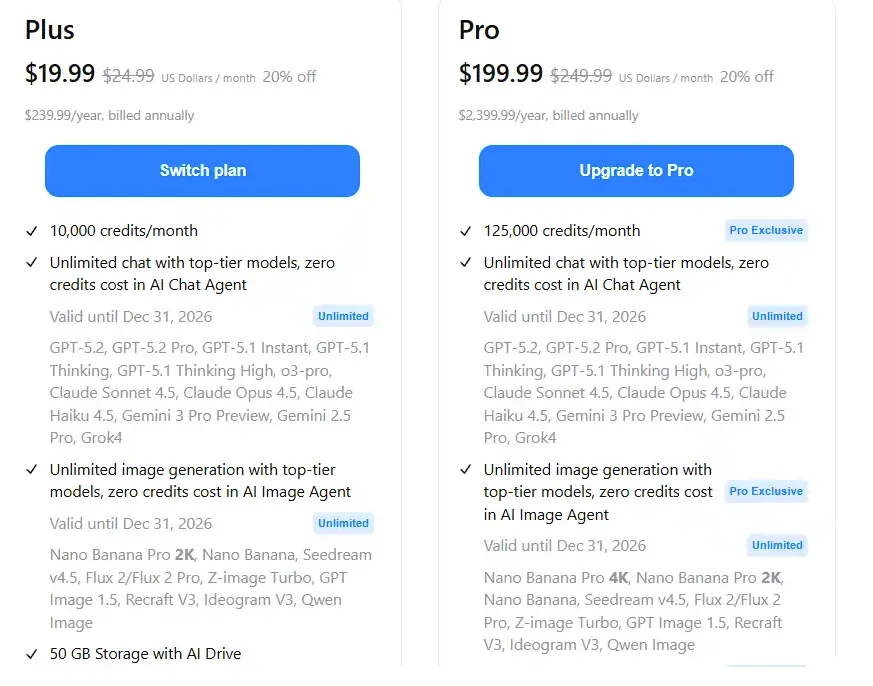
The official membership page is the source of truth for current tiers, renewal rules, storage, model access, and any actions temporarily priced at zero credits. Promotional language should not be treated as a permanent entitlement. Team buyers should also review the official Team and Enterprise documentation.
Measure cost per finished artifact
Choose three jobs you actually repeat: for example, one research brief, one slide deck, and one spreadsheet transformation. For each job, record starting and ending credits, retries, correction time, export quality, and whether external model or media charges appear. Repeat each job twice; a single run is too sensitive to prompt and source variation.
| Cost input | What to record | Why it matters |
|---|---|---|
| Credits consumed | Difference before and after a run | Converts plan balance into jobs per month |
| Failed or repeated runs | Credits and minutes lost | Exposes recovery cost |
| Human correction | Editing minutes | Prevents cheap but unusable output from looking efficient |
| Export and storage | Required format and retained files | Reveals plan gates outside generation |
| Expiry or renewal rules | Current official wording | Avoids assuming unused value rolls forward |
Choose a plan without guessing
Start on the lowest current tier that can complete the pilot. Estimate monthly volume using the median credit use, then add a documented retry margin. Move up only when the official plan’s usable allocation is cheaper than repeated top-ups or operational interruptions. If usage is irregular, compare the cost of maintaining a subscription with running the job in another AI agent platform.
For a team, do not pool work informally through one account. Check seats, administration, data controls, and ownership in the current organizational plan. Procurement value comes from governance as much as from credits.
Hidden costs to include
Credit consumption is only part of total cost. Include prompt maintenance, source verification, review, regeneration, export cleanup, and the risk that a promotional inclusion changes at renewal. Do not repeat third-party claims about typical burn rates: usage depends on task, model, media, and retries.
Original visual references
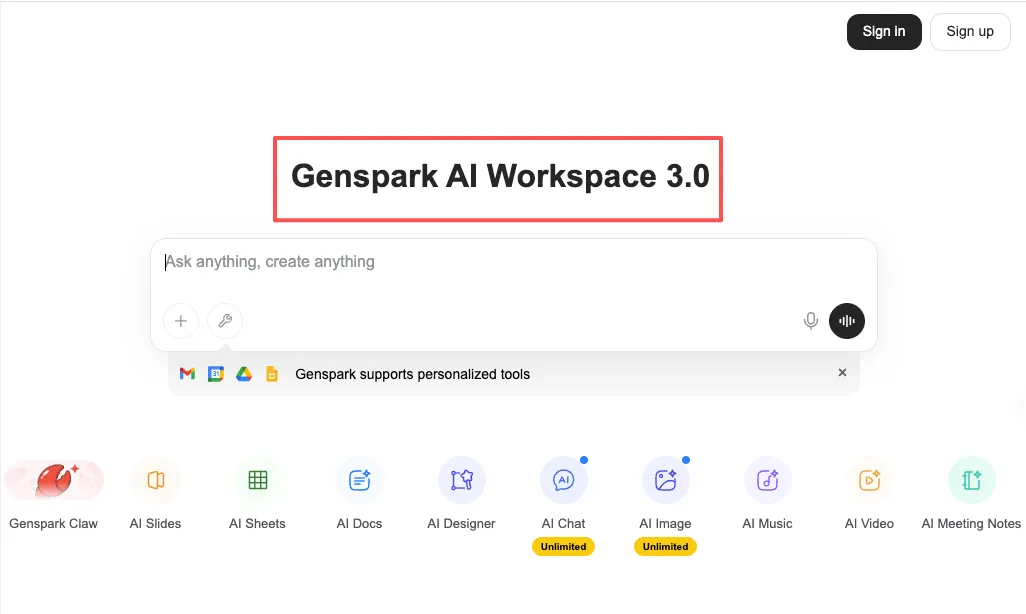
These images are restored from the article's original publication to preserve interface, workflow, and comparison context. Any product UI, pricing, benchmark result, or model availability shown is a historical capture; verify current official information before making a decision.

Decision checklist
- Verify today’s plan and credit rules on official pages.
- Run the same three jobs twice.
- Calculate cost per accepted artifact, not per generation.
- Confirm storage, export, commercial-use, and team controls.
- Choose the smallest tier with enough measured headroom.
Genspark can be economical for a workload that matches its workspace, but no fixed credit conclusion applies to every user. The reproducible answer comes from your own accepted outputs under the current official rules.
Related posts

Local-First vs Cloud Agent Workspaces: Which Fits?
Compare local-first and cloud agent workspaces across files, privacy, background execution, connectors, reliability, and control—then…
Best Markdown Editors in 2026 — Ranked by Workflow, Not Features
Obsidian, Typora, VS Code, Zettlr, iA Writer and more, ranked by workflow fit. What each editor trades away, and where browser tools beat…
Math in Markdown: LaTeX Syntax and Where It Renders
How math in markdown works: dollar-sign LaTeX syntax, where it renders (GitHub, Obsidian, Jekyll), the KaTeX vs MathJax split, and honest…
https://floatboat.ai/blog/genspark-ai-pricing