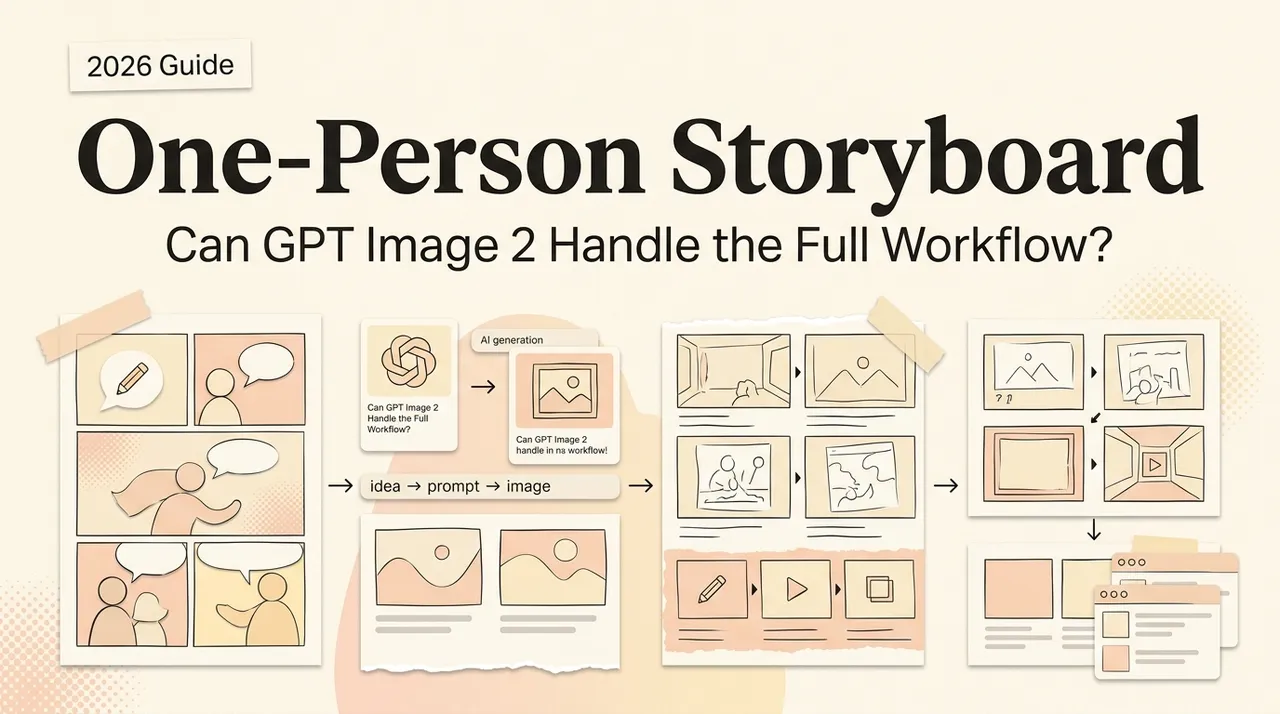
Can One Person Build a Full Storyboard with GPT Image 2?
Can GPT Image 2 produce a usable film or short-video storyboard on its own? Here's what a one-person creator can and can't pull off.
Hey, I'm Nova. I tried it last week. Twenty-four frames for a short product video: —the character holding a coffee tumbler, three locations, one continuous walking sequence. A scenario where I'd normally hire a storyboard artist or just do scrappy stick-figure thumbnails myself.
I came out the other side with a usable board in about three hours. I also came out with a clear sense of what this is good for and what it absolutely is not. So here's the question worth answering: should you, a solo operator, actually build storyboards this way? Sometimes yes. Sometimes it's hard not. Let me explain when.
What a usable storyboard actually requires
Before talking about the tool, it's worth being honest about what storyboards are for . They aren't pretty pictures. They're a planning document.
Shot list, scene geography, camera language
A working storyboard tells a director, a DP, a client, or an animator three things: what's in frame , where the camera is , and how the shots connect . That last one is the hard part. A storyboard isn't 24 isolated images — it's a sequence where shot 3 has to make sense after shot 2.
Character and set continuity across frames
Same person. Same outfit. Same coffee shop. Same direction-of-action (the 180-degree rule, if you care about that). If the character is wearing a green jacket in frame 1 and a blue one in frame 2, you've broken the contract. This is exactly where every previous AI image tool fell over.
What GPT Image 2 actually brings to storyboarding
Multi-turn editing and why it changes the workflow
This is the single most important shift, and most launch coverage buries it. According to OpenAI's announcement for ChatGPT Images 2.0, the model supports context-aware editing across turns. In plain English: you generate frame 1, then say "frame 2: same character, same cafe, now she's standing up and looking at the door." The model keeps everything that should stay and changes only what you asked for.
The old workflow was: write a long prompt, regenerate 15 times, hope. The new workflow is: generate the establishing shot, then walk the model through the sequence one edit at a time. Iteration replaces re-prompting. That's the whole game for storyboards.
A working sequence on my screen literally looks like this. Turn 1: full establishing prompt. Turn 2: "Same shot, but pull back to a wide. Keep the lighting and her position." Turn 3: "Now medium close-up on her face from the same angle." Turn 4: "Same character, but show her hand reaching for the tumbler." Each turn changes one variable. The cumulative result is a sequence that holds together because it was actually built sequentially, not assembled from 8 independent generations.
Reasoning mode for composition planning
Thinking mode is the second piece. The Next Web's coverage describes it as the model planning, reasoning, and verifying before generating — and notes that paid tiers (Plus at $20/month, Pro at $200/month) unlock it while the free tier only gets Instant. For storyboarding specifically this matters because a single prompt can return up to eight frames with character and object continuity baked in. I tested this with my opening sequence — got 8 frames where the same person, same tumbler, same lighting carried across the set. Not perfect, but recognizable. That batch-and-check pattern is doing real work outside film boards too — the solo manga chapter workflow built on the same eight-frame batches shows roughly how far that continuity stretches before frames need re-rolling.
BuildFastWithAI's developer breakdown flags the trade-off honestly: Thinking mode adds 15–30 seconds of latency per call. For storyboard drafting that's fine. For real-time anything, it's not.
Style consistency across a sequence
I anchored my style with one line repeated across every prompt: "black and white storyboard frame, light pencil shading, simple line work, square panel border." Held up across 24 frames. Drifted slightly toward softer linework around frame 18, but nothing a viewer would catch.
A realistic solo storyboard workflow
Treatment → shot list → key frames
I do not let the model invent the sequence. I write the shot list first — old-school, in a spreadsheet. Shot number, location, action, camera angle, dialogue. Then I generate frame by frame.
This is the part beginners get wrong. Asking GPT Image 2 to "make me a storyboard for a coffee commercial" will get you 8 generic frames that don't connect to anything. The model executes a plan; it doesn't write one.
Maintaining character continuity across 20+ frames
For my 24 frames I used a layered approach. First, I generated a character reference sheet — three angles of the same person — and saved it. Then for each frame I'd reference that sheet and a one-line identity string ("woman, late 20s, short dark hair, oversized cream sweater, navy tumbler in left hand"). The Replicate model documentation lays out the multi-image reference workflow clearly — you can pass several reference images and tell the model how they relate.
Beyond about frame 15, even with references, faces start to drift subtly. I retouched two frames manually. Plan for it. Don't pretend it doesn't happen.
Iterating a shot without re-prompting the whole sequence
Real example from last week. Frame 9 was almost right, but the character was facing camera-left when she needed to be facing camera-right (continuity from frame 8). Old workflow: regenerate, hope it lands. New workflow: "Same frame, mirror her body so she's facing the door on the right side. Keep everything else." Worked first try.
This is the workflow change worth understanding. Edits are surgical. Compositions stop breaking.
Where it still fails
Now the honest part. I'm going to be real here — there's a list of things this model is not good at, and if your storyboard depends on them, don't waste your time.
Specific camera angles and lens language
Ask for "85mm portrait, shallow depth of field, slight low angle, rack focus from foreground cup to character's face." You will get something that looks vaguely like a low angle with shallow depth. You will not get accurate lens compression or correct focal-distance falloff. Lens language is approximate. For a pitch deck, fine. For a DP to plan from, no.
Action continuity between frames
Mid-action poses across consecutive frames are unreliable. If frame 5 is "she lifts her arm halfway" and frame 6 is "she lifts her arm fully," the arm geometry drifts between frames in ways that read wrong. This is a known limit — the model handles distinct moments well, micro-progressions of motion not so well. I solved it by skipping the in-between frames and only boarding the key beats. Old storyboard rule anyway.
Dynamic motion and blocking
Two characters interacting across a sequence (handing something off, walking toward each other, fighting) breaks down quickly. The model loses track of relative spatial position. By frame 4 of a two-person scene, one of them has shifted to the other side of the frame for no reason. I worked around this by generating each character's coverage separately and then describing the shot from one POV at a time.
GPT Image 2 vs hiring a storyboard artist vs traditional thumbnails
Here's the framework I'd use. Three options, three different jobs.
Hire a storyboard artist. Industry rate guides put freelance per-frame pricing at $10–$25 entry-level, $40–$100 for professionals, $100+ for studio-grade work. Day rates run $300–$700. For a 24-frame board you're looking at roughly $500–$2,500 depending on quality tier. What you actually pay for: cinematic judgment, lens fluency, continuity across complex action, and a human who pushes back when your shot list doesn't make sense. If your board is going to a real production crew, this is the right answer.
Self-thumbnail. Stick figures, arrows, notes. Free. Takes 30–60 minutes for a 24-frame board if you can sketch at all. What it gives you: complete creative control, perfect continuity (because you're tracking it in your head), zero polish. Right answer for internal planning, your own short videos, anything where the audience is just you.
GPT Image 2. $20/month subscription cost (assuming you're already paying) plus the time investment. Three hours for my 24 frames. What it gives you: pitch-ready visual quality without the artist budget, surgical iteration, multilingual text in-frame for international or contexts. Right answer for short-form video creators, UGC pipelines, indie pitch decks, and pre-production sketches you'd normally not have time to make.
The pricing math matters here. A 24-frame board from a freelancer at the cheap end is $240–$600. From me, before this model, it was usually zero frames because the cost-to-value ratio for a 60-second video didn't justify hiring anyone, and I was too lazy to thumbnail it myself. So the comparison isn't really "GPT Image 2 vs artist" — it's "GPT Image 2 vs no storyboard at all." That's the population it actually helps.
I want to be careful not to overstate this: GPT Image 2 doesn't replace a storyboard artist for film or commercial production. It replaces not having a storyboard at all because you couldn't afford one. That's a different value proposition, and it's the one that matters for solo operators.
Who this fits, and who should skip
Fits well:
-
Short-form video and UGC creators boarding 30–90 second pieces
-
vertical-drama pre-vis where text-in-frame and CJK rendering matter
-
Indie filmmakers building a pitch deck for funders
-
Solo founders mocking up an explainer video before commissioning the real thing
-
Course creators planning visuals for a recorded talk
Skip it if:
-
You're boarding a complex action sequence (real fights, chases, parkour)
-
Your output is going to a DP who will plan camera moves from your boards
-
You need exact technical accuracy on lens language or framing
-
You have a strong personal storyboard style you want to preserve — the model gives you a clean look, not your look
That's where I am with this. I'm not going to fire my future storyboard artist; I am going to stop pretending I don't have time to board my own short videos. The tool isn't replacing the craft. It's removing the excuse.
Before committing a production workflow to one image model, compare GPT-Image-2, Midjourney, and Nano Banana 2 against the same references, text-rendering cases, edit requests, and delivery requirements.
When you need this, you'll know.
Related posts
GPT-6.1 Sol: Pricing, Benchmarks, Availability, and How It Compares
GPT-6.1 Sol brings near-Astra coding, computer use, and professional-work performance at one-fifth of Astra's token prices. Here is what…
What Is Jev? The AI Model That Never Writes Text
Jev is TypeSafe AI's System One model: typed probabilistic decisions instead of generated text, claimed 193.6x faster and 444.6x cheaper.…
DeepSeek V4.1 Flash: Release Status, Specs, Pricing, and Migration
DeepSeek V4.1 Flash is now the production Flash model. Verify its model ID, 1M context, vision support, peak pricing, retired aliases, and…
https://floatboat.ai/blog/gpt-image-2-storyboard-solo