AI text editor for photos
Edit text in any image with AI
Upload a photo, say what the words should be, and get the same image back with the new text matched to its font style, color and lighting.


- Matches the font style, color and lighting
- Charged only when you click, refunded if it fails
- Upload deleted after the edit; result deleted within 7 days
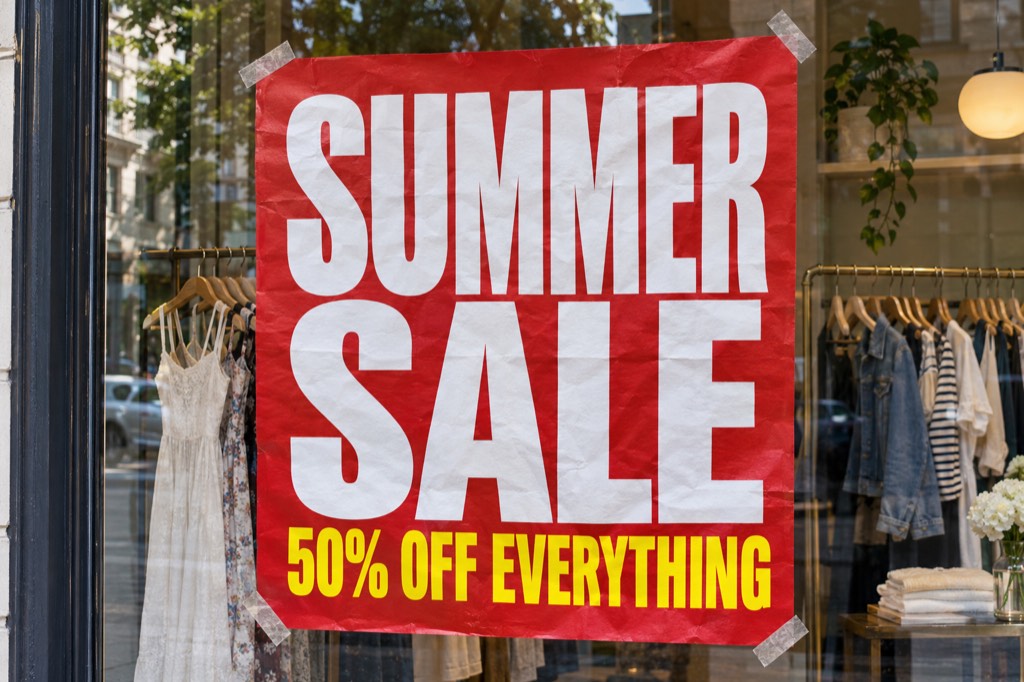
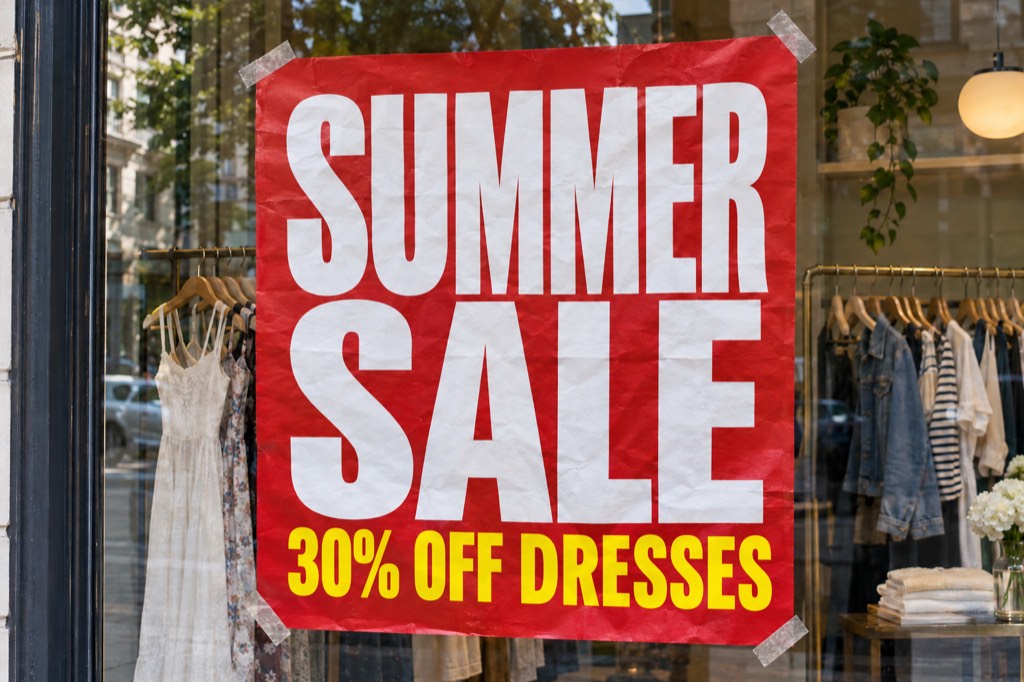
Edit text in image: 20 before-and-after examples
Each pair was made by the same AI model this tool uses, from the instruction under it.
How it works
1
Upload your image
Drop, paste or choose a PNG, JPEG or WebP photo, poster or screenshot up to 10 MB. It stays in your browser until you click Edit text.
2
Say what to change
Write it the way you would tell a person, for example Change "50% OFF" to "30% OFF". The price is on the button, and nothing is charged before you click it.
3
Download the edited image
In about a minute you see your image before and after. Download the new one. We keep it for 7 days, or you can delete it right away.
Pay per edit, no subscription
Browser edits use credits you buy once. The Floatboat app is free to start, with its own sign-up credits.
500 credits
$2
4 image edits
about $0.50 an edit
- Secure checkout by Stripe
- Failed edits are refunded
- One-time payment, no subscription
1,250 credits
$5
10 image edits
about $0.50 an edit
- Secure checkout by Stripe
- Failed edits are refunded
- One-time payment, no subscription
Floatboat app
Free to start
Free to start: 200 credits when you sign up, 300 more the next day.
- Works on images straight from the folders on your computer, nothing to upload page by page.
- Not quite right? Say what to change in the same chat and it tries again.
- The same app handles the rest of your work too, from documents and spreadsheets to slides.
Edit text in an image without Photoshop
Changing the words on a photo usually means cloning out the old text, hunting for a matching font and lining up new letters by hand. In Floatboat it takes one sentence. Say which text to change and what it should say, and the AI redraws that part of the image to blend in with the rest.
What you can change
Prices and dates on posters, menus and flyers. Typos on signs and product shots. Names on mockups and slides. The language of a label. It works best when the text is easy to read in the photo and the new text is about the same length as the old.
AI text editing vs. a text box on top
Classic editors lay a new text box over the photo, so the font, lighting and texture rarely match. An AI edit draws the new text into the picture itself, so it looks printed, painted or chalked like the original.
Frequently asked questions
How much does it cost to edit text in an image in the browser?
One edit costs 125 credits, about 50 cents. Credits come in packs of 500 (4 edits) or 1,250 (10 edits), priced at the standard rate of 250 credits per US dollar. The price is on the Edit text button, nothing is charged before you click it, and if an edit fails its credits are returned.
Can I use the free sign-up credits in the browser?
No. The free credits you get when you sign up are for the Floatboat app, where it is free to start. Edits in the browser use credits you have bought. If the edit fails, the credits for it are returned to your account.
What happens to my images?
Your original image is removed from our servers when the edit finishes. The edited image is kept for 7 days so you can download it, and you can delete it earlier with the delete button on this page. Before you sign in, your image stays in your browser and is not uploaded.
Is it free to edit text in an image with Floatboat?
Floatboat is free to download. New accounts get free credits when they sign up and more the next day, and each image edit in the app uses some of them. When they run out, you can top up or subscribe.
Will the new text match the original font?
The AI matches the style, color and lighting of the text around it, so the result usually looks like the original. An exact typeface is not guaranteed. If a letter looks off, say so in the same chat in the app and it tries again.
Which images work best?
Photos, posters, screenshots and product shots where the text is clear, as PNG, JPEG or WebP up to 10 MB. Short replacements of about the same length as the original look the most natural.
Does it work on Mac and Windows?
Yes. The browser tool works anywhere, and the Floatboat app runs on macOS and Windows. On a phone, you can sign up now and install the app on your computer later.